

Hiding Unused Custom Fields
Last updated:
If you have custom fields that are no longer needed, you can easily hide them in "Edara" by disabling their visibility.
Hiding Unused Custom Fields
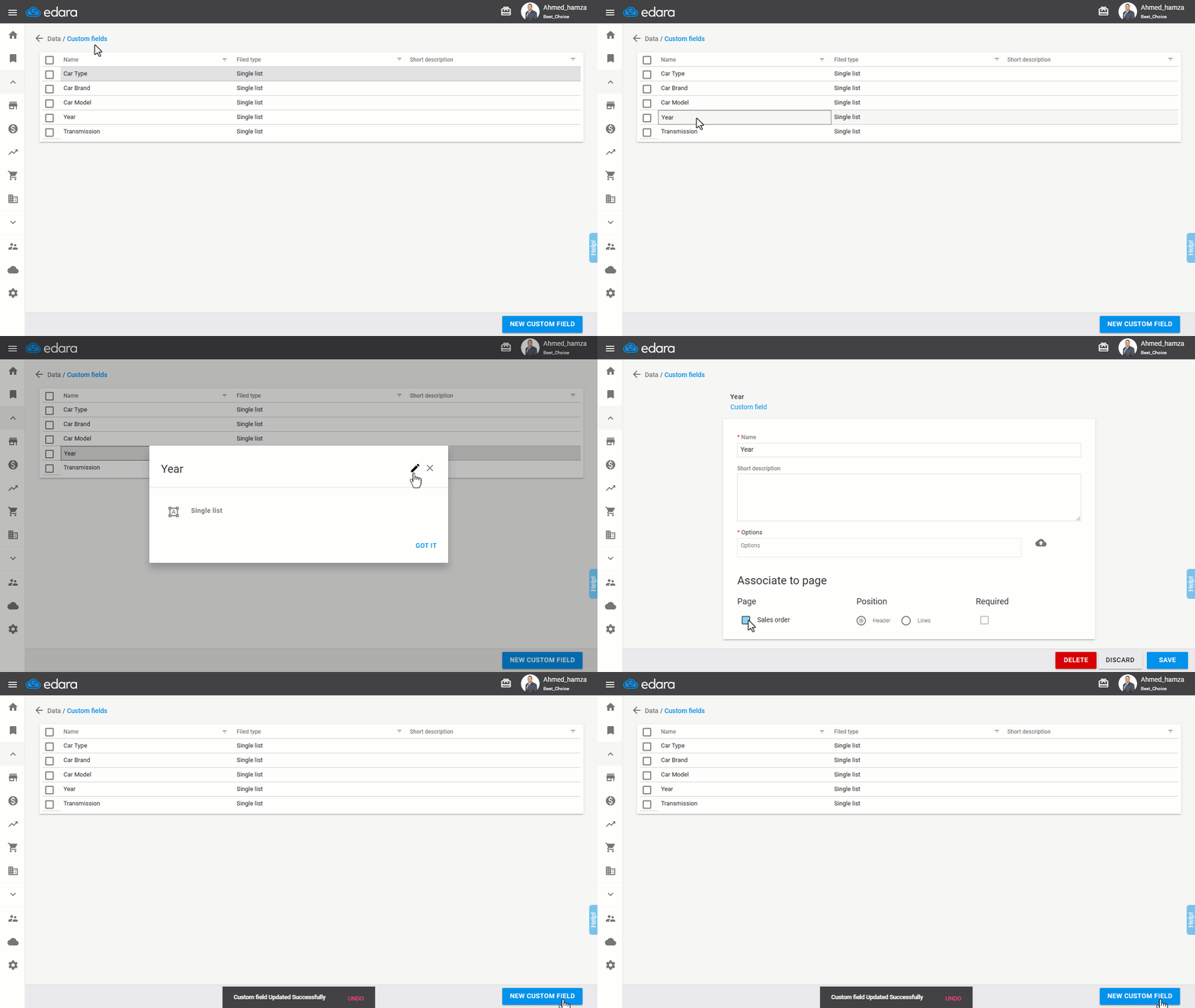
- Go to “Data”.
- Select "Custom Fields".
- Choose the custom field you want to hide.
- Click on the edit icon (🖉).
- Click on the activation box next to "Sales Order" to uncheck it and change it to "▢".
- Press "Save".
If you encounter any challenges or have questions during these processes, you can contact our technical support team, who are ready to assist you at any time.
Did this answer your question?