

Bulk Editing Warehouses in Multi-Warehouse Sales Orders
Last updated:
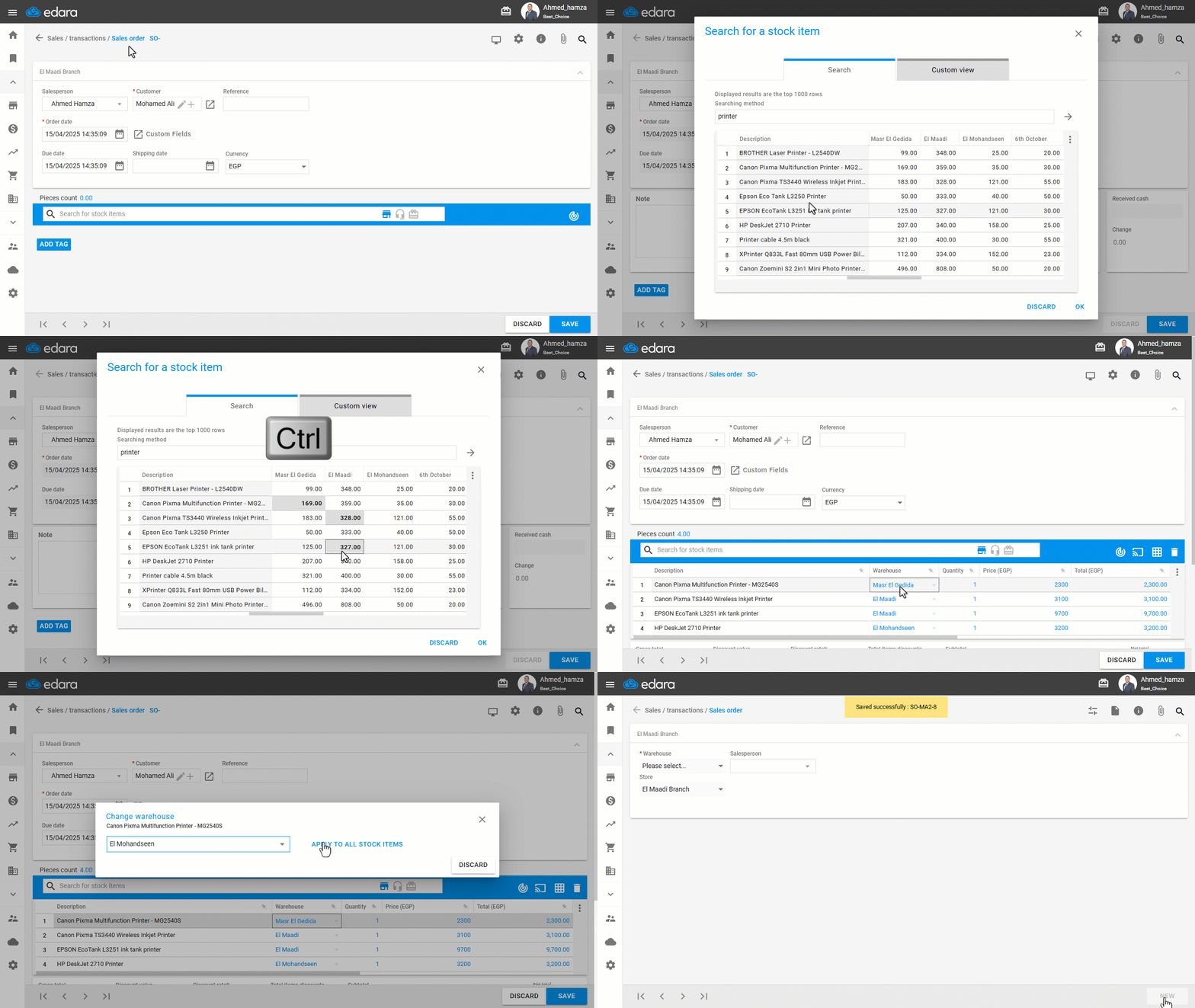
If you have a multi-warehouse sales order (i.e., it needs to be issued from more than one warehouse), you can bulk edit the warehouses to issue the entire order from a single warehouse.
This helps streamline warehouse management and simplifies the workflow for responsible personnel.
Bulk Editing Warehouses in Multi-Warehouse Sales Orders
- Open a Multi-Warehouse Sales Order.
- Click the Bulk Edit icon "
 ".
". - Select the desired warehouse to apply to all order lines.
- Click “Apply to All Items”.
- Click on “Save”.
If you encounter any challenges or have questions during these processes, you can contact our technical support team, who are ready to assist you at any time.
Did this answer your question?