

Displaying the Estimated Profit in the Sales Order
Last updated:
During customer negotiations, displaying the estimated profit in a sales order helps you identify the expected profit margin before issuing the order. This allows you to make quick and accurate decisions at the right time.
Displaying the Estimated Profit in the Sales Order

This process is completed through two main steps:
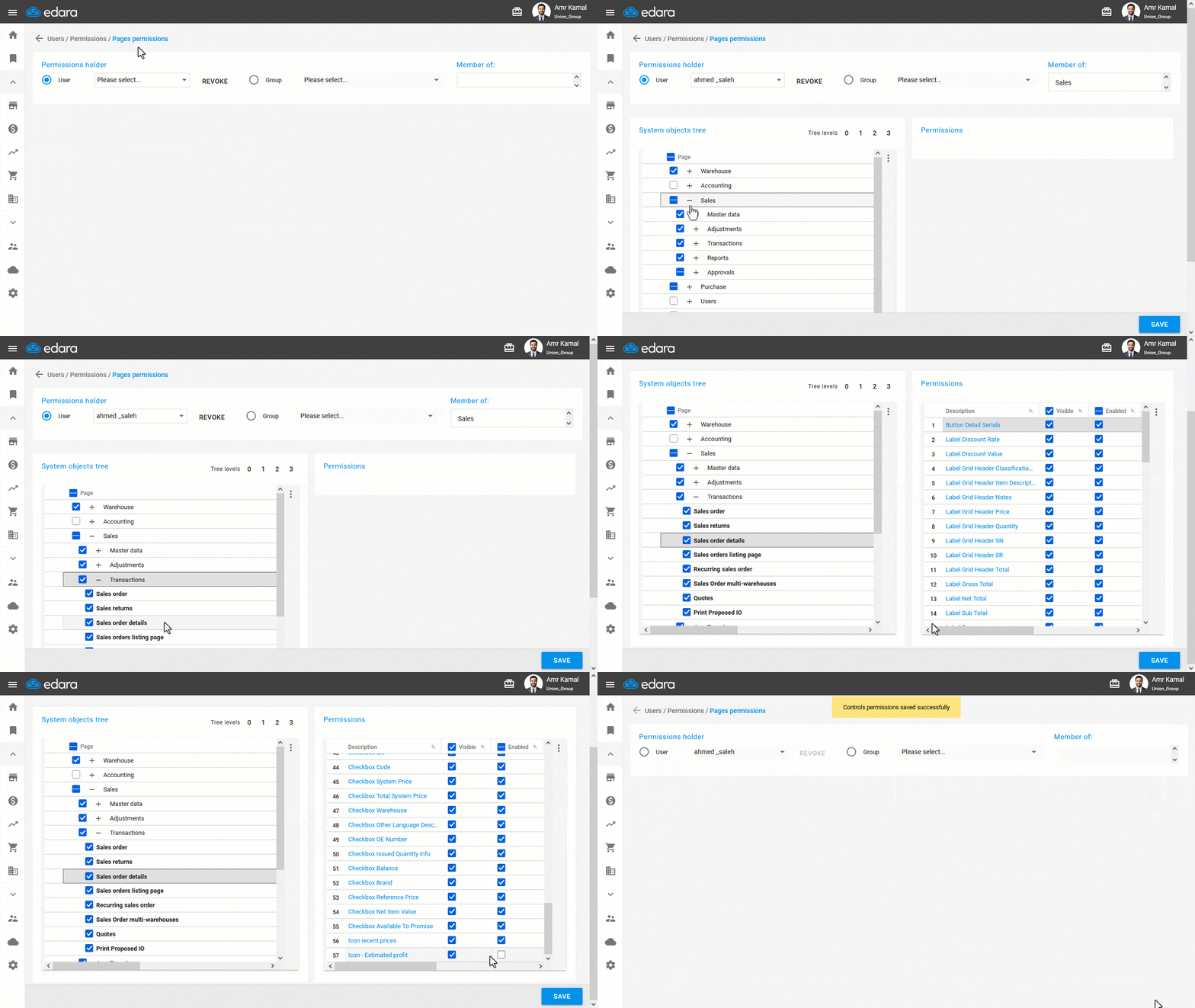
1. Granting the User the Required Permission
- Go to “Users”.
- Open the “Pages Permissions” page.
- Select the user or user group you want to grant the permission.
- Click on “+” next to “Sales”, then “Transactions”.
- Click on “Sales Order details” to display its permissions.
- Enable the “Estimated Profit” option.
Note: When granting a new user Permission to the “Sales Order details” page, the “estimated profit” option is enabled by default. You can later hide or disable it from the permissions settings if needed. It is recommended to hide this option for users who are not authorized to display it.
- Click on “Save”.
2. Displaying the Estimated Profit
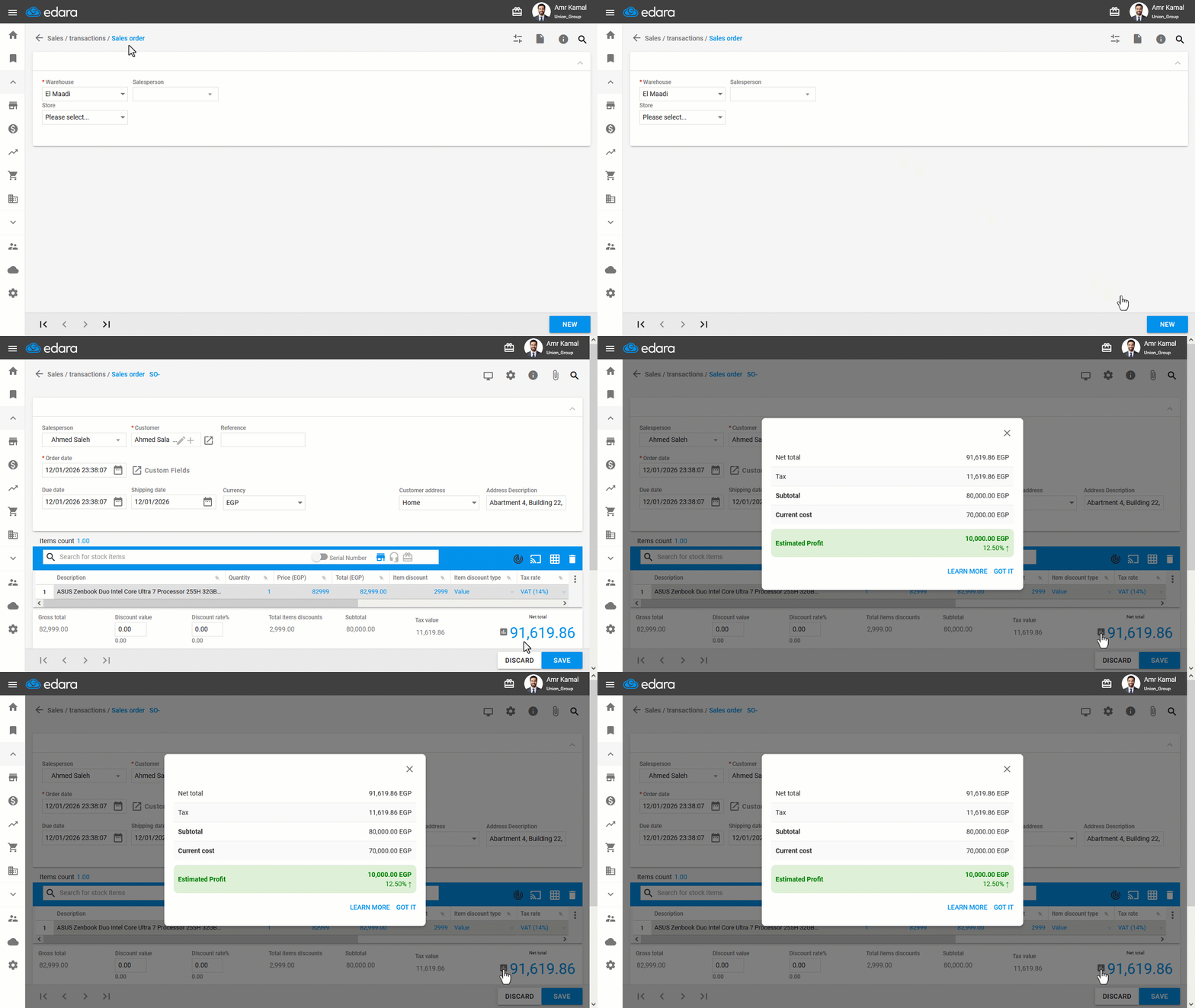
- Go to the “Sales” module.
- Open the “Sales Order” page.
- Create a new sales order.
- Click on “
 ” to display the estimated profit value.
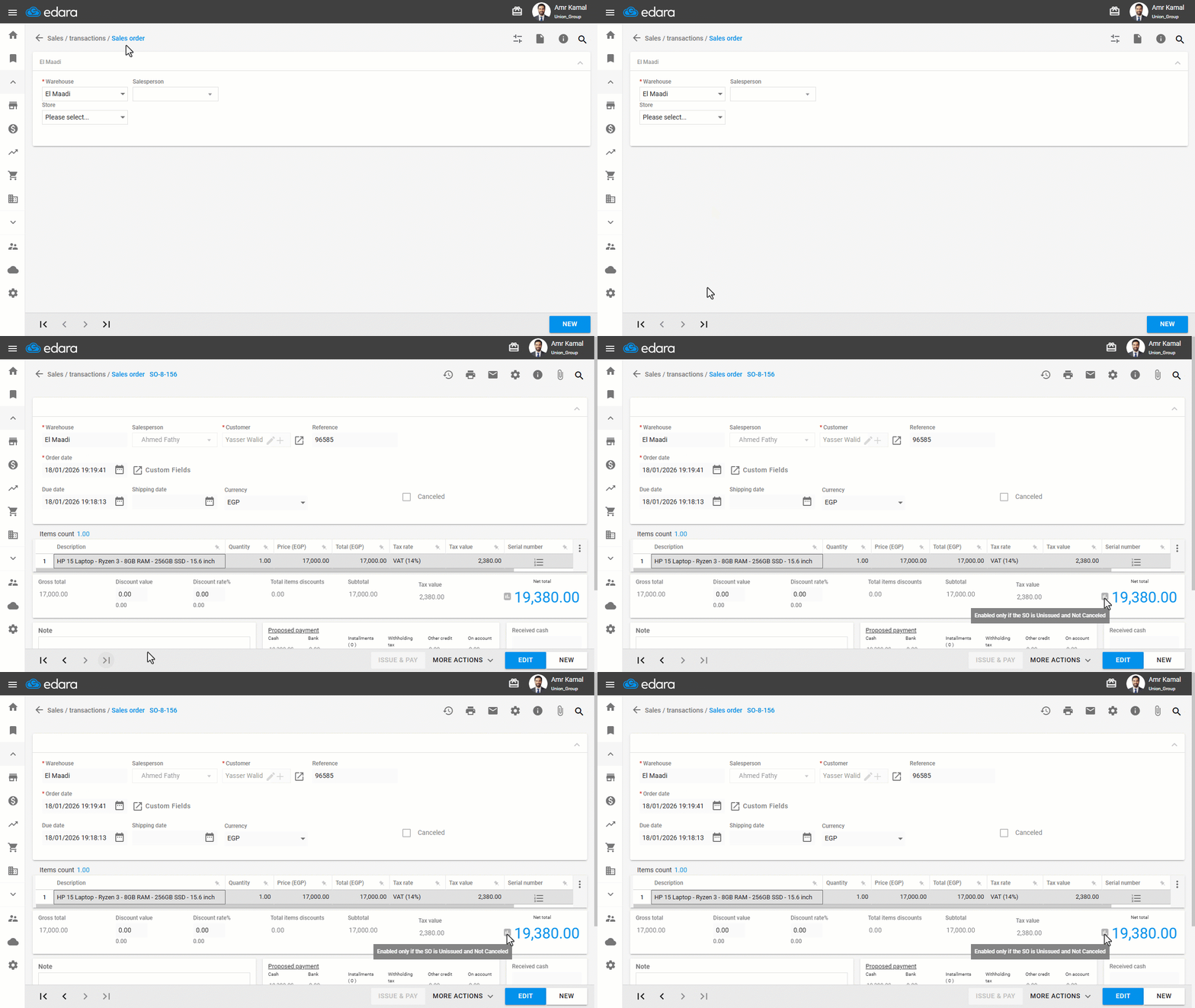
Note: The estimated profit value can be displayed only for unissued and non-canceled sales orders, as it is intended for use during the pre-execution stage to support pricing or approval decisions. Once the order is issued -even partially-, actual profit figures are available through reports instead.
Read also:
Displaying Estimated Profit in the Sales Approvals Page.
Managing Permissions for Sensitive Data.
Frequently asked questions
Why isn't the estimated profit value showing?
The estimated profit value can be displayed only for unissued and non-canceled sales orders, as it is intended for use during the pre-execution stage to support pricing or approval decisions. Once the order is issued -even partially-, actual profit figures are available through reports instead.
If you encounter any challenges or have questions during these processes, you can contact our technical support team, who are ready to assist you at any time.