

Canceling a Sales Order
Last updated:
In some cases, a customer may create a sales order and then decide not to complete it. Therefore, the system enables you to cancel unpaid and unissued sales orders easily.
Canceling a Sales Order

- Go to the “POS” module.
- Open the Sales Orders page.
- Click on “︙”.
- Click on “Cancel Order”.
- Click on the red “Cancel” button to confirm.
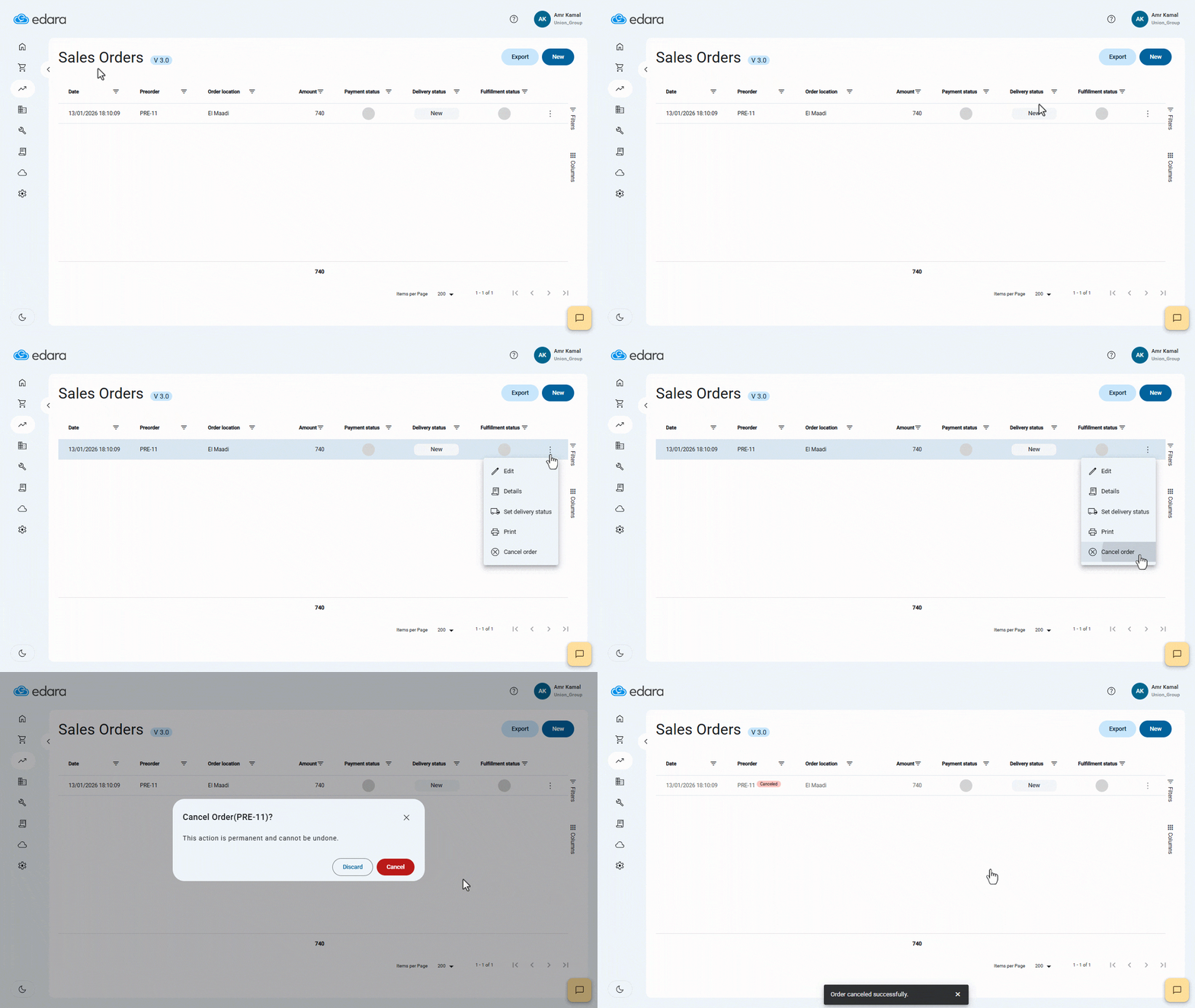
Note: Canceling a sales order is an irreversible action and is only available for unpaid and unissued sales orders.
Frequently asked questions
Can I cancel a paid or issued sales order?
Canceling a sales order is an irreversible action and is only available for unpaid and unissued sales orders.
If you encounter any challenges or have questions during these processes, you can contact our technical support team, who are ready to assist you at any time.
Did this answer your question?