

Using the "Cash on Delivery" Payment Method from the Payment Screen
Last updated:
For home delivery orders, you cannot automatically create a cash document because the amount has not yet been received in the cash register. Additionally, the amount will not be considered payable since it does not represent this situation.
Therefore, we have added a new option in "Edara" on the payment screen for point-of-sale orders, which allows the cashier to collect payment upon delivery and delay the creation of the cash document until the customer has received the sold items.
Here are the steps to use this method.
Using the "Cash on Delivery" Payment Method from the Payment Screen
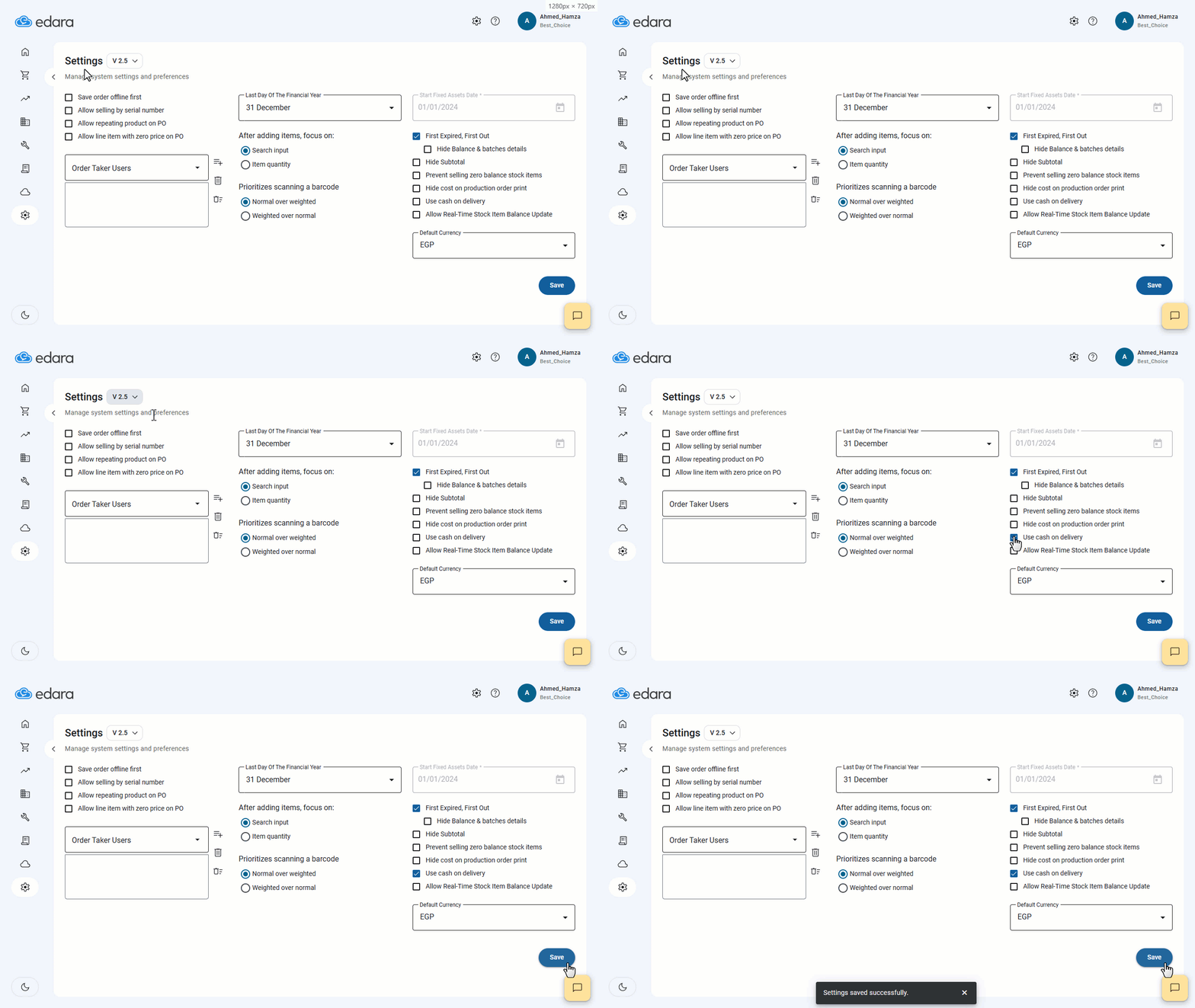
- First, ensure the "Cash on Delivery" feature is activated from the settings.
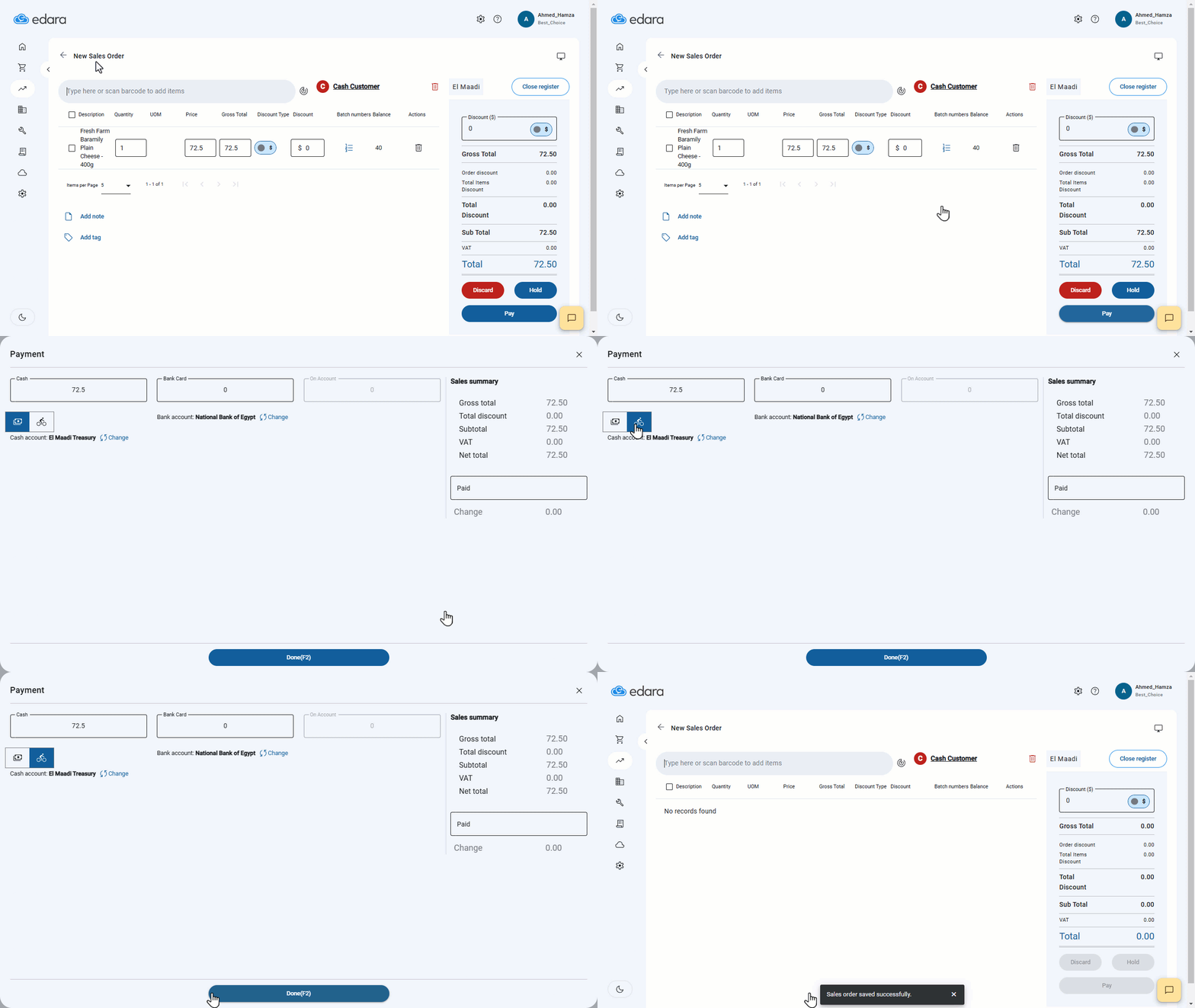
- Click on "Pay" on the Sales Order screen.
- Select "Cash on Delivery", as shown in the image.
Note: You should review the article "Using the Payment Screen and Setting Dates for Saved Documents" to understand how to use the collection feature later through "Edara".
If you encounter any challenges or have questions during these processes, you can contact our technical support team, who are ready to assist you at any time.