

Creating a Sales Return from POS
Last updated:
In daily sales management, you may need to process product returns due to customer desire changes, order misentry, or other reasons.
To streamline this process and ensure smooth execution, “Edara” provides clear and simple steps for efficiently creating a sales return.
Creating a Sales Return from POS
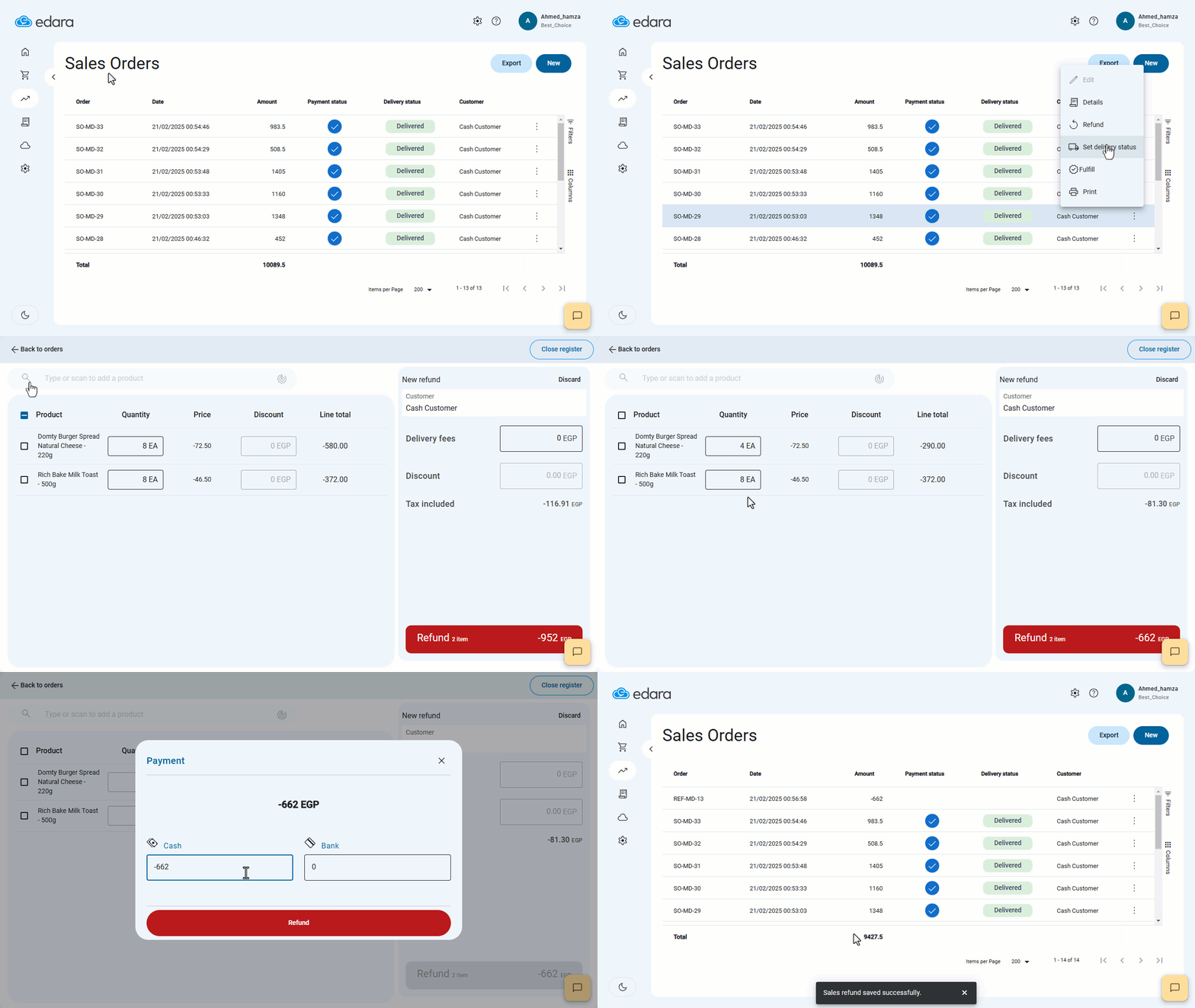
- Go to the Point of Sale module.
- Open the Sales Orders page.
- Click on the “⋮” icon next to the relevant sales order.
- Click on “Refund”.
If the sales order contains multiple items, you can choose to return the entire order or only specific items.
- Click on “Refund”.
- Select the refund payment method: (Cash, Bank Account, or a Combination of Both).
- Click on “Refund” to complete the process.
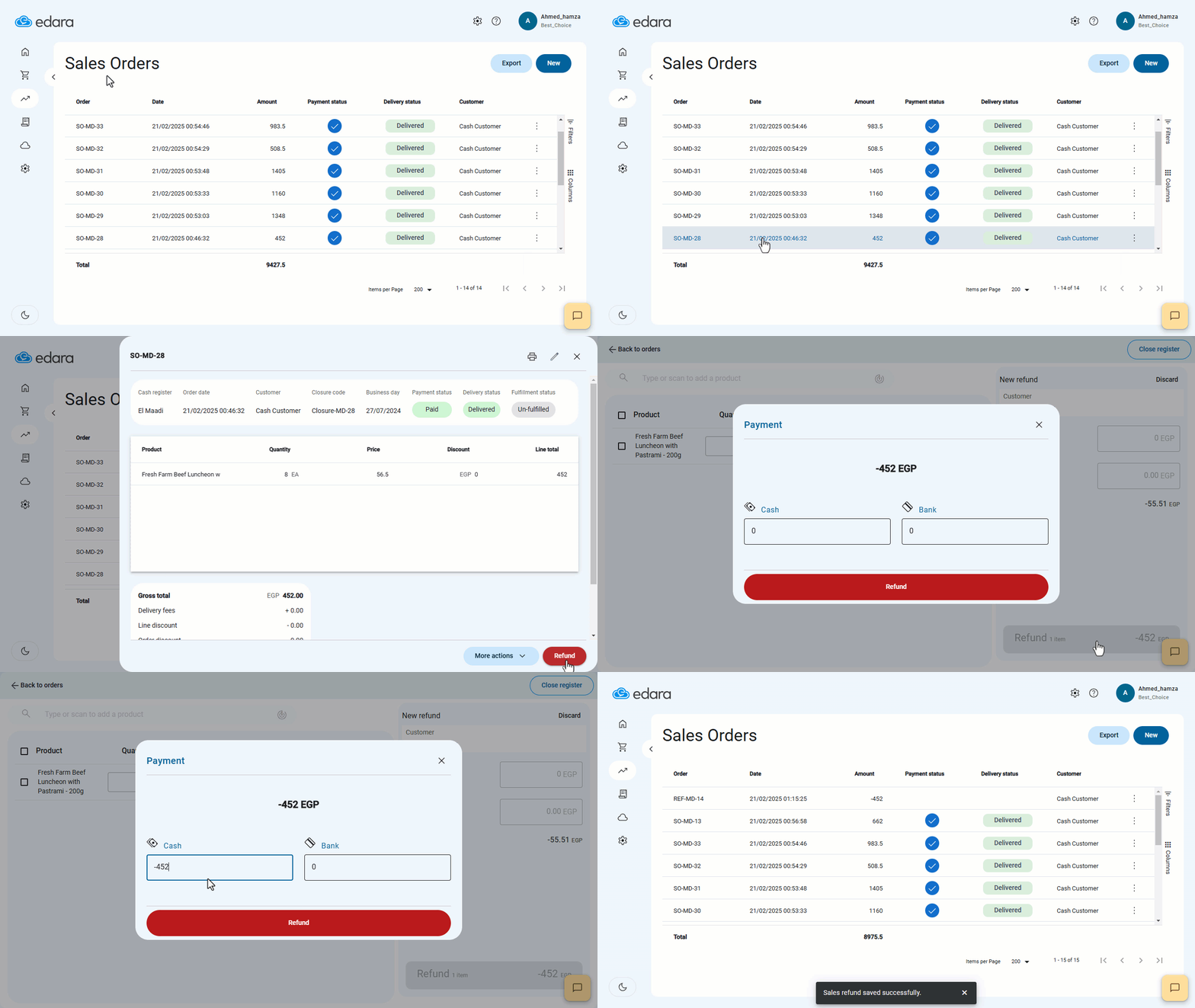
Note: You can also create a sales return by opening the sales order and selecting “Refund”.
If you encounter any challenges or have questions during these processes, you can contact our technical support team, who are ready to assist you at any time.
Did this answer your question?