

Displaying The Part Number in the Sales Return Search Screen
Last updated:
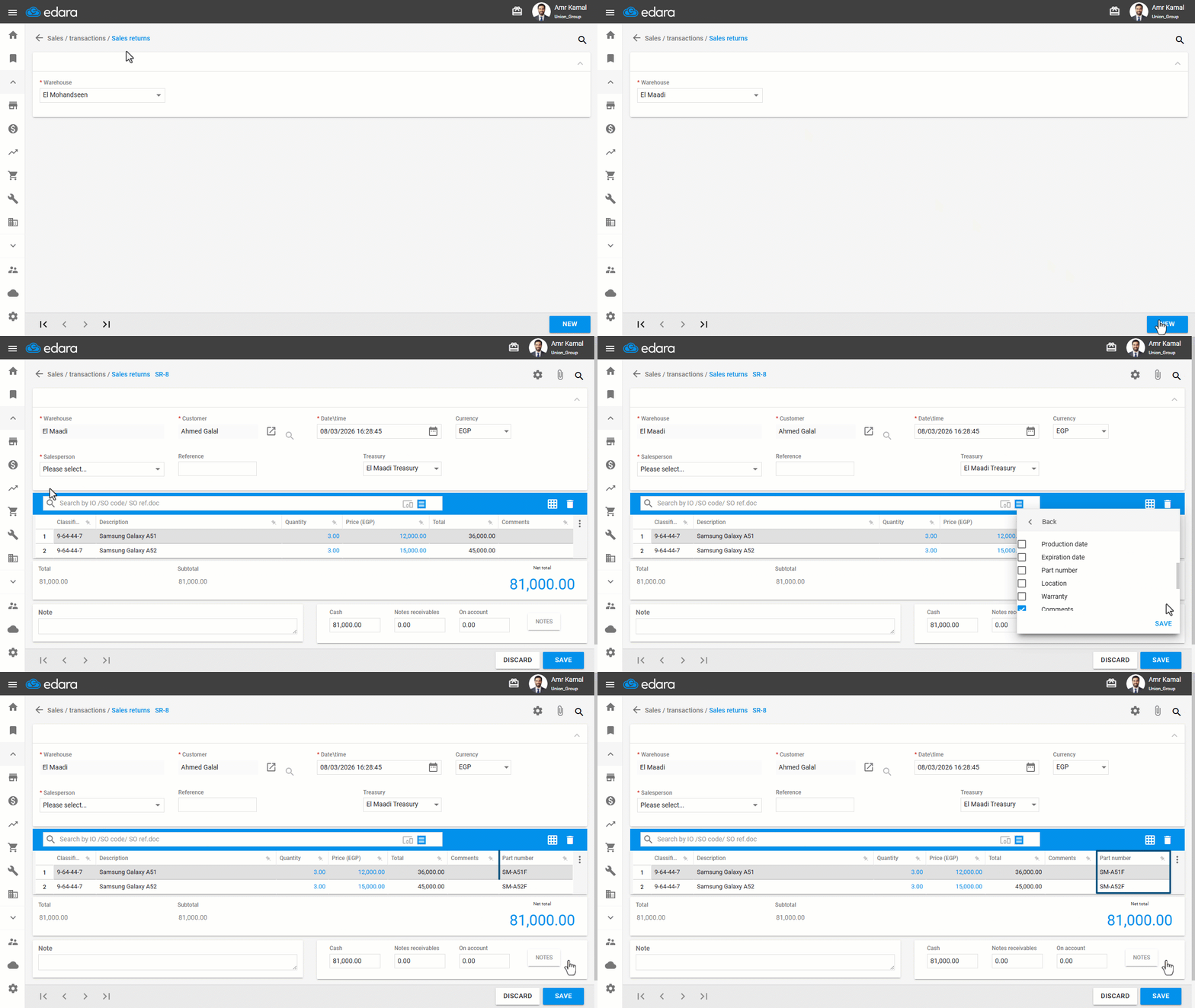
In some cases, you may need to differentiate between similar items when creating a Sales Return. To make this easier, Edara allows you to display the part number column within the Sales Return document details.
Displaying The Part Number in the Sales Return Search Screen

- Go to the “Sales” module.
- Open the “Sales Returns” page.
- Select the warehouse from which you want to process the return.
- Click on “New”.
- Search for the sales order you want to return.
- Click on “⋮”.
- Click on “›” next to the columns.
- Enable the “Part number”.
- Click on “Save”.
If you encounter any challenges or have questions during these processes, you can contact our technical support team, who are ready to assist you at any time.
Did this answer your question?