

Granting/Revoking Approval Permission for Sales Returns
Last updated:
"Edara" allows you to configure approval permissions for sales returns based on business needs—such as requiring product inspection before authorizing a return to a warehouse.
Granting/Revoking Approval Permission for Sales Returns
- Go to "Users".
- Open the "Sales Approvals" page.
- Select the user’s name from the dropdown list.
- Click on "Sales Returns Approvals".
- Press "▶".
- Select the permissions to be granted by checking the checkboxes ▢.
- Click on "Save".
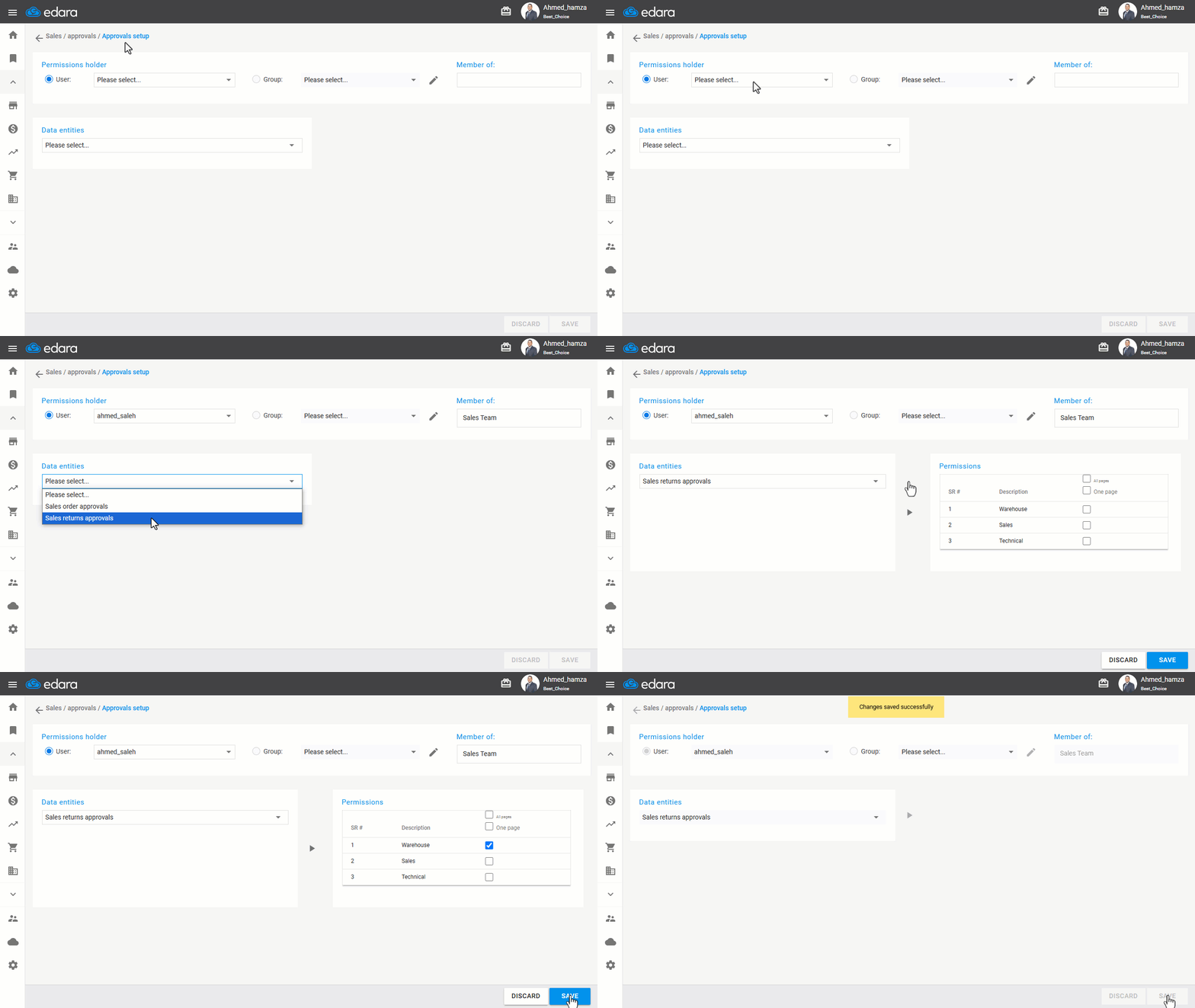
Note: To revoke this permission, follow the same steps but uncheck the "☑" next to the relevant option.
Frequently asked questions
How do I revoke this permission?
To revoke this permission, follow the same steps but uncheck the "☑" next to the relevant option.
If you encounter any challenges or have questions during these processes, you can contact our technical support team, who are ready to assist you at any time.
Did this answer your question?