

Displaying Stock Item Balance When Selling in POS
Last updated:
Cashiers often need to know the stock item balance (the number of pieces available in warehouses for each stock item) during the sales process to facilitate customer interactions and respond to their inquiries.
At "Edara", we ensure a seamless sales process by adding a column that displays the stock balance directly on the POS screen.
Displaying Stock Item Balance When Selling in POS
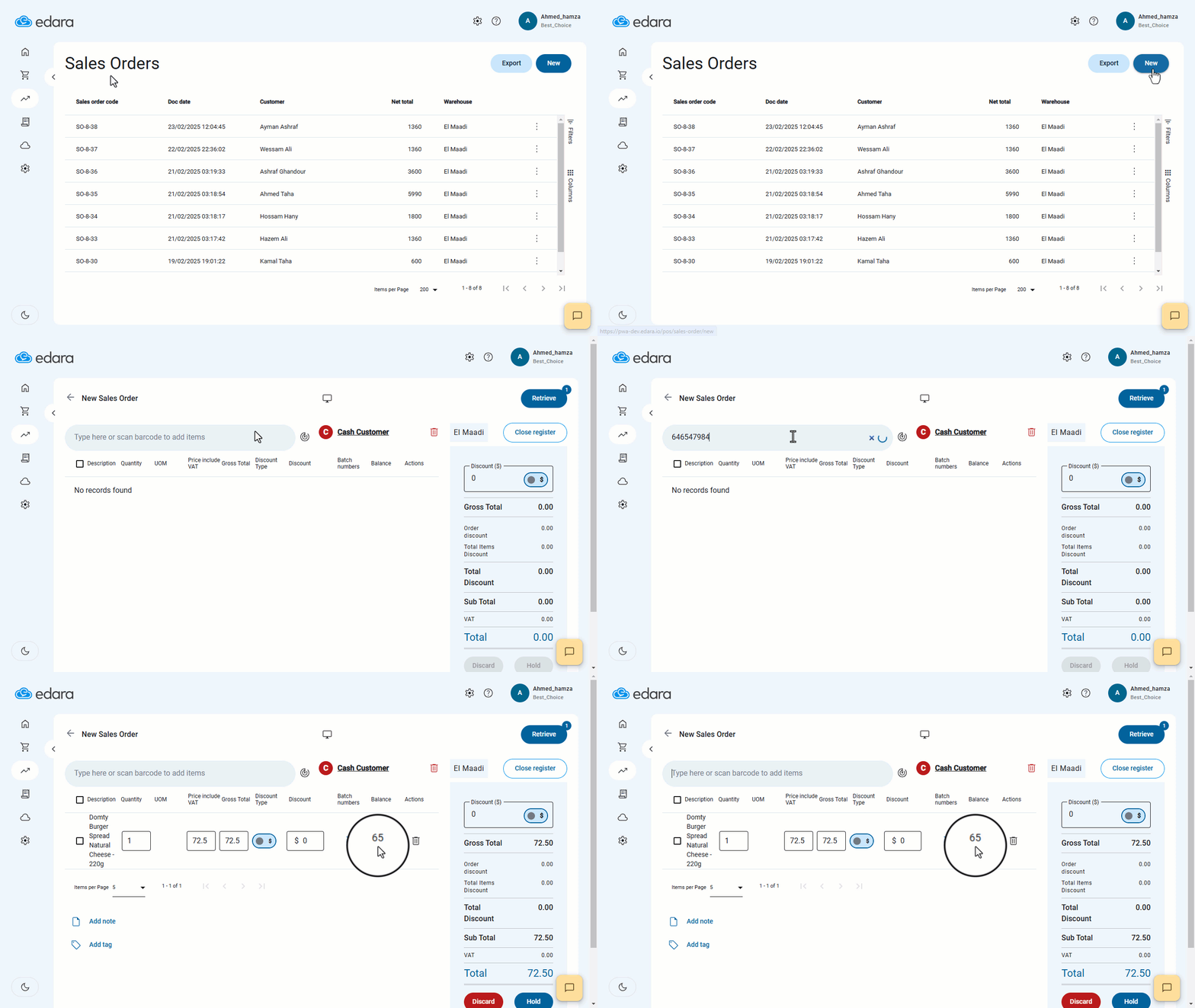
- Go to the Point of Sale module.
- Open the "Sales Orders" page.
- Click on "New".
- Search for the desired stock item.
The stock balance available in warehouses will appear in the "Balance" column. You can then input the quantity to be sold based on availability.
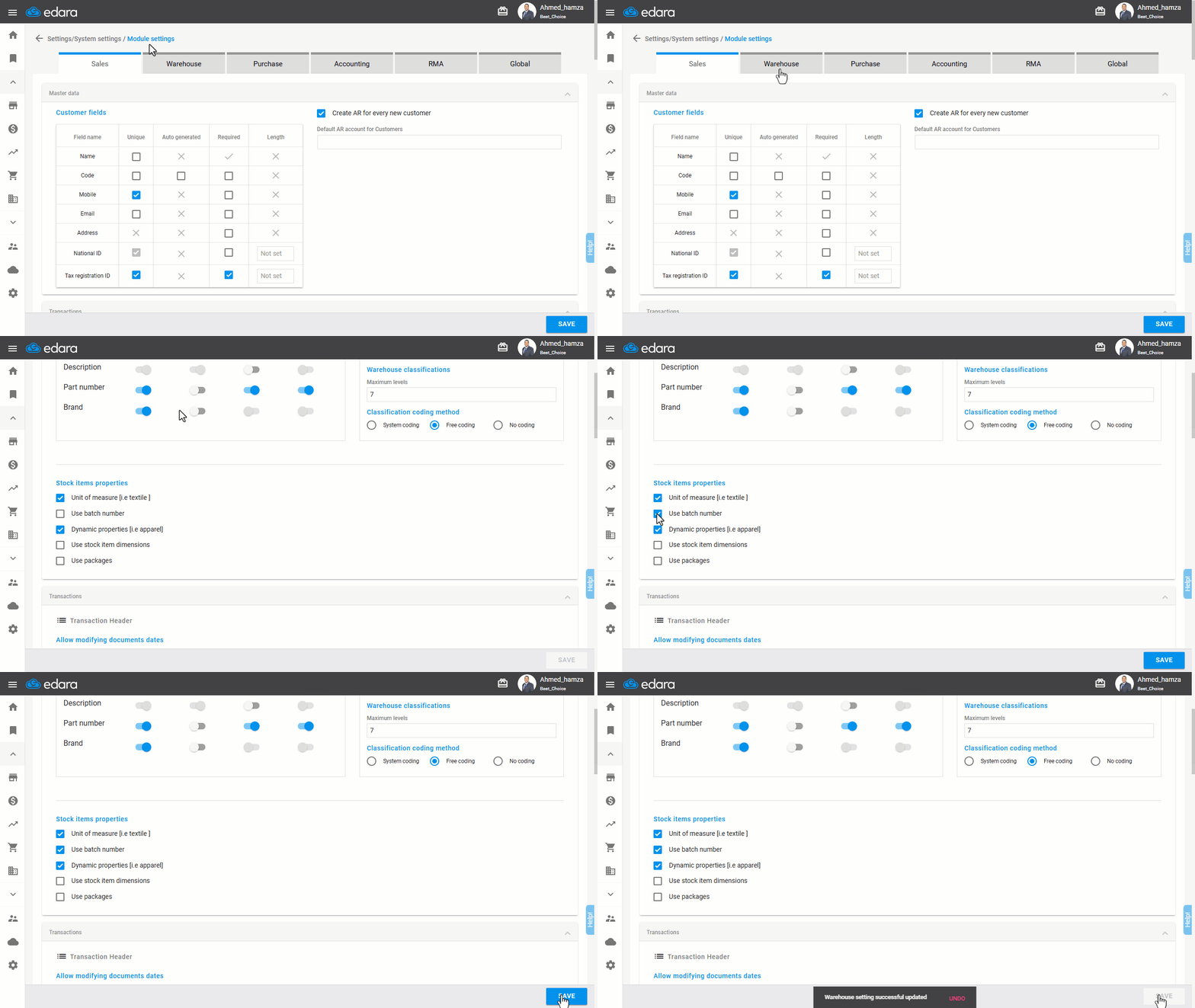
Note: If you work in an industry with products that have expiration dates (e.g., pharmaceuticals, canned food, etc.), make sure to activate the "Batch Numbers" feature before performing the steps above.
If you encounter any challenges or have questions during these processes, you can contact our technical support team, who are ready to assist you at any time.