

Selling by Serial Number in POS
Last updated:
Selling by serial number is an essential feature in stock and sales management, as it helps track items precisely and provides detailed information about each sold unit.
For example, if you sell products that require serial number tracking—such as electronics, mobile phones, medical equipment, or home appliances—this feature is particularly useful.
Learn how to use this feature in “Edara”.
Selling by Serial Number in POS
This is done in two major steps:
First: Enable the “Allow Selling by Serial Number” Setting
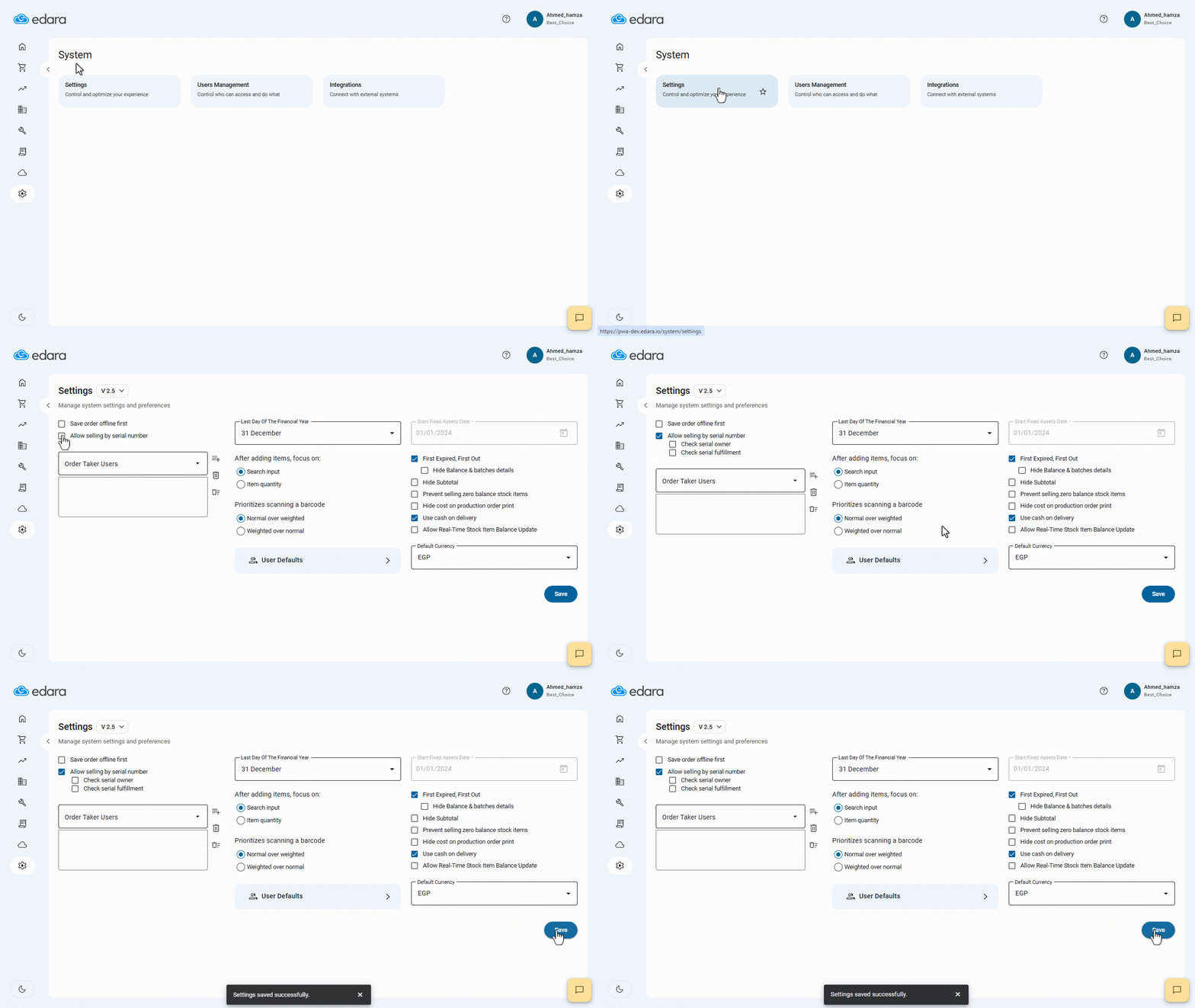
- Go to System.
- Open the “Settings” page.
- Enable “Allow selling by serial number”.
Note: After activating the setting, two additional options appear:
- Check Serial Owner: To make sure that this serial has been entered on the system.
- Check Serial Fulfillment: To make sure that the stock item with this serial is available for sale.
- Click on “Save”.
Second: Use Serial Numbers When Creating Sales Orders
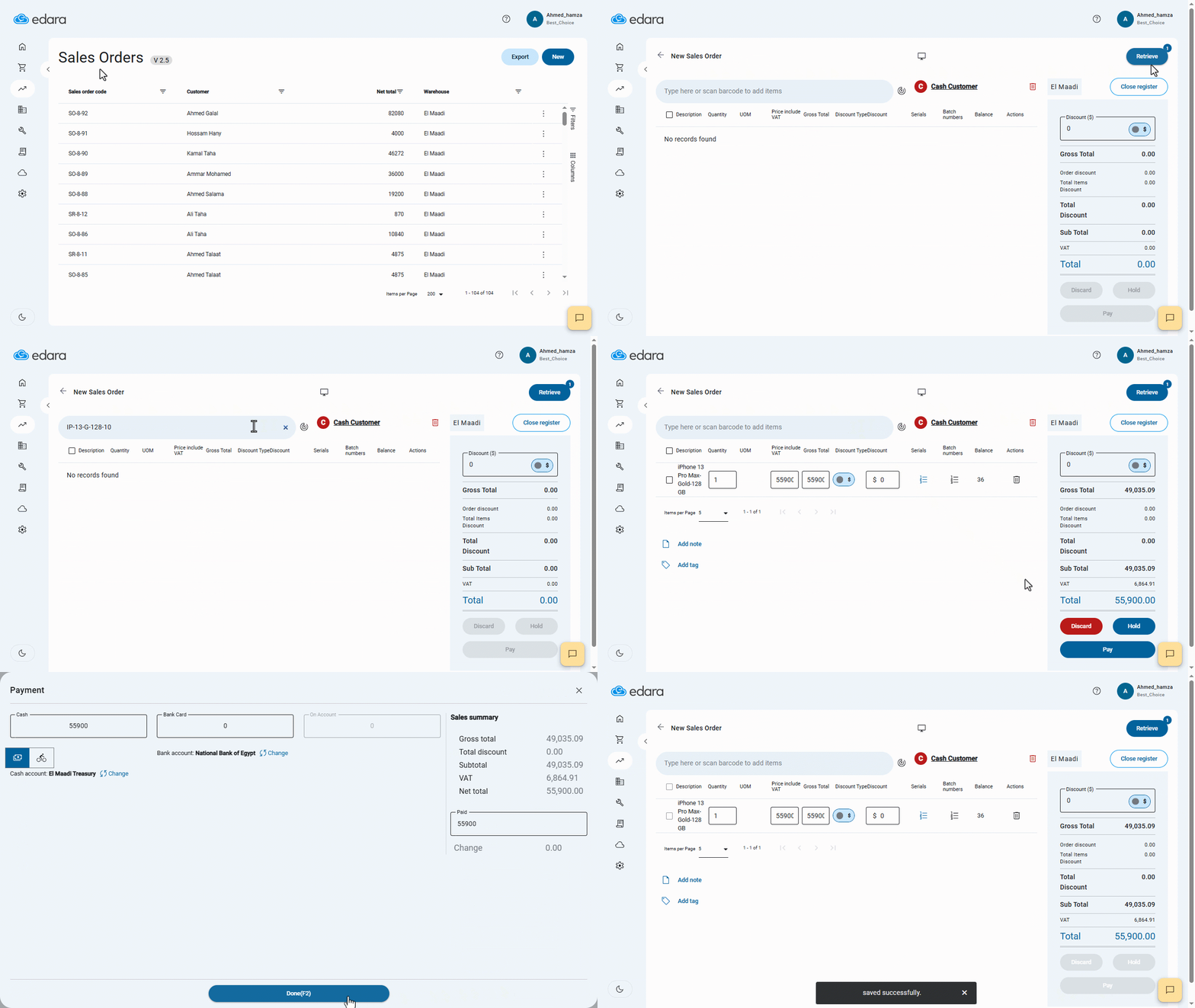
- Go to the POS module.
- Open the “Sales Orders” page.
- Click on “New Sales Order”.
- Search for the stock item using its serial number.
- Enter the stock item details (quantity, price, and any required data).
- Click on “Pay”.
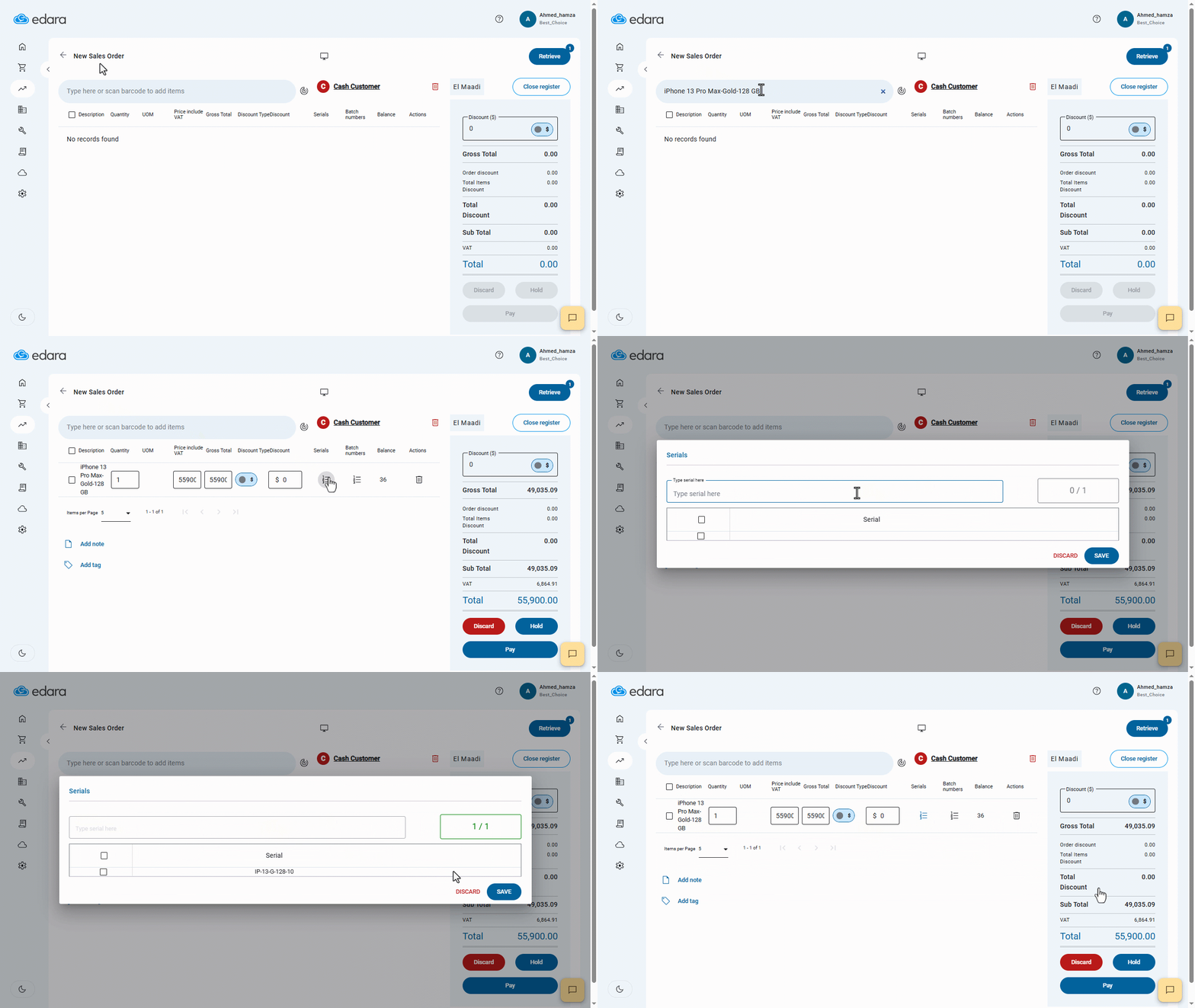
Note: You can also search for the stock item by name and then add its serial number manually, as shown in the image below:
If you encounter any challenges or have questions during these processes, you can contact our technical support team, who are ready to assist you at any time.