

Selecting a Salesperson in Sales Order 2.5
Last updated:
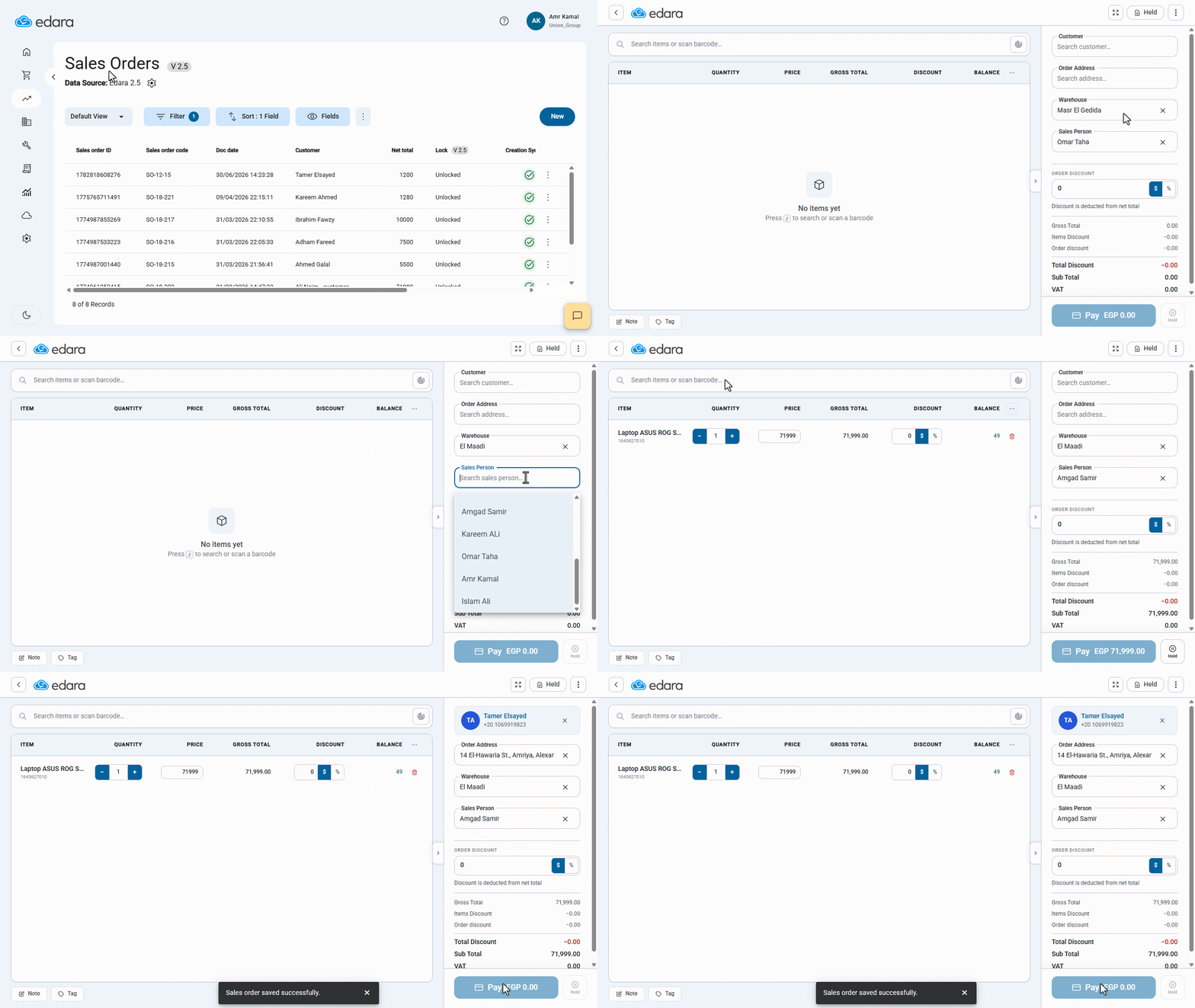
Selecting a salesperson within the Sales Order provides greater flexibility in assigning the appropriate salesperson to each order, without being restricted to the default salesperson.
Selecting a Salesperson in Sales Order 2.5

- Go to the “Point of Sale” module.
- Open the “Sales Orders” page.
- Click on “New”.
- Search for and select the required warehouse.
Note: The default salesperson is automatically displayed on the sales order and can be replaced with another salesperson when needed. The search list displays the salesperson available for the user to select based on their permissions.
- Complete the sales order details.
- Click on “Pay”.
If you encounter any challenges or have questions during these processes, you can contact our technical support team, who are ready to assist you at any time.
Did this answer your question?