

Checking the Available to-sell Stock Balance
Last updated:
During daily sales operations, cashiers need to know the available stock of each product to complete sales transactions accurately.
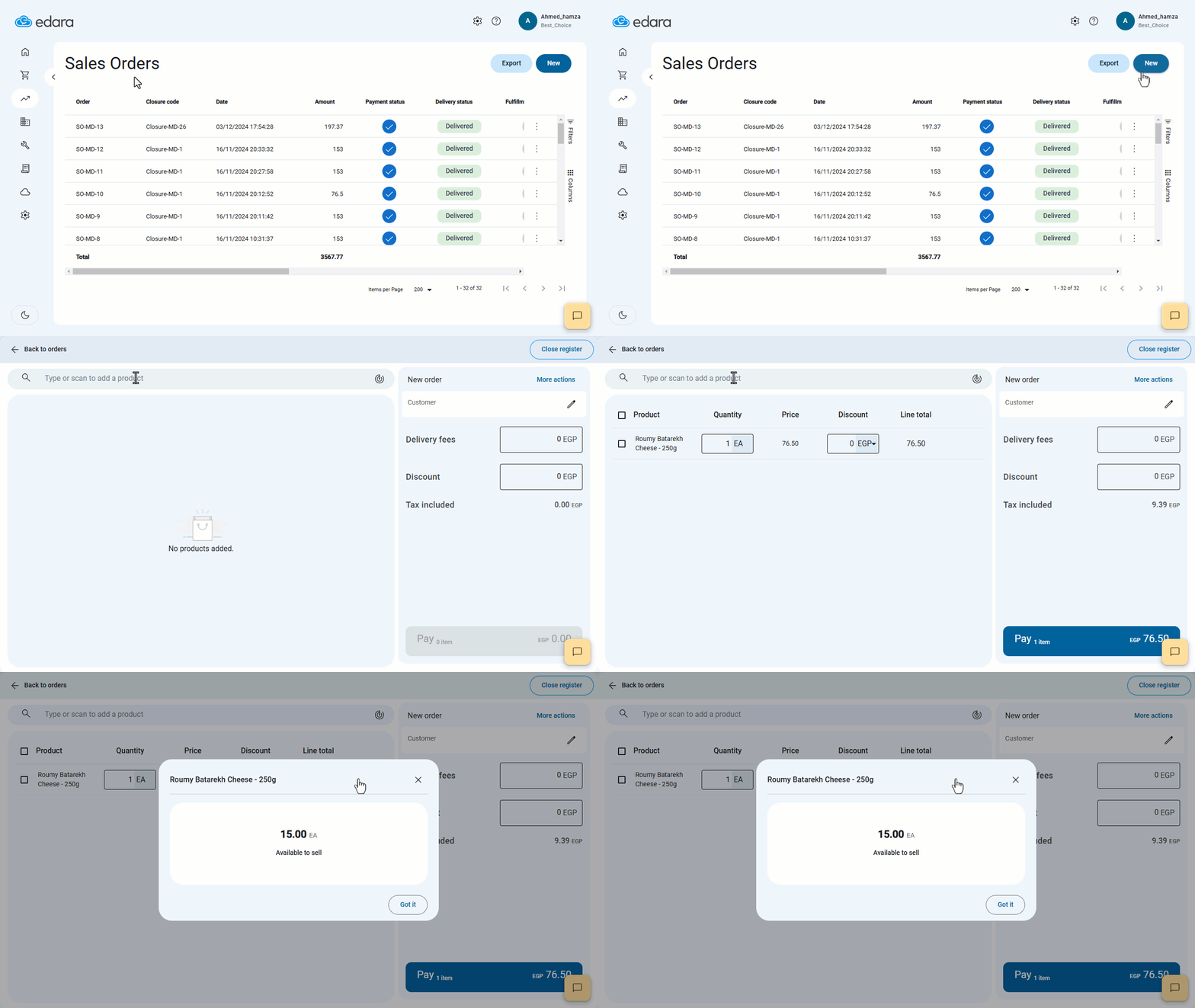
To facilitate this, Edara provides the ability to view the Available to-sell Stock Balance through the following steps.
Checking the Available to-sell Stock Balance
- Go to the Point of Sale Module.
- Open “Sales Orders”.
- Click on “New”.
- Search for the product by entering part of its name, scanning the barcode, or using the SKU.
- Click on Product Details ”
 ”.
”.
The Available to-sell Stock Balance will be displayed, allowing you to input the desired quantity for the sale. You can then proceed with the remaining steps to complete the sales process.
If you encounter any challenges or have questions during these processes, you can contact our technical support team, who are ready to assist you at any time.
Did this answer your question?