

Creating a new customer in Offline Mode
Last updated:
You can register a new customer while working in offline mode to complete sales transactions without needing an internet connection.
Creating a new customer in Offline Mode

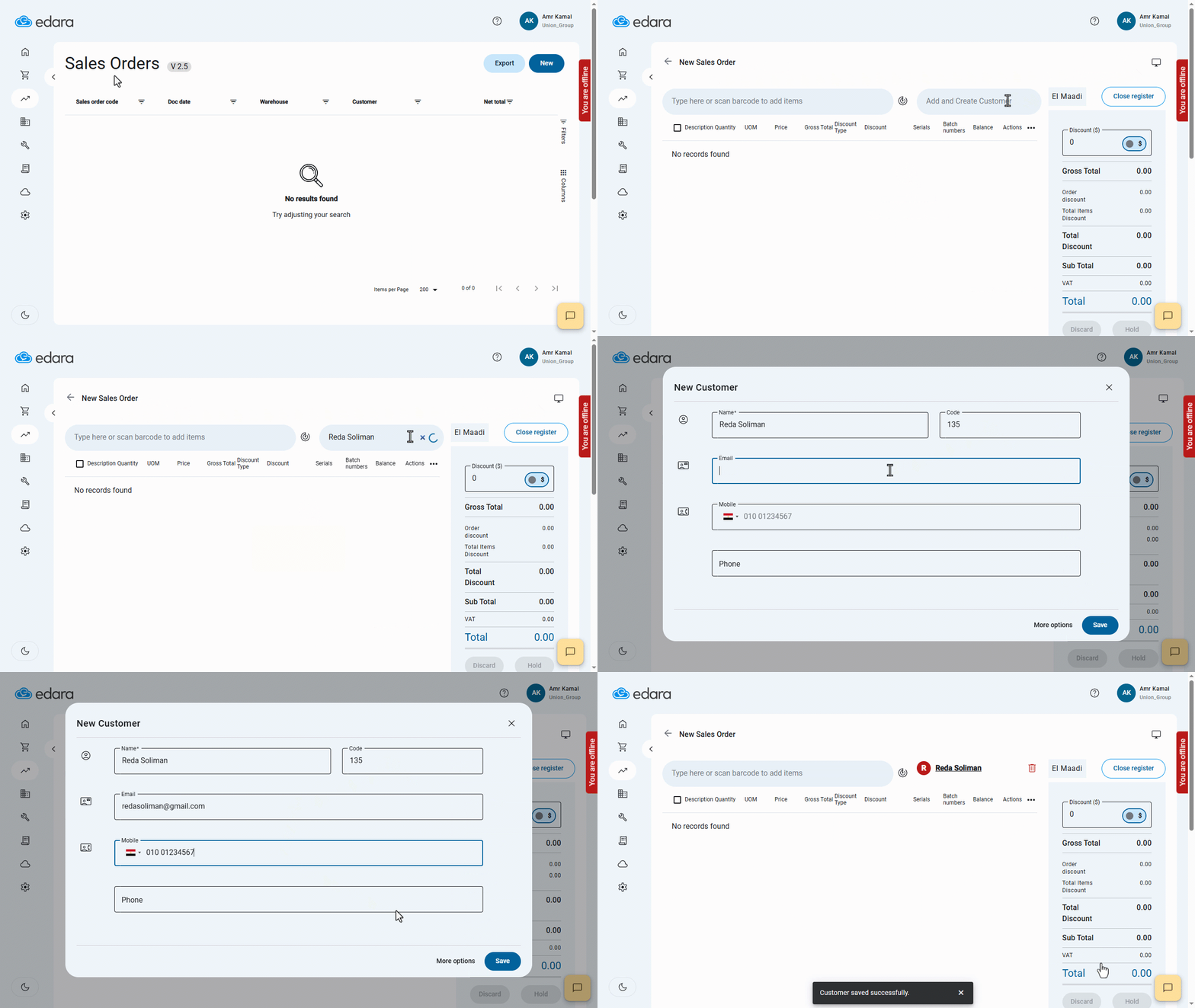
- Go to the “Point Of Sale” module.
- Open the “Sales Orders” page.
- Click on “New”.
- Enter the customer’s name.
- Press “Enter” on your keyboard.
- Enter the customer’s details.
- Click on “Save”.
If you encounter any challenges or have questions during these processes, you can contact our technical support team, who are ready to assist you at any time.
Did this answer your question?