

Linking a Supplier to a Customer Account During Setup
Last updated:
If a supplier is also a customer of the same organization, you’ll need to link their accounts to consolidate their financial records and determine their net balance.
Here’s how to do it.
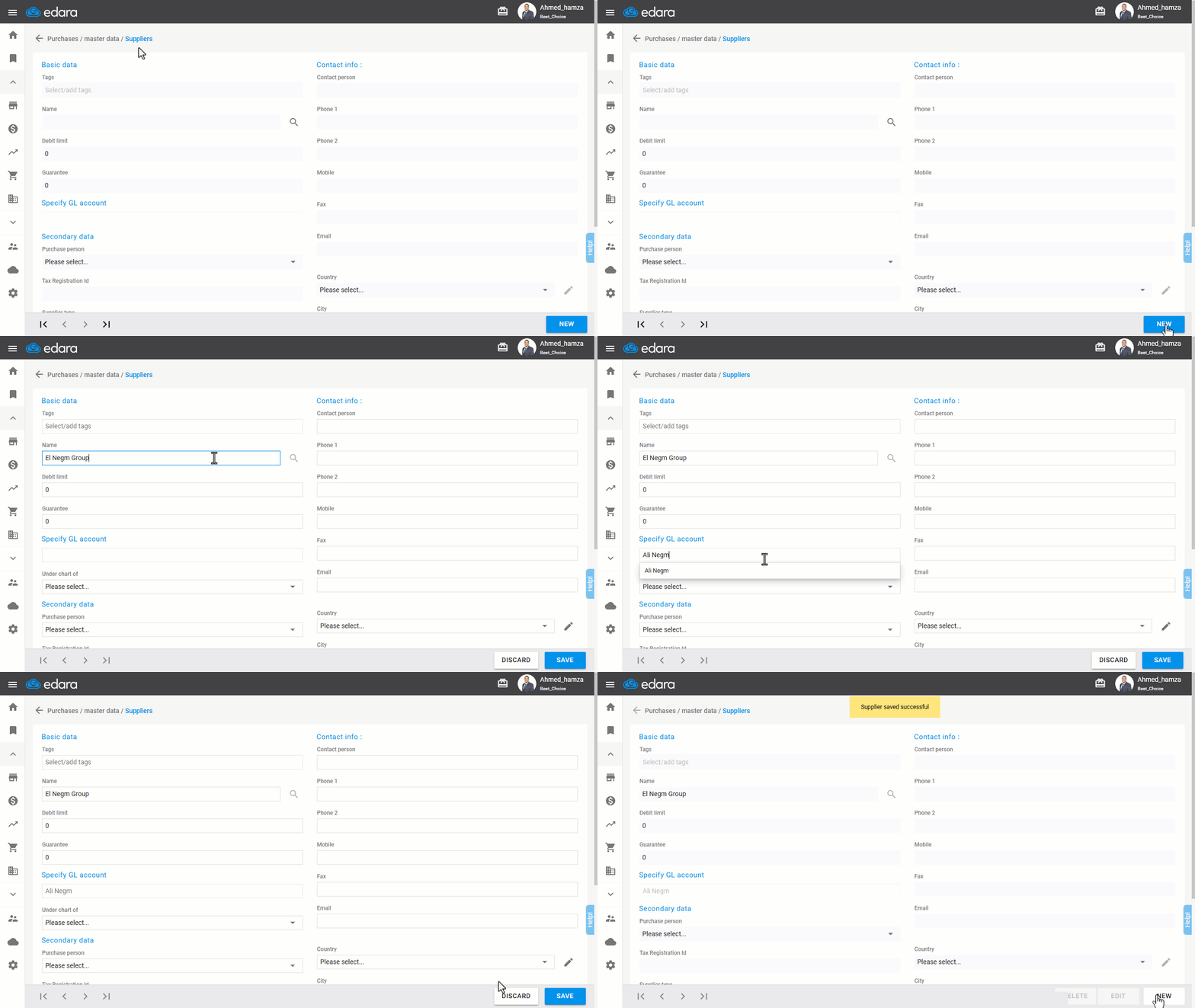
Linking a Supplier to a Customer Account During Setup
- Go to the Purchase module.
- Open the “Suppliers” page.
- Click on “New”.
- Enter the supplier's name.
- Search for and select the related customer account in the “GL Account” field.
- Click “Save”.
If you encounter any challenges or have questions during these processes, you can contact our technical support team, who are ready to assist you at any time.
Did this answer your question?