

Deactivating a Sales Store
Last updated:
If any transactions have been recorded for a sales store, you won’t be able to delete it from “Edara” in order to maintain the integrity of your financial records. However, you can deactivate the store instead.
Here’s how.
Deactivating a Sales Store
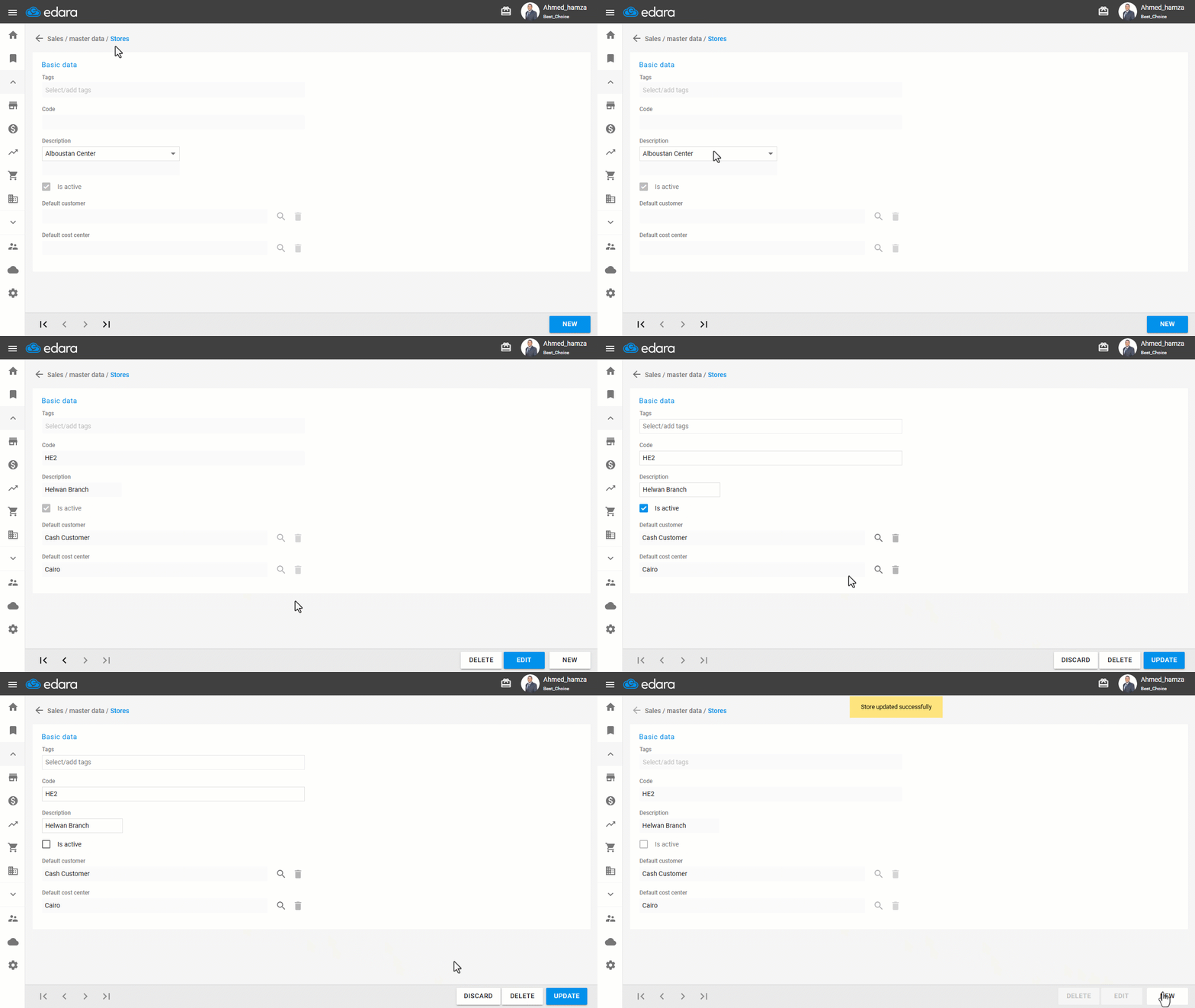
- Go to the Sales module.
- Open the “Sales Stores” page.
- Search for the store using the navigation arrows at the bottom or from the dropdown list.
- Click on “Edit”.
- Uncheck the “☑️” next to “Is active” to deactivate it.
- Click on “Update”.
If you encounter any challenges or have questions during these processes, you can contact our technical support team, who are ready to assist you at any time.
Did this answer your question?