

Creating a Sales Store
Last updated:
To create a multi-warehouse sales order, you must first ensure that a Sales Store has been properly created and that you have the necessary access permissions.
Creating a Sales Store
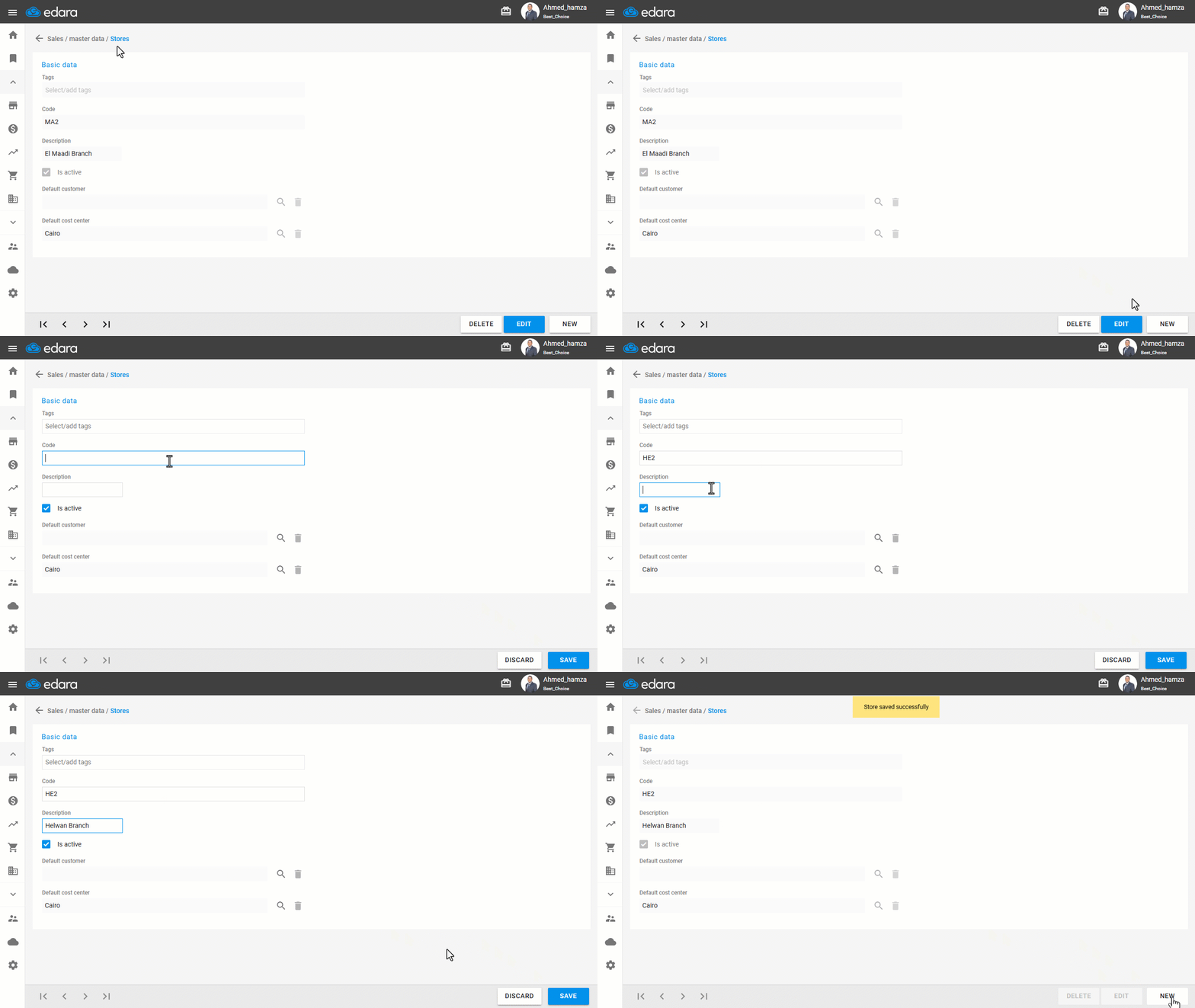
- Go to the Sales module.
- Open the “Sales Stores” page.
- Click on "New".
- Enter the Sales Store Description.
- Enter the Sales Store Code or alias.
- Link the store to a default customer (if applicable).
- Click on "Save".
If you encounter any challenges or have questions during these processes, you can contact our technical support team, who are ready to assist you at any time.
Did this answer your question?