

Setting a Default Customer for a Sales Store
Last updated:
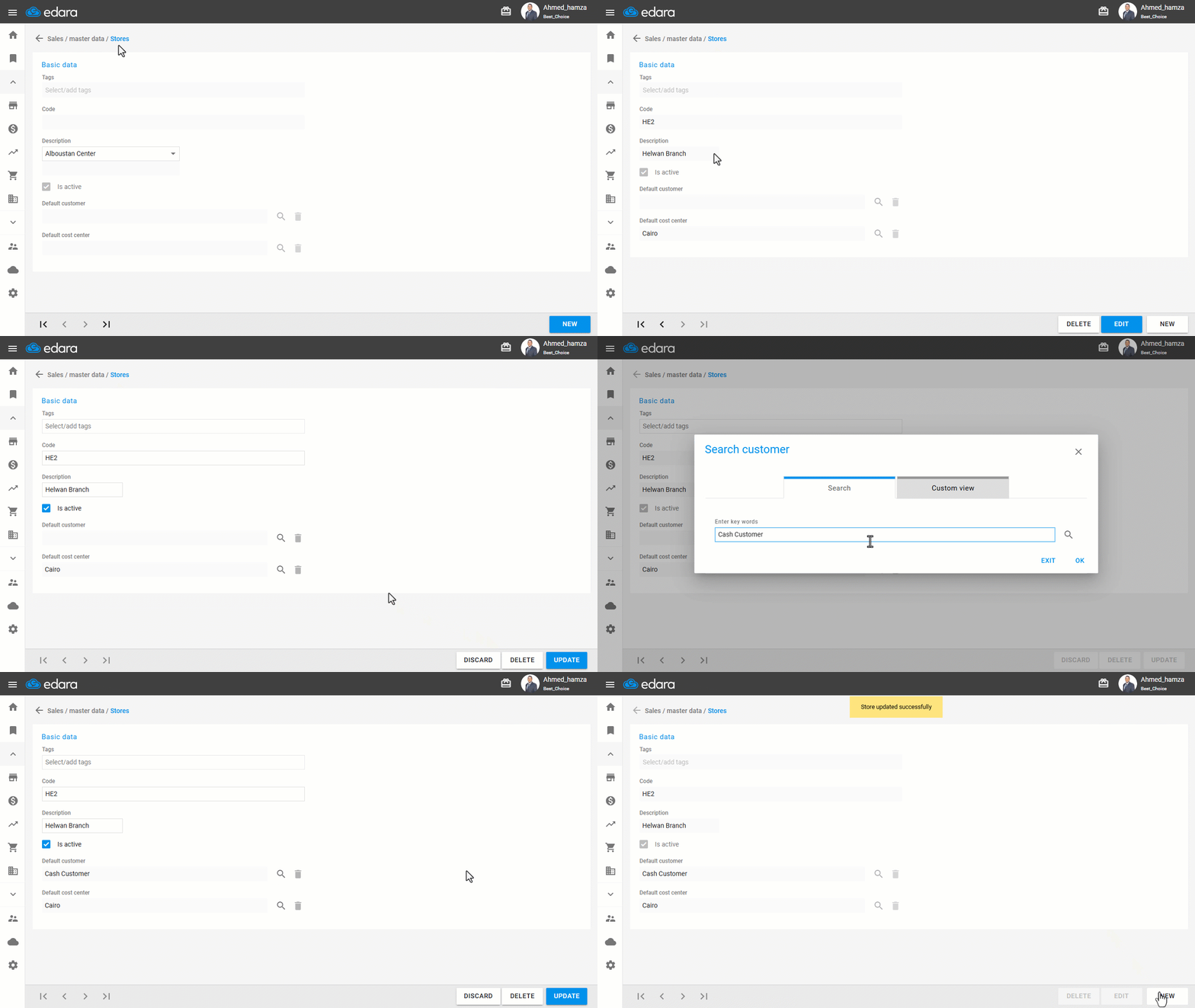
“Edara” allows you to assign a default customer to a specific Sales Store, so that the customer field is automatically filled when creating new sales orders for that store.
Setting a Default Customer for a Sales Store
- Go to the Sales module.
- Open the “Sales Stores” page.
- Search for the store using the navigation arrows at the bottom of the screen or from the dropdown list.
- Click on "Edit".
- Click the search icon 🔎 to find and select the customer.
- Choose the desired customer.
- Click on "Save".
If you encounter any challenges or have questions during these processes, you can contact our technical support team, who are ready to assist you at any time.
Did this answer your question?