

Define Default Customer to the Warehouse
Last updated:
Linking a warehouse to a default customer within the "Edara" is a vital step to enhance inventory management processes.
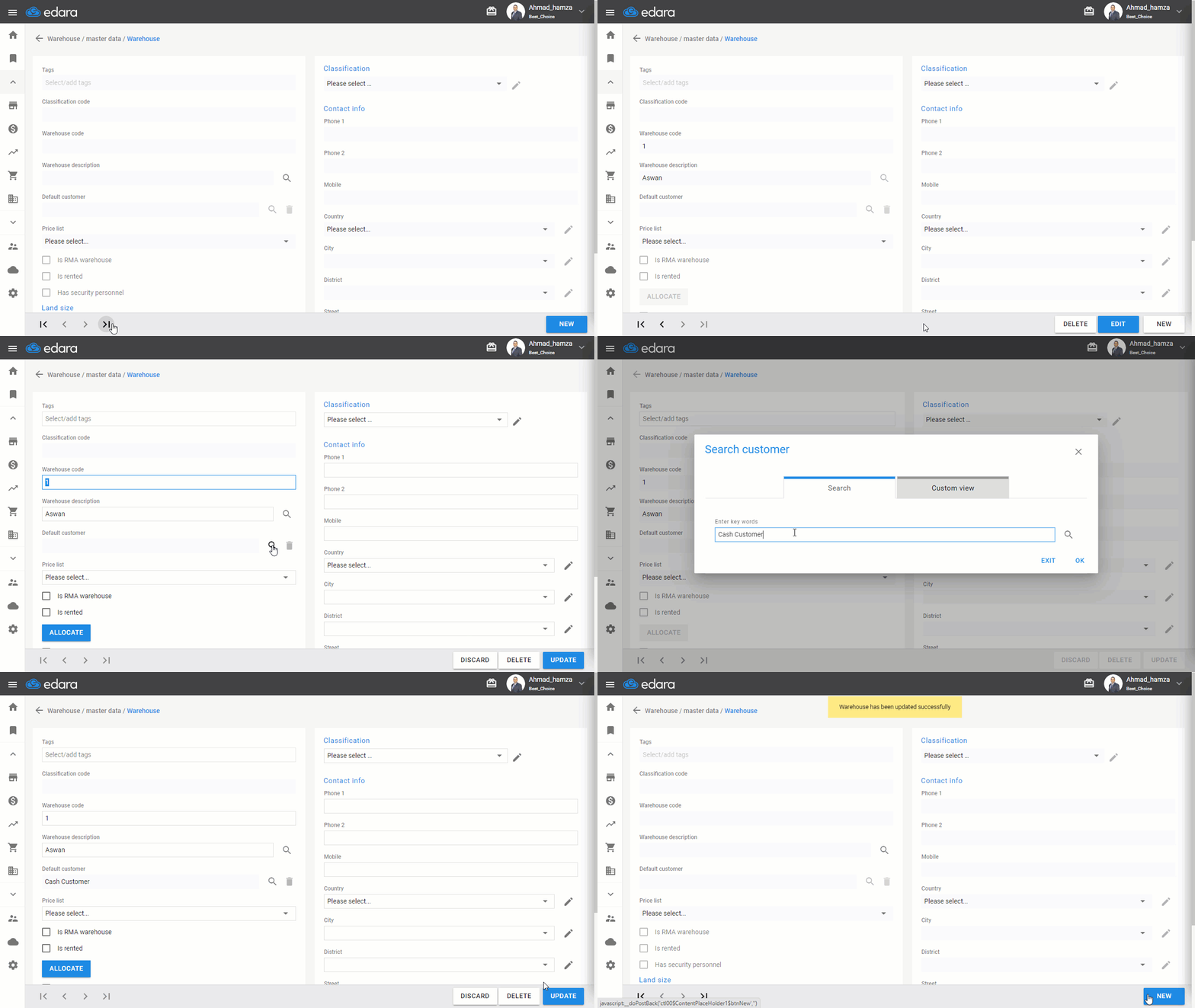
How to define default customer to the warehouse
- Go to the warehouse module
- Click on Warehouses
- Search for the warehouse using the arrows at the bottom of the screen or through the drop-down list after clicking on the search icon 🔎
- Click "Edit"
- Search for the customer by clicking on the search icon 🔎
- Click "Save"
How to Remove the Default Customer from the Warehouse
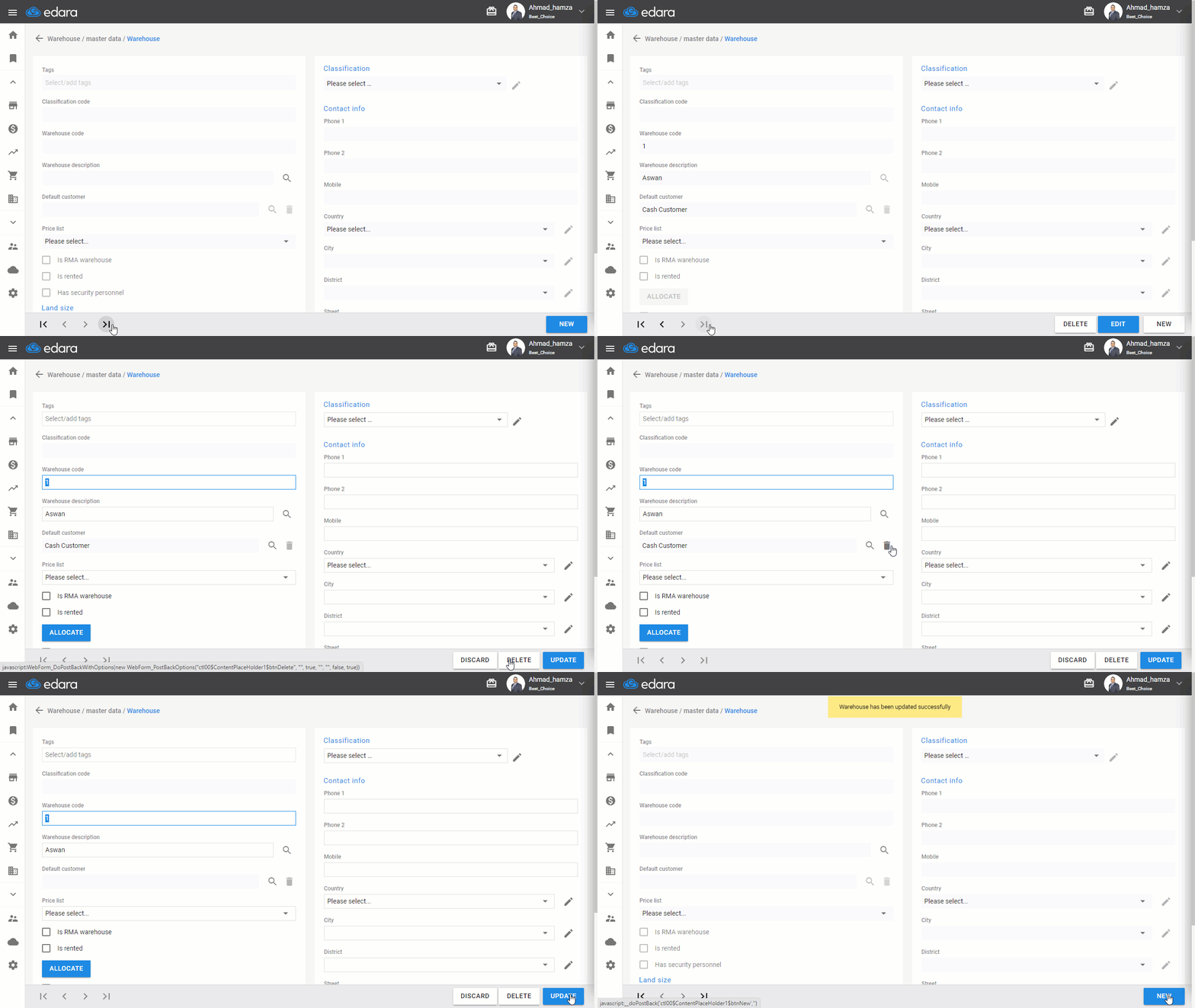
The program allows deleting the default customer associated with the warehouse by following the same method mentioned above up to step 4, then clicking on the facing icon next to the customer's name, and then saving the warehouse data.
If you encounter any challenges or have questions during these processes, you can contact our technical support team, who are ready to assist you at any time.
Did this answer your question?