

Linking a Price List to a Warehouse
Last updated:
When applying different selling prices based on each branch or warehouse, you can link a specific price list to each warehouse to ensure sales transactions are carried out at the correct price for each branch without manual intervention.
Linking a Price List to a Warehouse
Make sure a price list has been created first.
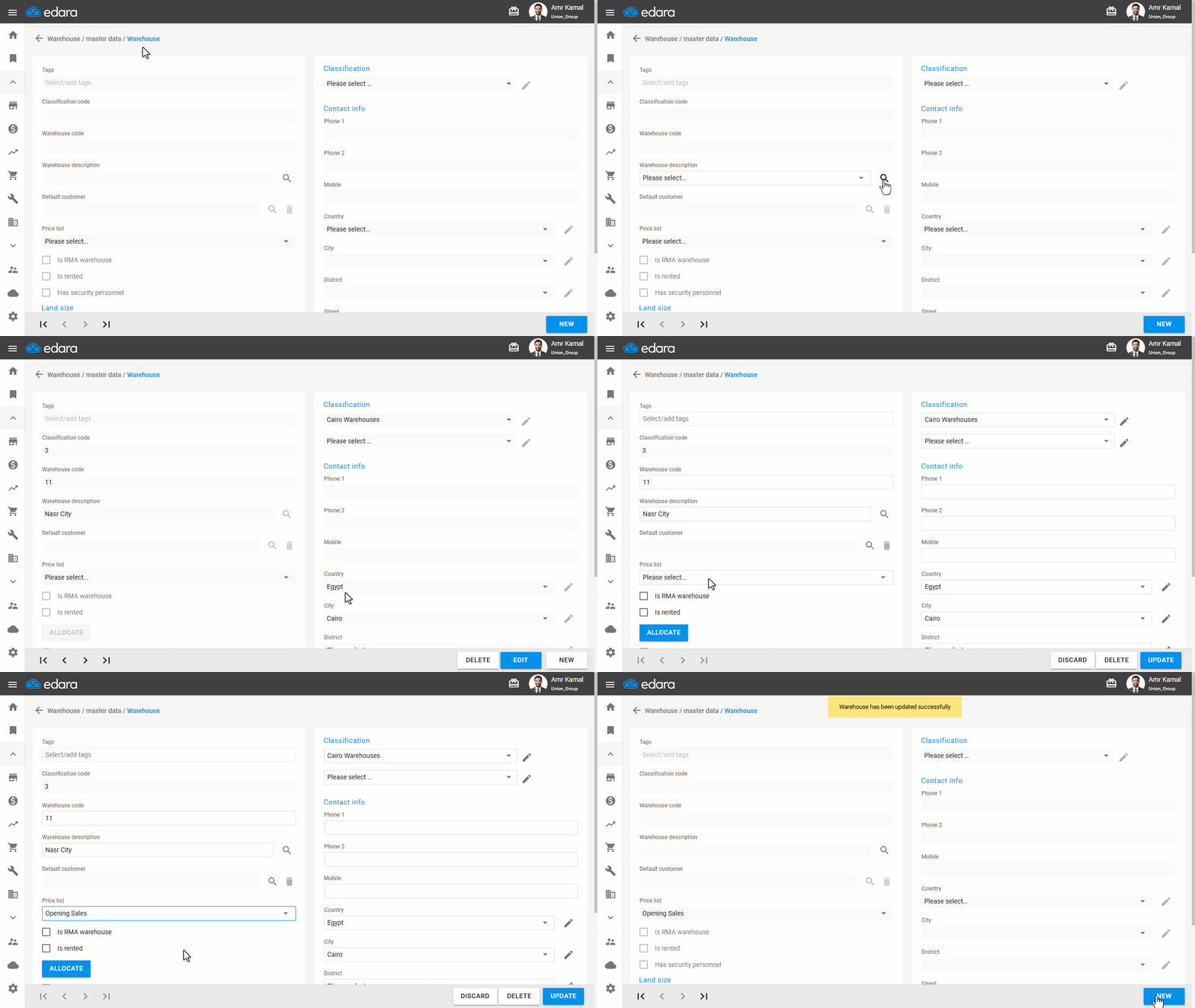
- Go to the "Warehouse" Module.
- Open the "Warehouses" page.
- Search for the required warehouse using the "🔍" icon or the arrows at the bottom of the page.
- Click on "Edit".
- From the price list, select the price list to link with the warehouse.
- Click on "Update".
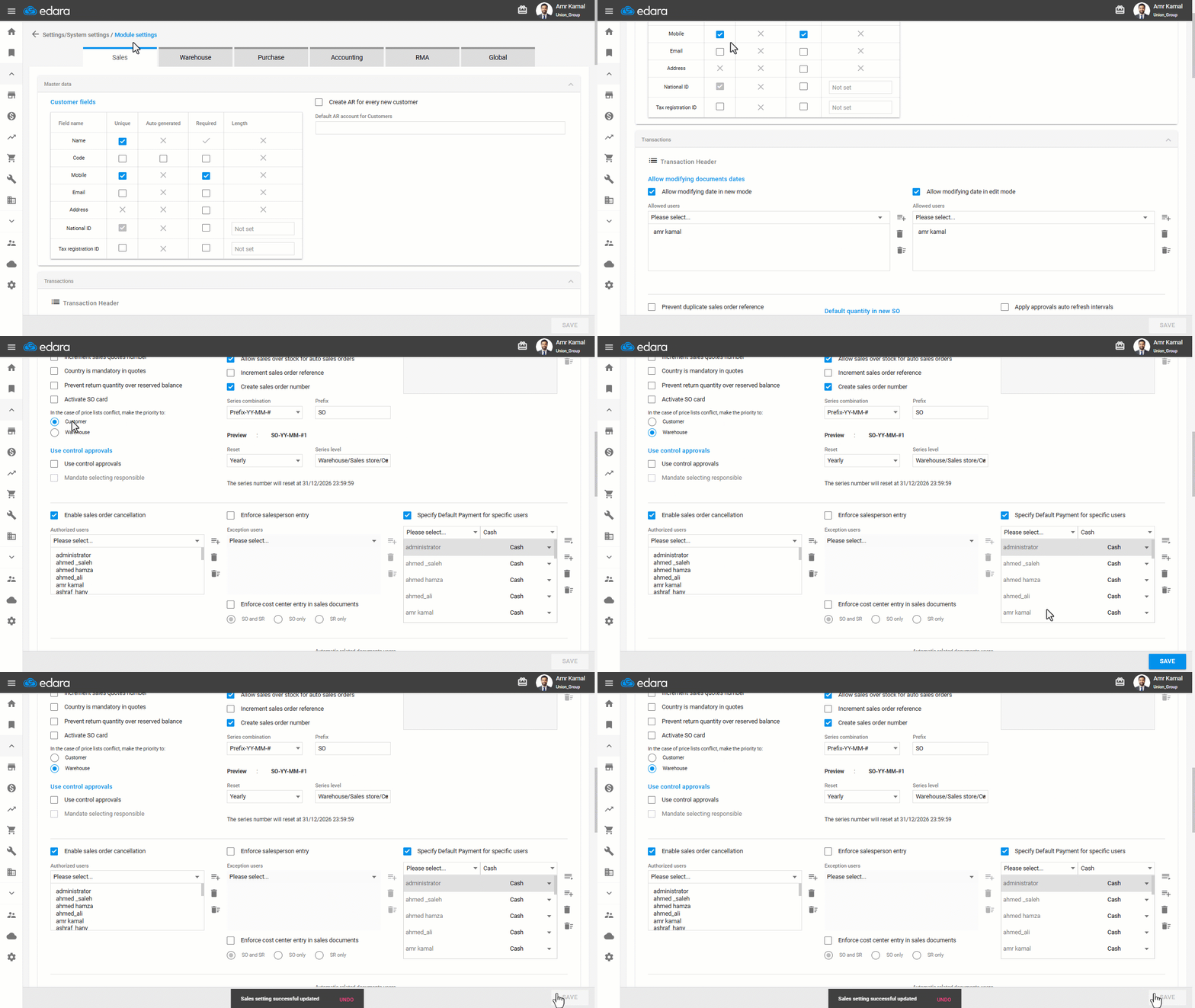
Note: In case of a conflict between price lists, set the priority to “Warehouse” to ensure that the warehouse price list is applied to sales orders.
Frequently asked questions
What should I do when price lists conflict?
In case of a conflict between price lists, set the priority to “Warehouse” to ensure that the warehouse price list is applied to sales orders.
If you encounter any challenges or have questions during these processes, you can contact our technical support team, who are ready to assist you at any time.
Did this answer your question?