

Allocating Items to a Specific Warehouse
Last updated:
Some may need to allocate certain items to a specific warehouse.
Allocating Items to a Specific Warehouse
Before starting the allocation, first ensure that you have the necessary permissions for the required item classifications, then follow these steps:
- Go to the Warehouse Module
- Select "Warehouses"
- Search for the warehouse name using the search icon 🔎 or the arrows at the bottom of the screen.
- Select the warehouse you want to allocate items to
- Click "Edit"
- Click "Allocate"
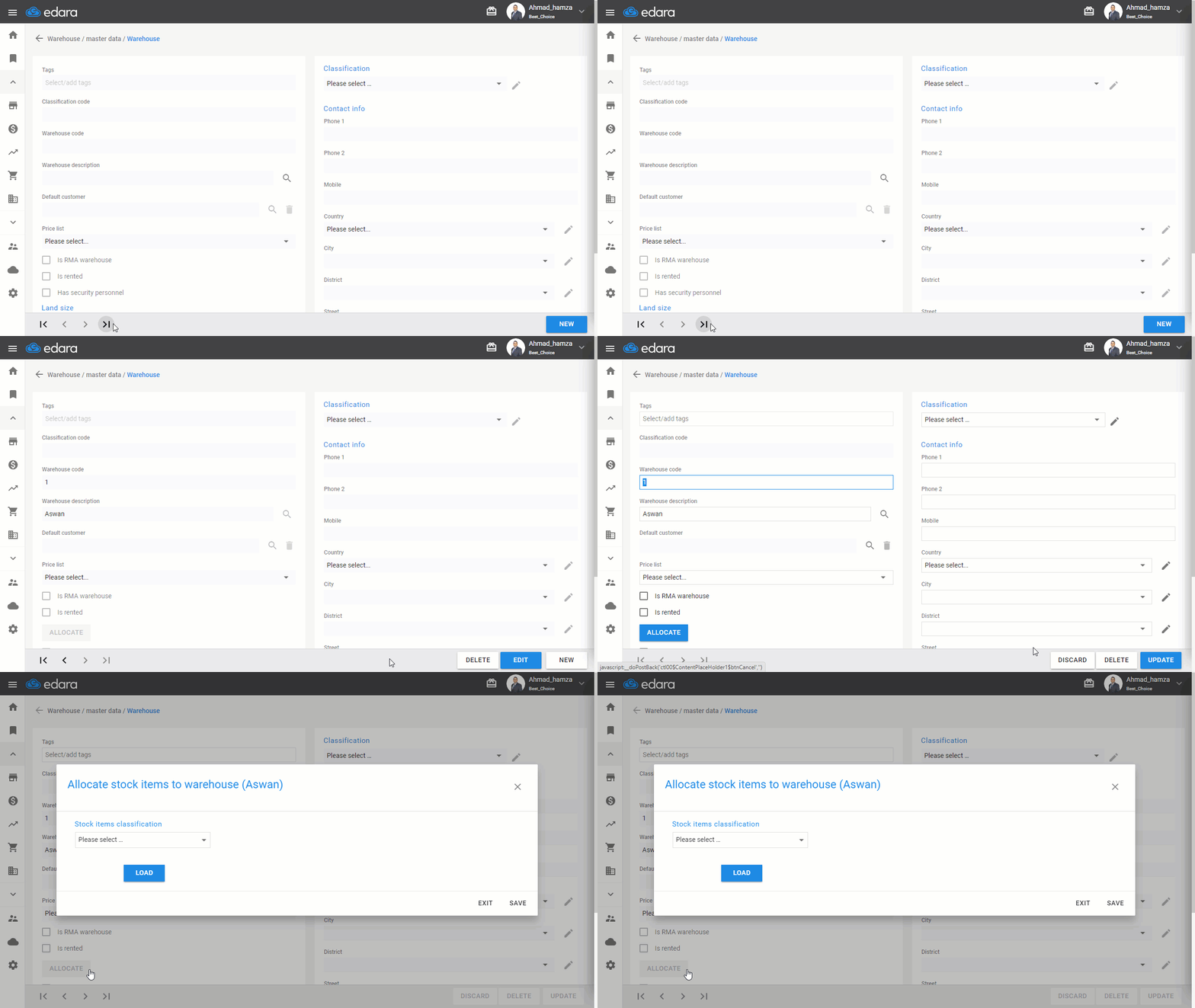
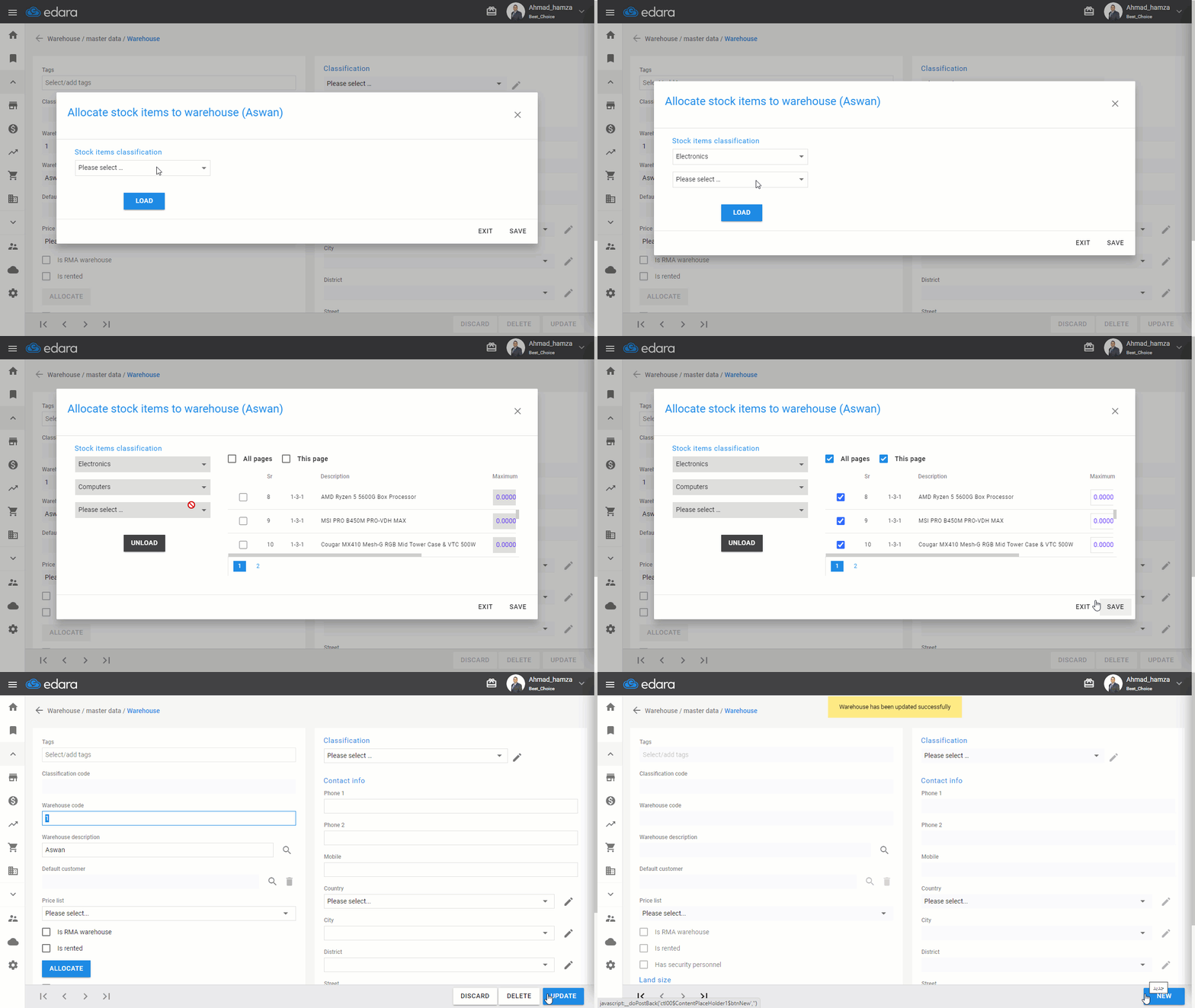
- Choose the item classification from the drop-down menu.
- Click "Load"
- Select the items by changing the box icon "▢" to a checkmark "🗹" or select items on a specific page from "This Page" or select all items from "All Pages"
- Click "Save" to save the selected items
- Click "Save" again
If you encounter any challenges or have questions during these processes, you can contact our technical support team, who are ready to assist you at any time.
Did this answer your question?