

Edit or Delete Warehouse Classification
Last updated:
Effective warehouse management relies on organized classifications to streamline tracking and inventory control.
This guide provides quick steps for editing and deleting warehouse classifications in "Edara", helping you keep your storage areas well-organized and up-to-date.
How to Edit Warehouse Classification
- Go to the Warehouse Module
- Select "Warehouses"
- Search for the Warehouse
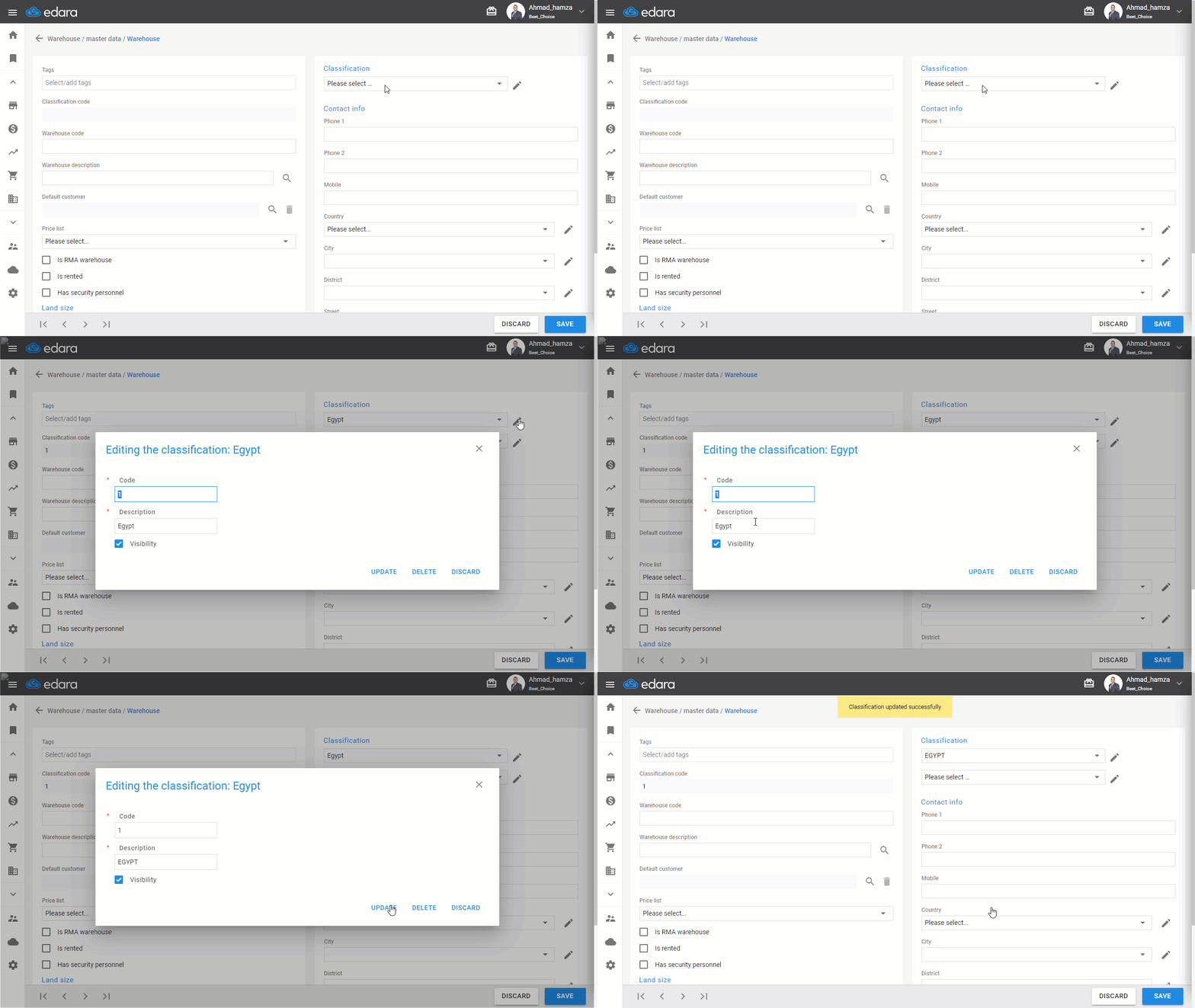
- Click on the 🖉 icon in the "Classification" item
- Select the classification name you want to edit
- Make the necessary changes
- Click "Update."
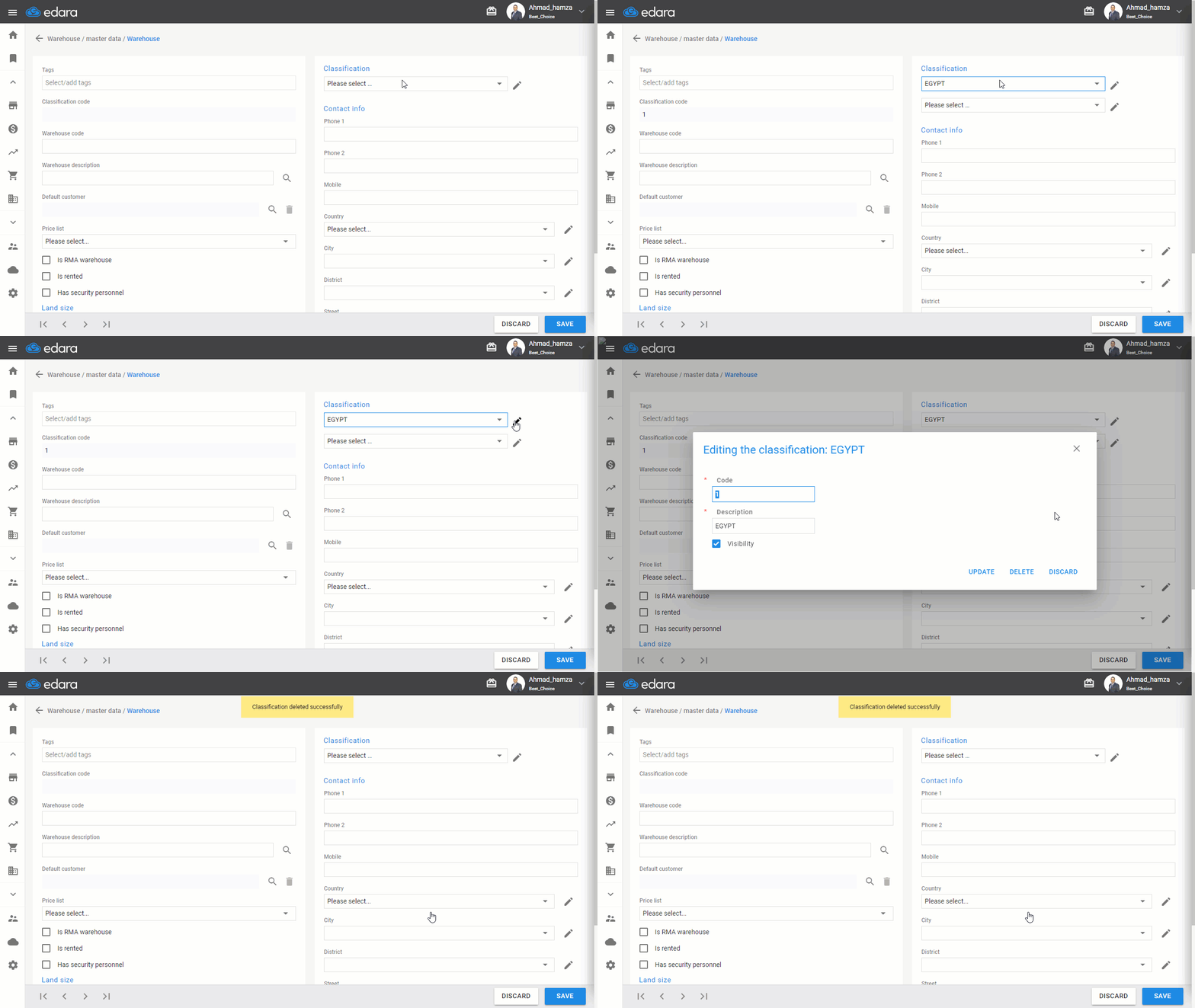
How to Delete Warehouse Classification
"Edara" allows deleting warehouse classifications by following the same steps for editing, then clicking "Delete," provided there are no movements on the item.
If you encounter any challenges or have questions during these processes, you can contact our technical support team, who are ready to assist you at any time.
Did this answer your question?