

Editing a Sales Bundle
Last updated:
Sometimes you may need to update a sales bundle — whether by changing an item, adjusting a price, or modifying other details. With Edara, you can make these updates easily and ensure your data stays accurate.
Editing a Sales Bundle
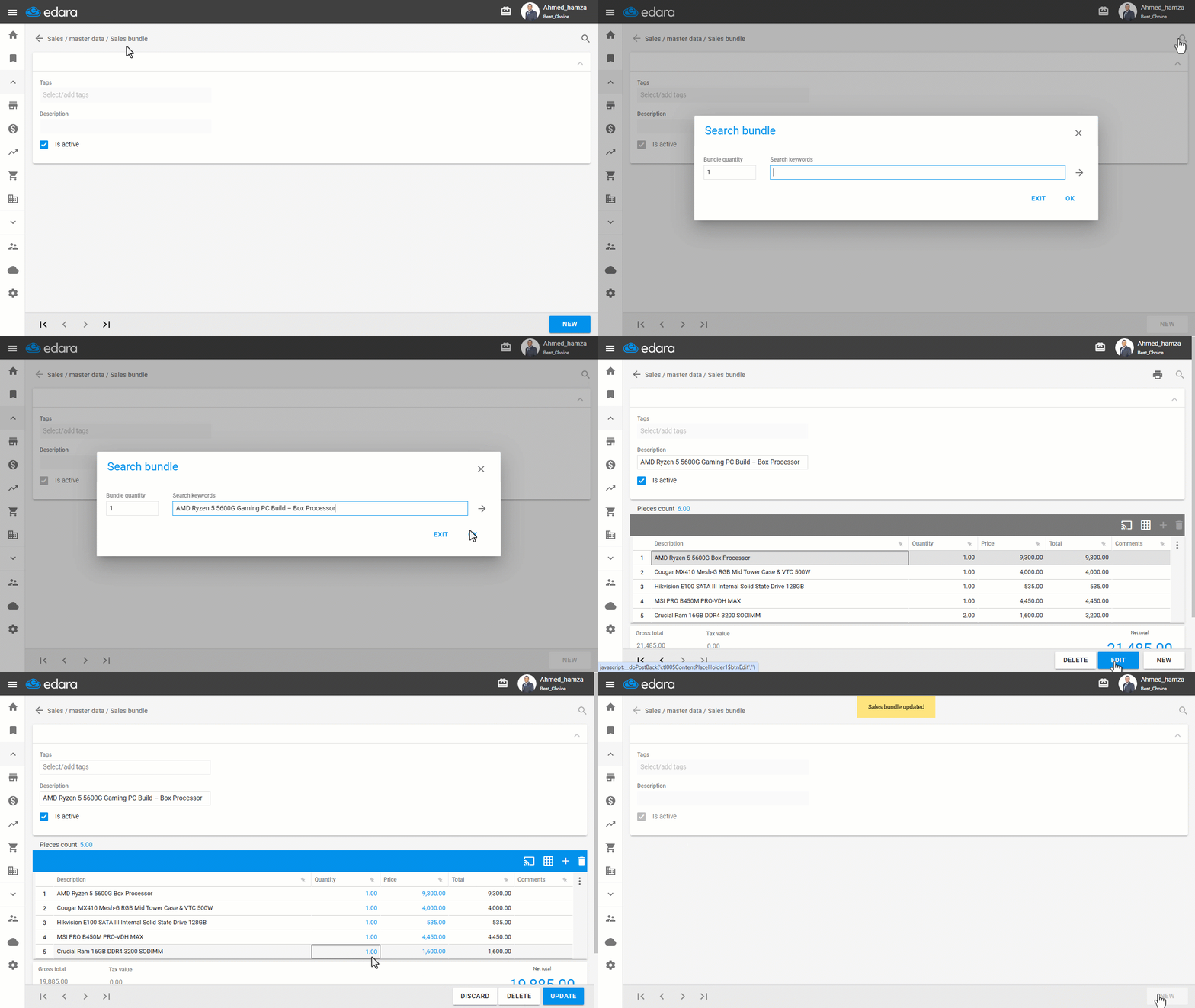
- Go to the Sales Module.
- Open "Sales Bundle".
- Search for the desired bundle using the arrows or the 🔎 icon.
- Enter the name of the sales bundle.
- Click "OK".
- Click "Edit".
- Make the necessary changes.
- Click "Update."
If you encounter any challenges or have questions during these processes, you can contact our technical support team, who are ready to assist you at any time.
Did this answer your question?