

Creating a Sales Bundle and Searching for It in a Sales Order
Last updated:
Sales bundles can attract new customers by providing the chance to try products at a lower price or to compete with other companies offering similar items.
They also assist in clearing slow-moving inventory or reducing excess stock.
Creating a Sales Bundle

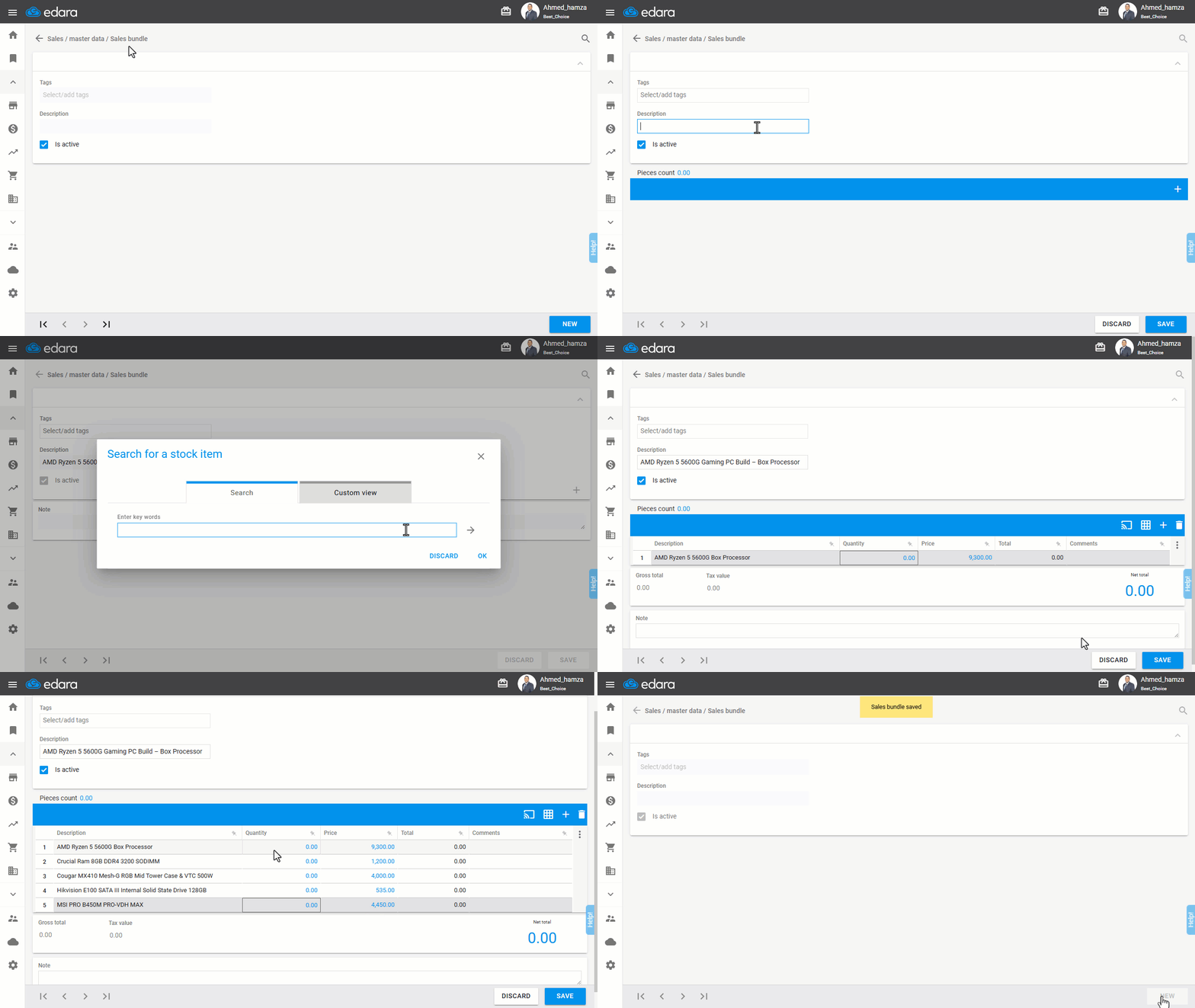
- Go to the Sales module.
- Open the "Sales Bundle" page.
- Click on "New".
- Enter the sales bundle name.
- Click ➕ to search for the stock items.
- Add the stock items included in the bundle.
- Enter the quantity and prices for the stock items.
- Click on "Save".
Searching for a Sales Bundle in a Sales Order
After starting the sales order creation process, follow these steps:
- Click the 🎁 icon in the sales order.
- Search for sales bundles by typing the desired name.
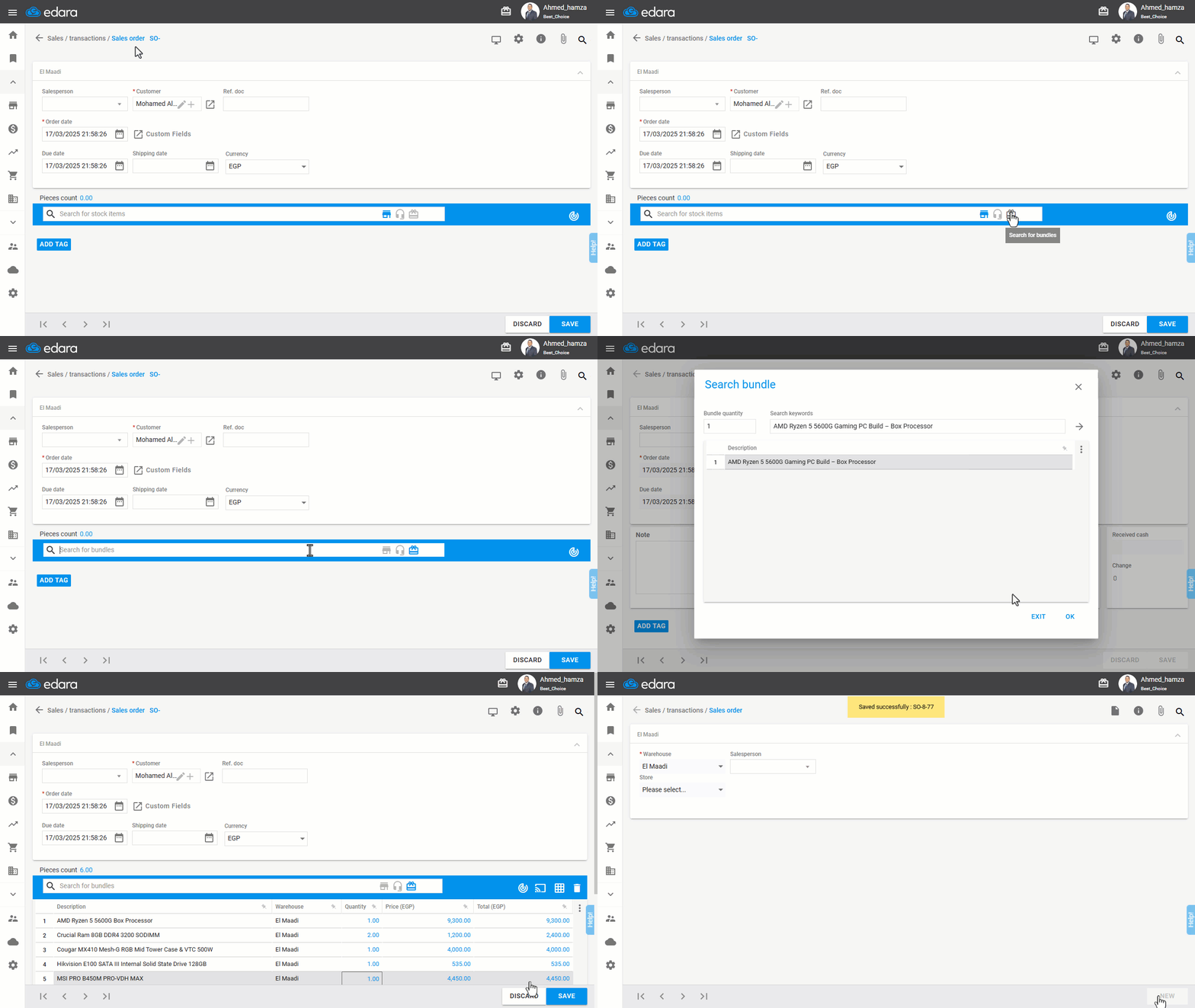
Note: You can change the bundle quantity using the “Bundle quantity” field.
Frequently asked questions
Can I change the bundle quantity in the sales order?
You can change the bundle quantity using the “Bundle quantity” field.
If you encounter any challenges or have questions during these processes, you can contact our technical support team, who are ready to assist you at any time.
Did this answer your question?