

Deactivating a Sales Bundle
Last updated:
When a sales bundle reaches its end date, you can deactivate it to prevent any transactions from being made by mistake.
Deactivating a Sales Bundle
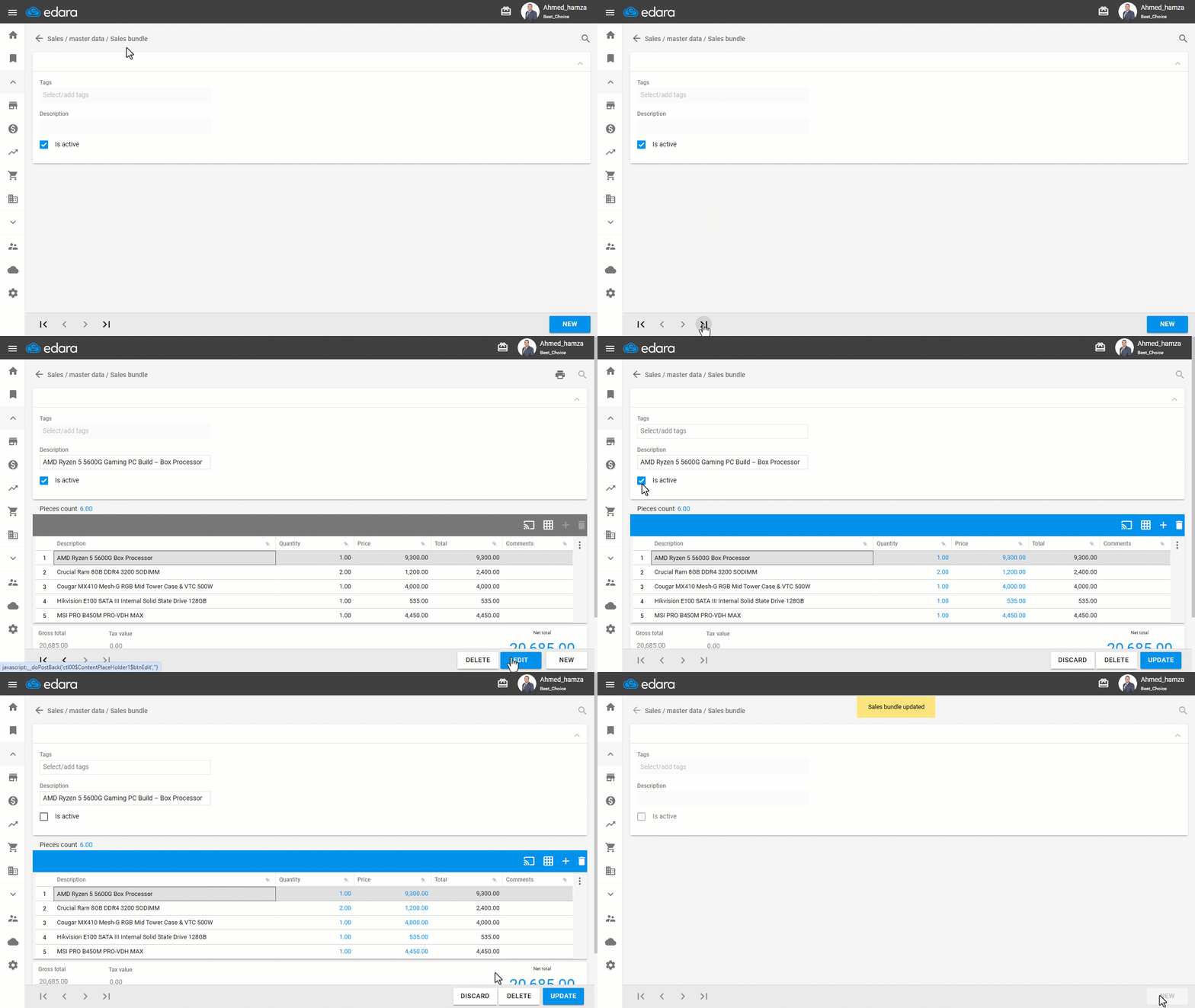
- Go to the Sales module.
- Open the “Sales bundle” page.
- Search for the bundle you want by using the arrows or the 🔎 search icon.
- Enter the “Sales bundle” name.
- Click on “Edit”.
- Turn off the “Active” setting.
- Click on “Update”.
If you encounter any challenges or have questions during these processes, you can contact our technical support team, who are ready to assist you at any time.
Did this answer your question?