

Displaying the Gross Profit Report Grouped by Work Orders
Last updated:
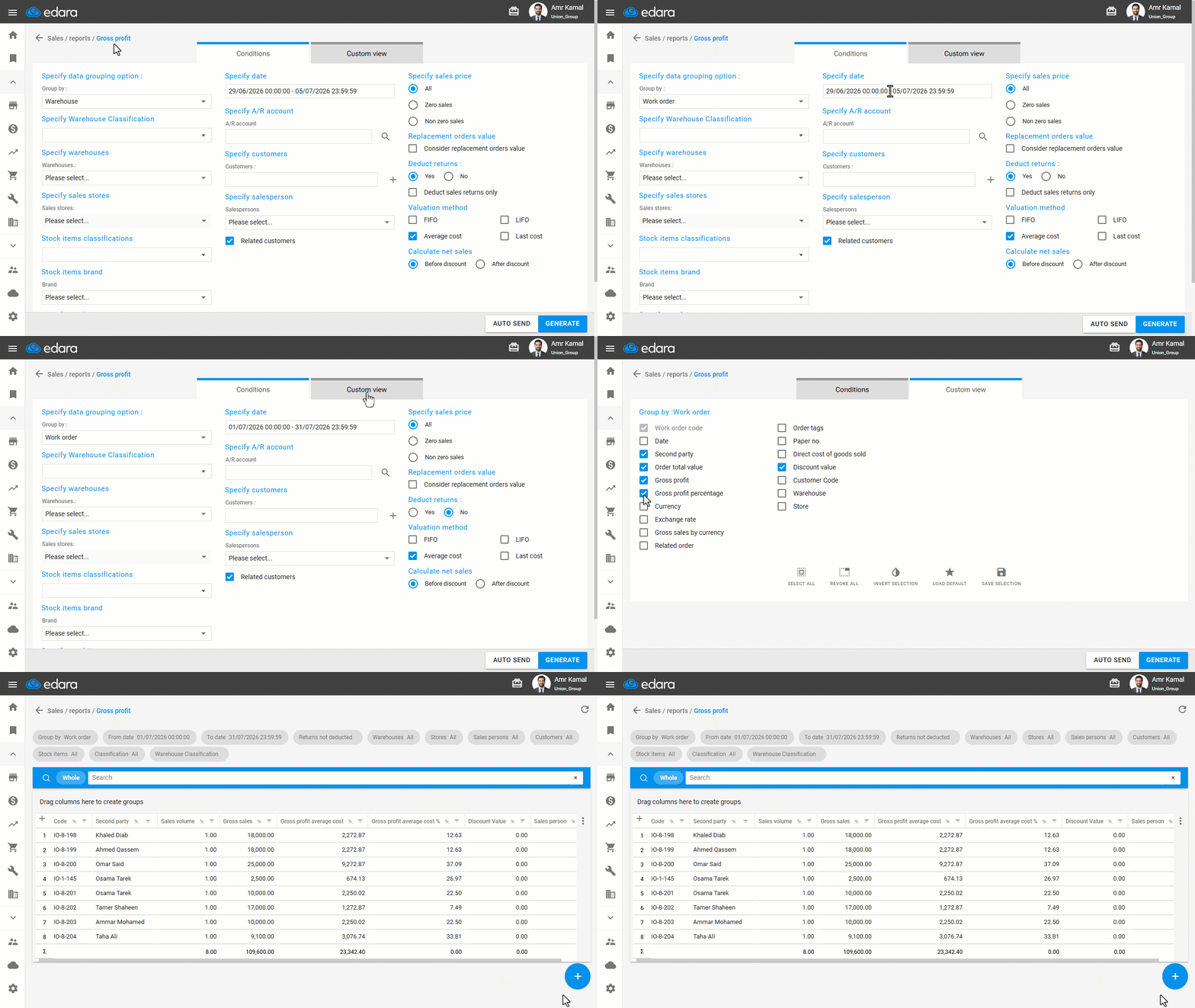
You can display the gross profit of sales invoices grouped by work order, which helps you track the profitability of each work order and analyze sales performance over a specific period.
Displaying the Gross Profit Report Grouped by Work Orders
- Go to the “Sales” module.
- Open the “Gross Profit Report” page.
- Select Group By “Work Order”.
- Specify the desired date range.
- Choose whether to deduct returns from the profit or not.
- Go to “Custom View”.
- Enable the columns you want to display in the report.
- Click on “Generate”.
Note: When the “Related Customers” option is enabled, the report displays all sales orders for customers linked to the selected salesperson, even if another salesperson created these orders. This option is used when you need to track transactions of customers associated with a specific salesperson. If it is not enabled, the report will display only the sales orders that contain the selected salesperson.
If you encounter any challenges or have questions during these processes, you can contact our technical support team, who are ready to assist you at any time.