

Bulk Issuing of Sales Orders
Last updated:
Handling shipments efficiently requires quick order preparation and delivery. The bulk issuing feature allows you to meet deadlines when delivering large quantities all at once, so you won’t need to process each sales order individually.
Here are the steps.
Bulk Issuing of Sales Orders
First, ensure:
- There is available stock for the required date.
- You are displaying the Sales Order Listing Page.
Then:
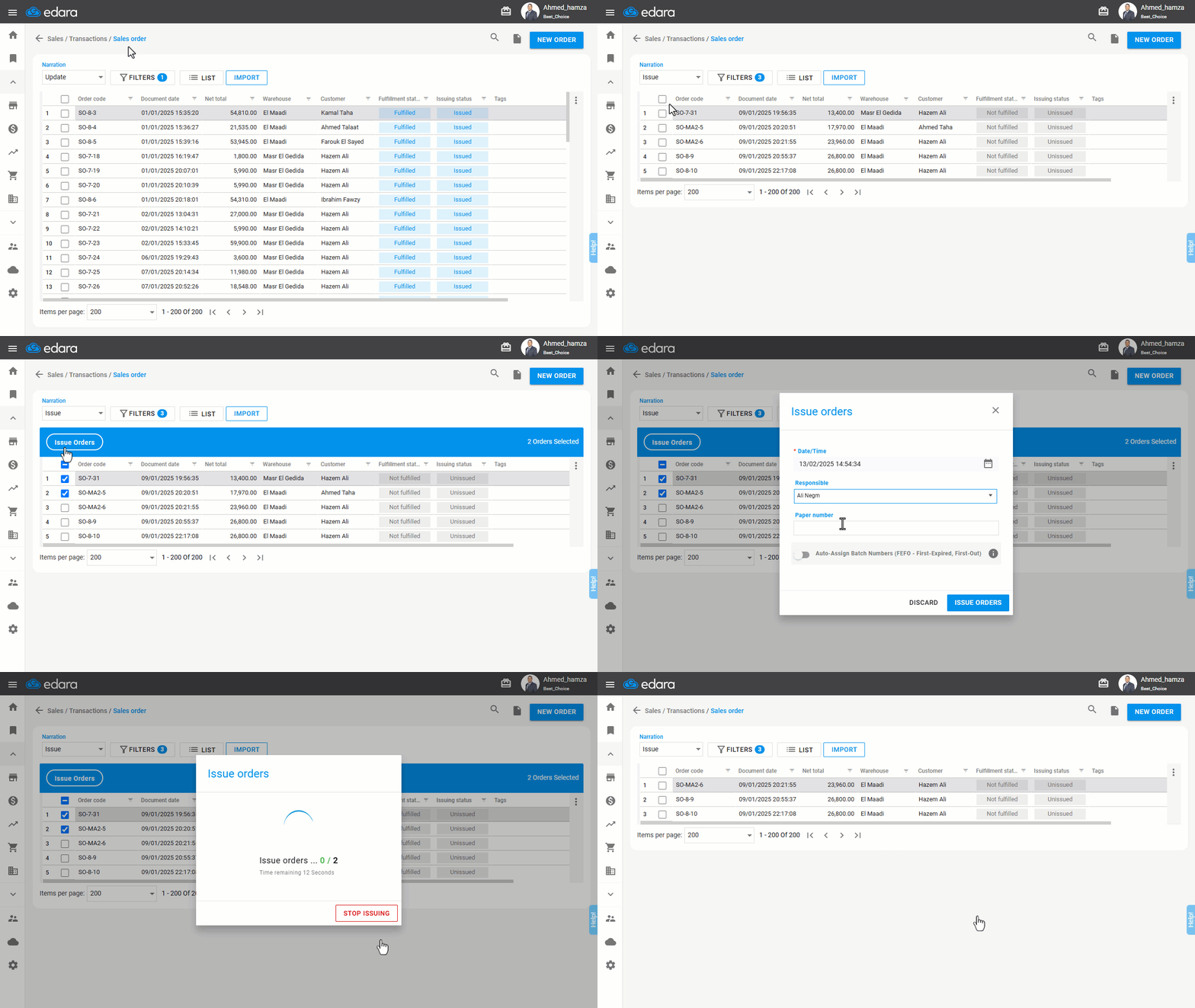
- Choose "Issue" from the "Narration" dropdown list.
- Select the required date under "Filters", and you can choose multiple filters such as: (Customer, Salesperson, Warehouse, Store).
Note: The default status for issuing is "Not Fulfilled" or "Unissued", and it cannot be modified. The default status for fulfillment is "Not Fulfilled", which also cannot be modified.
- Click on “Apply”.
- Select all or the specific orders to be issued.
- Click on "Issue Orders".
Note: The default date is the current time, but it can be changed if you have the appropriate permissions.
- Choose a "Responsible" from the dropdown list – if applicable.
- Add a paper number – if applicable.
- Click on "Issue Orders".
- Click on “GOT IT”.
Note: For approval sales orders, they must first be approved before they appear in the bulk Issuing.
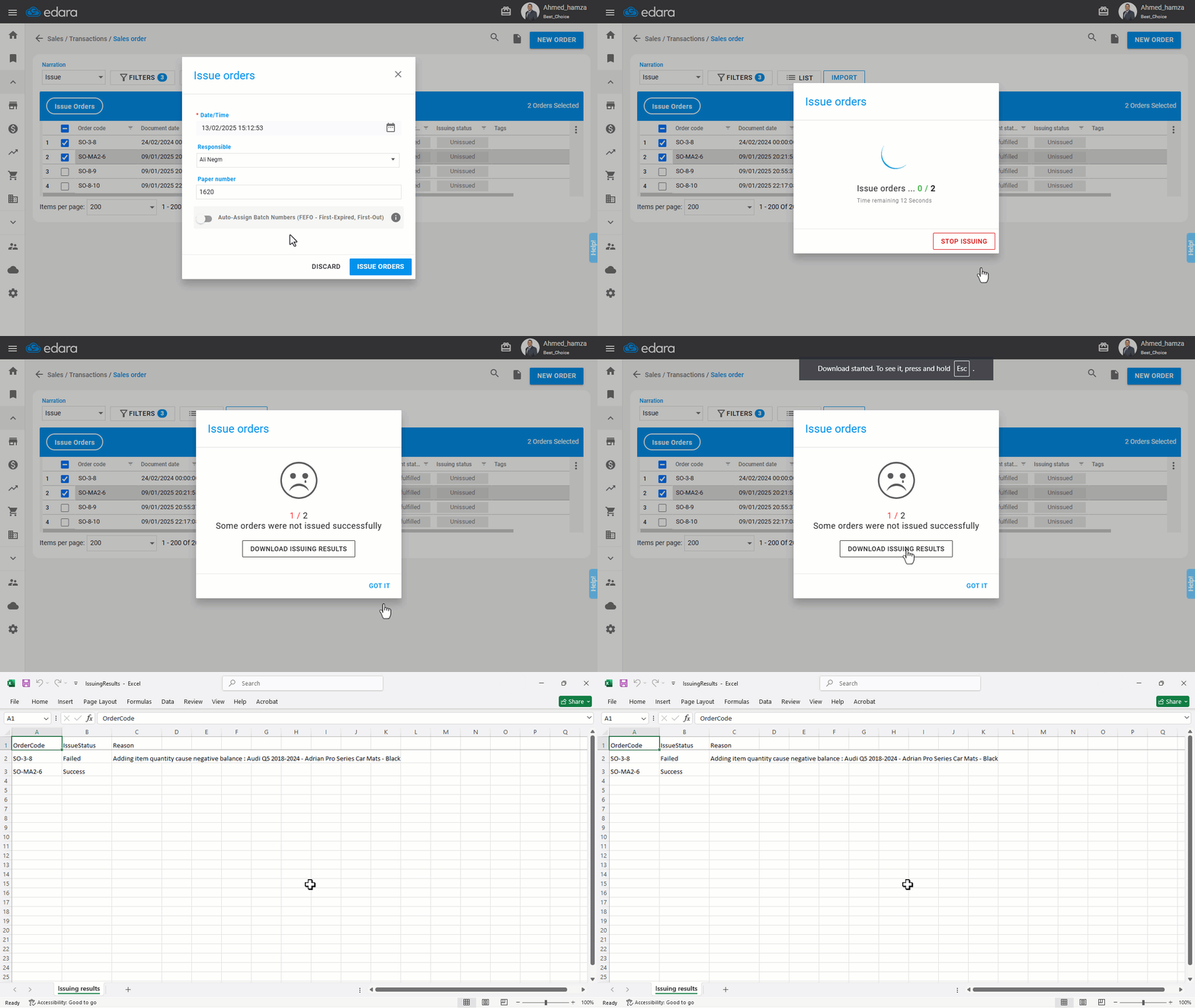
Note: If there are orders that failed to process, click on "Download Issuing Results" to identify the reason for the failure, resolve the issue, and try again.
Frequently asked questions
Why doesn't the sales order appear in bulk issuing?
For approval sales orders, they must first be approved before they appear in the bulk Issuing.
What should I do if some orders fail to be issued?
If there are orders that failed to process, click on "Download Issuing Results" to identify the reason for the failure, resolve the issue, and try again.
If you encounter any challenges or have questions during these processes, you can contact our technical support team, who are ready to assist you at any time.