

Exporting Sales Orders in Bulk
Last updated:
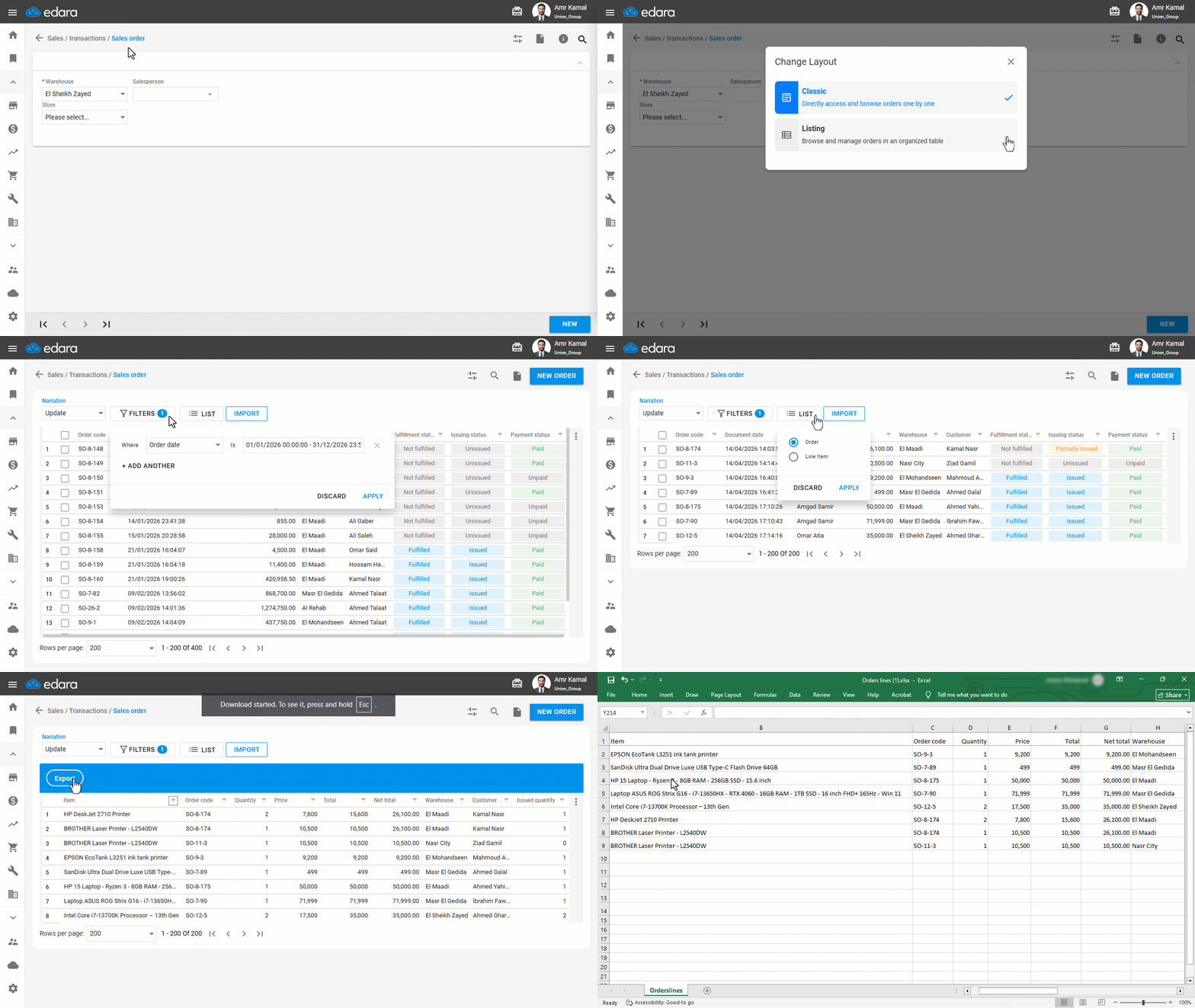
If you need to extract sales invoice details for a specific customer in bulk, you can export Sales Orders for that customer by applying filters to access the required data easily.
Exporting Sales Orders in Bulk

- Go to the “Sales” module.
- Open the “Sales Order” page.
- Click on "
 ".
". - Click on “Listing”.
- Click on “Filters”.
- Select the date range.
- Click on “Apply”.
- Click on “List”.
- Select “Line Item”.
- Click on “Apply”.
- Click on “Export”.
If you encounter any challenges or have questions during these processes, you can contact our technical support team, who are ready to assist you at any time.
Did this answer your question?