

Bulk Displaying of Unissued Stock Items in Sales Orders
Last updated:
To overcome warehouse Issuance challenges, stock managers may need to prepare orders in advance. "Edara" provides a feature that allows users to view stock items that have not yet been issued within sales orders.
Bulk Displaying of Unissued Stock Items in Sales Orders
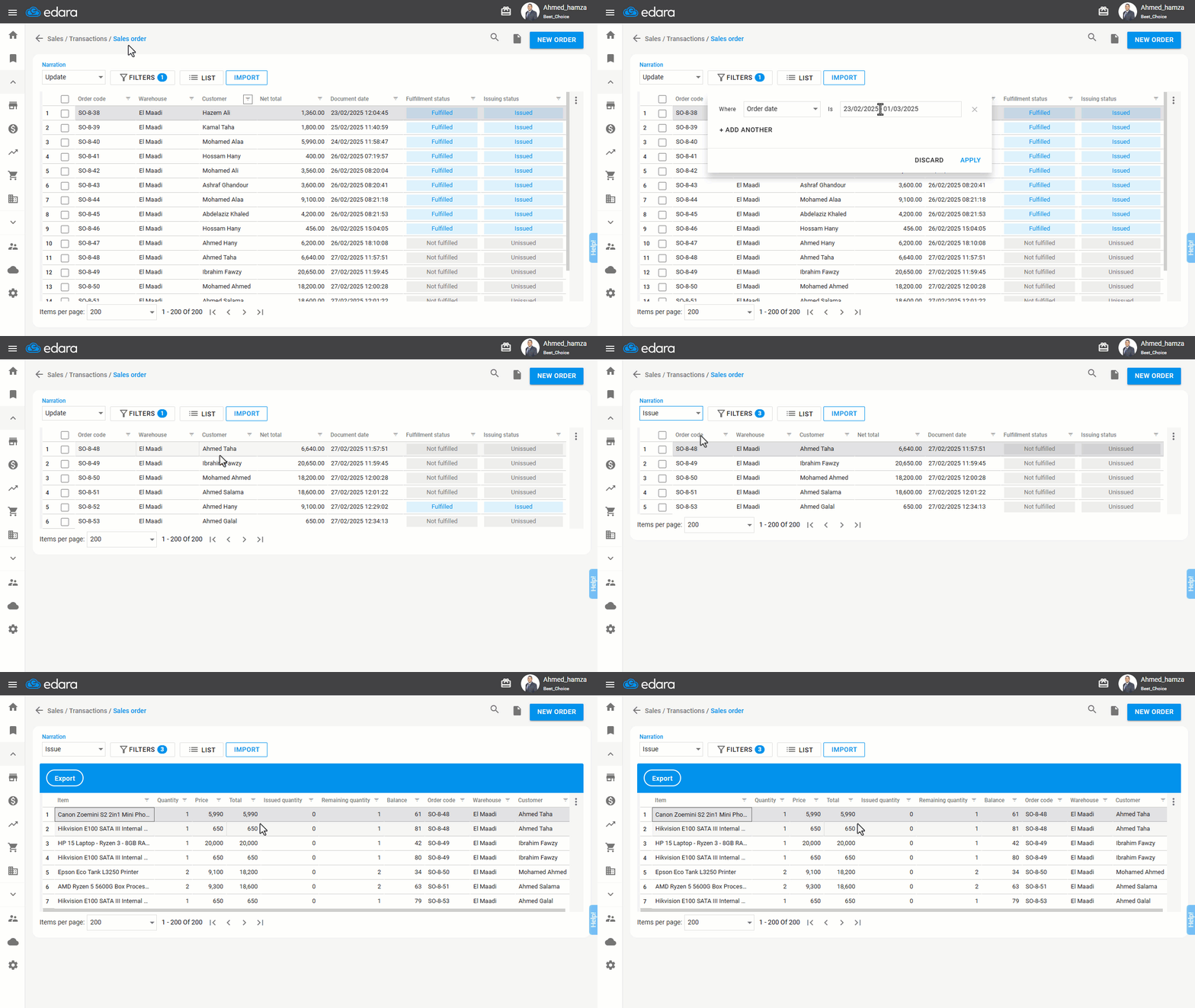
Activate the new Sales Order layout, then follow these steps:
- Go to the Sales module.
- Open the “Sales Order” page.
- Click on “Filters” and specify the desired time period.
- Click on “Apply”.
- Set the Narration to be: “Issue”.
- Select “Line Item” from the “List”.
- Click on “Apply”.
If you encounter any challenges or have questions during these processes, you can contact our technical support team, who are ready to assist you at any time.
Did this answer your question?