

Handling Reserved Balance
Last updated:
In Edara, you can release a reserved balance either by processing pending sales orders or canceling/deleting them.
Handling Reserved Balance
You can do this by:
Completing Pending Orders
You can release the reserved balance by completing pending orders, either individually or in bulk.
1. Individual Processing from Warehouses
- Go to the “Warehouses” module.
- Open the “Issue Offering” page.
- Select the “warehouse”.
- Click on “Proposed Orders”.
- Click on “→” to display the available orders.
- Select the sales order you want to issue.
- Click on “OK”.
- Click on “Save”.
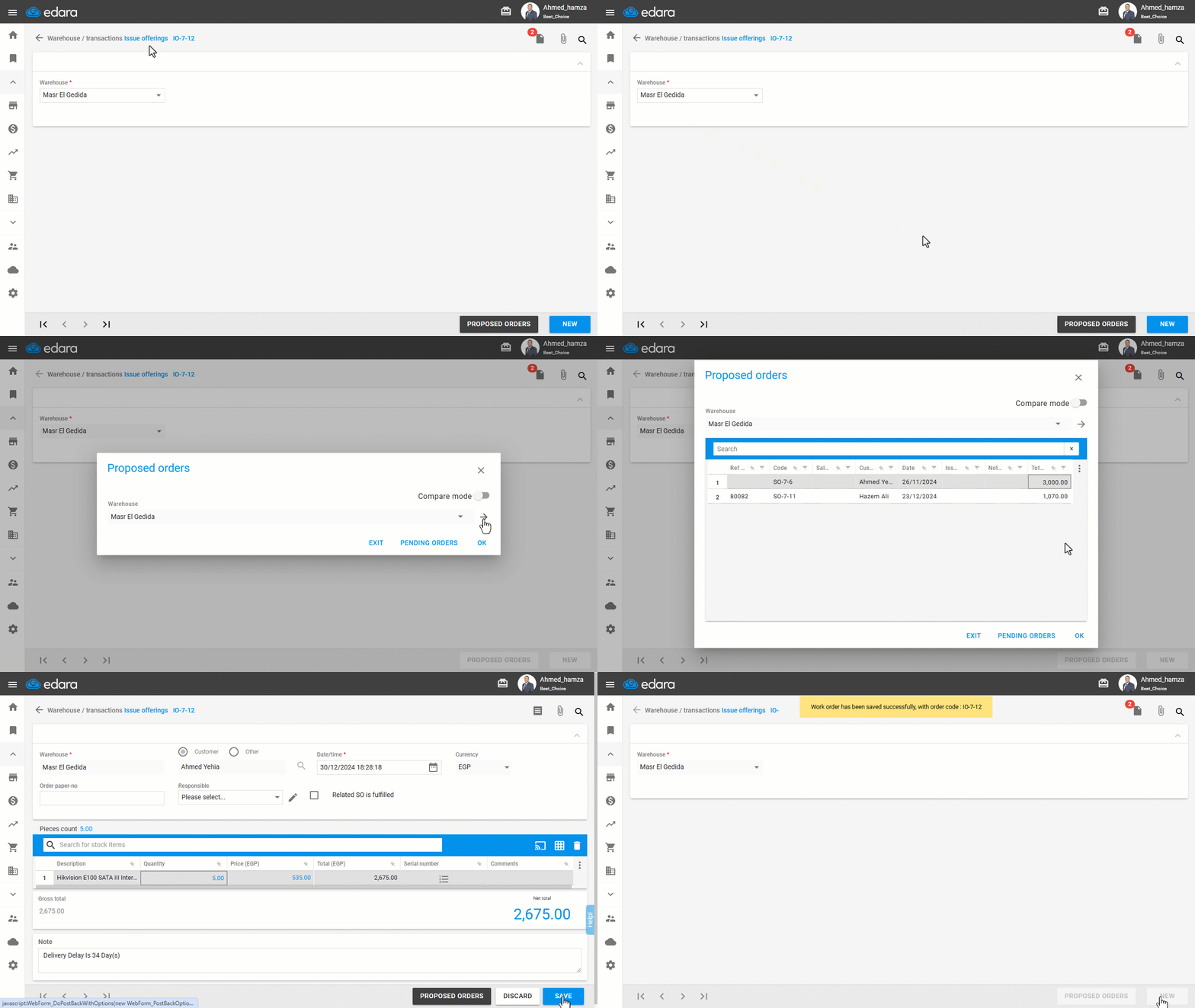
2. Bulk Issuing
Follow the steps in this article to issue sales orders in bulk: Bulk Issuing of Sales Orders.
Canceling a Sales Order
To cancel a sales order, follow the steps in this article: Canceling a Sales Order.
Deleting a Sales Order
- Go to the “Sales” module.
- Open the “Sales Approvals” page.
Note: Make sure to cancel all approvals for the sales order first by clicking ✔️ to turn it into 🚫.
- Click “📋” next to the sales order number.
- Click on “More Actions”
- Select “Delete”, then click on "Yes" to confirm the deletion.
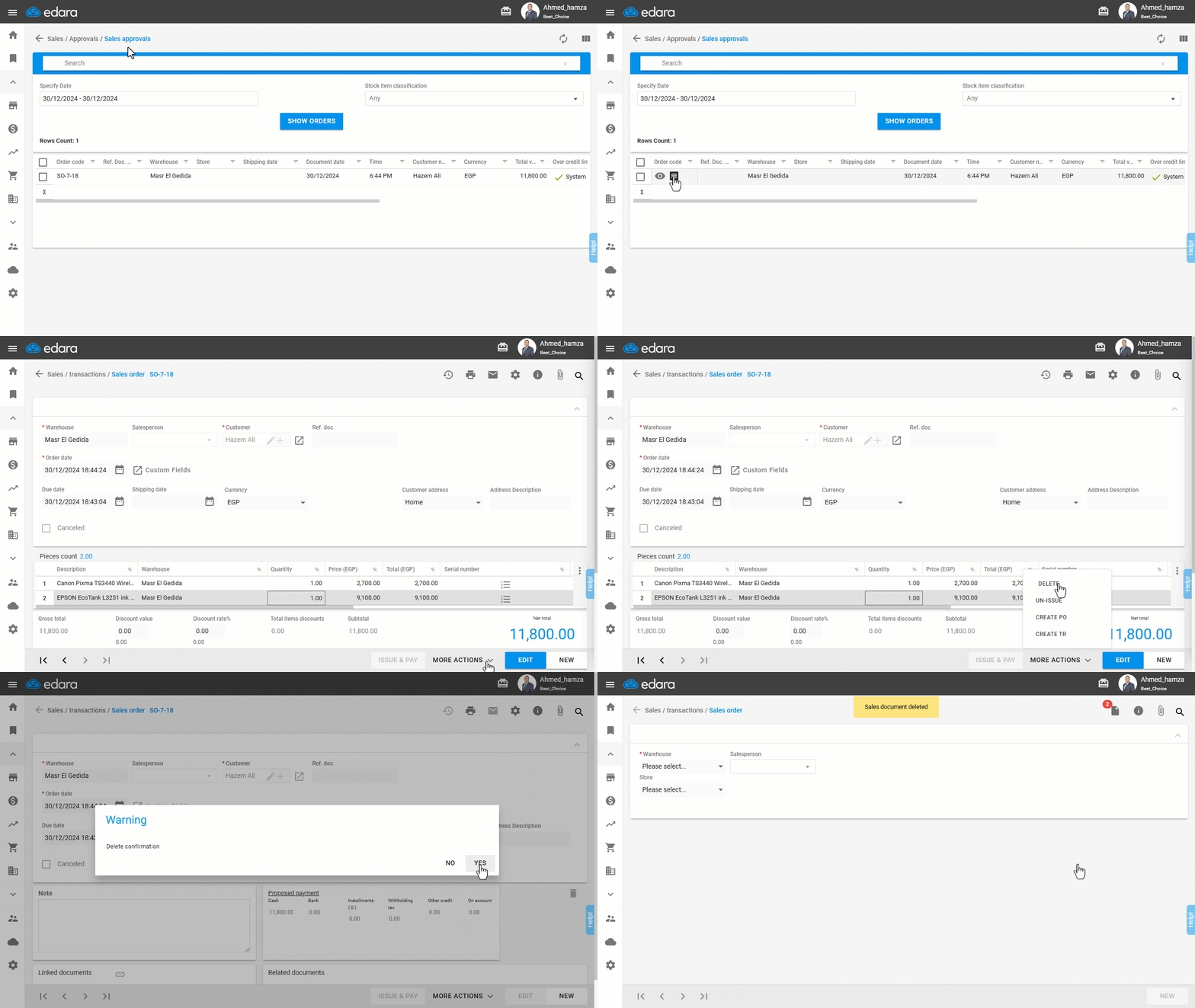
Completing Pending Transfer Orders
- Go to the “Warehouses” module.
- Open the “Work Orders” page.
- Choose “Internal”.
- Select the work order type “Issue Transfer”.
- Choose “Pending”.
- Set the date.
- Select the required columns.
- Click on “Generate”.
- Double click to open the transfer order.
- Click on “Release”.
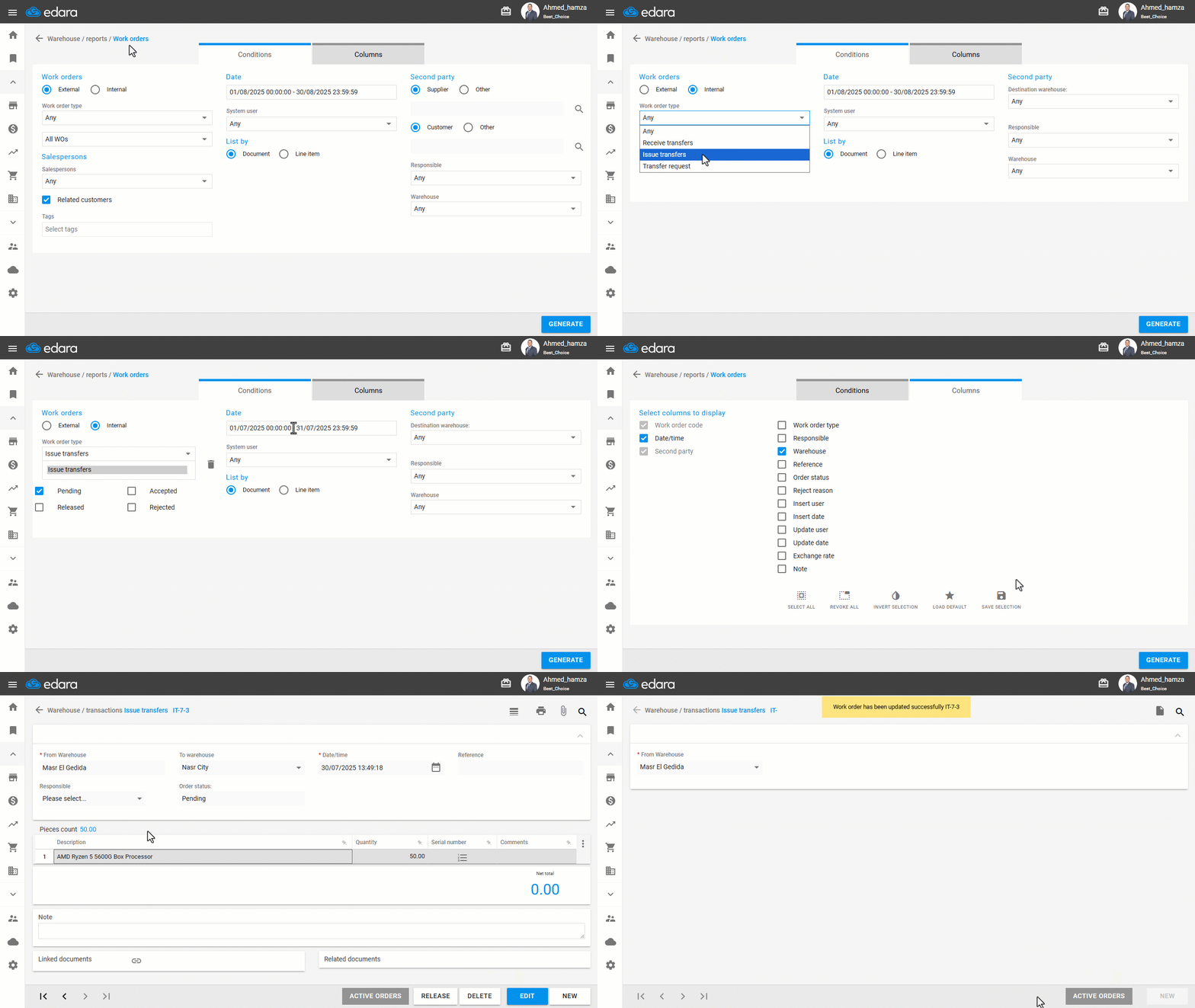
Frequently asked questions
What should I do before deleting a sales order from approvals?
Make sure to cancel all approvals for the sales order first by clicking ✔️ to turn it into 🚫.
If you encounter any challenges or have questions during these processes, you can contact our technical support team, who are ready to assist you at any time.