

Printing Stock Item Images in the Warehouse Stock Report
Last updated:
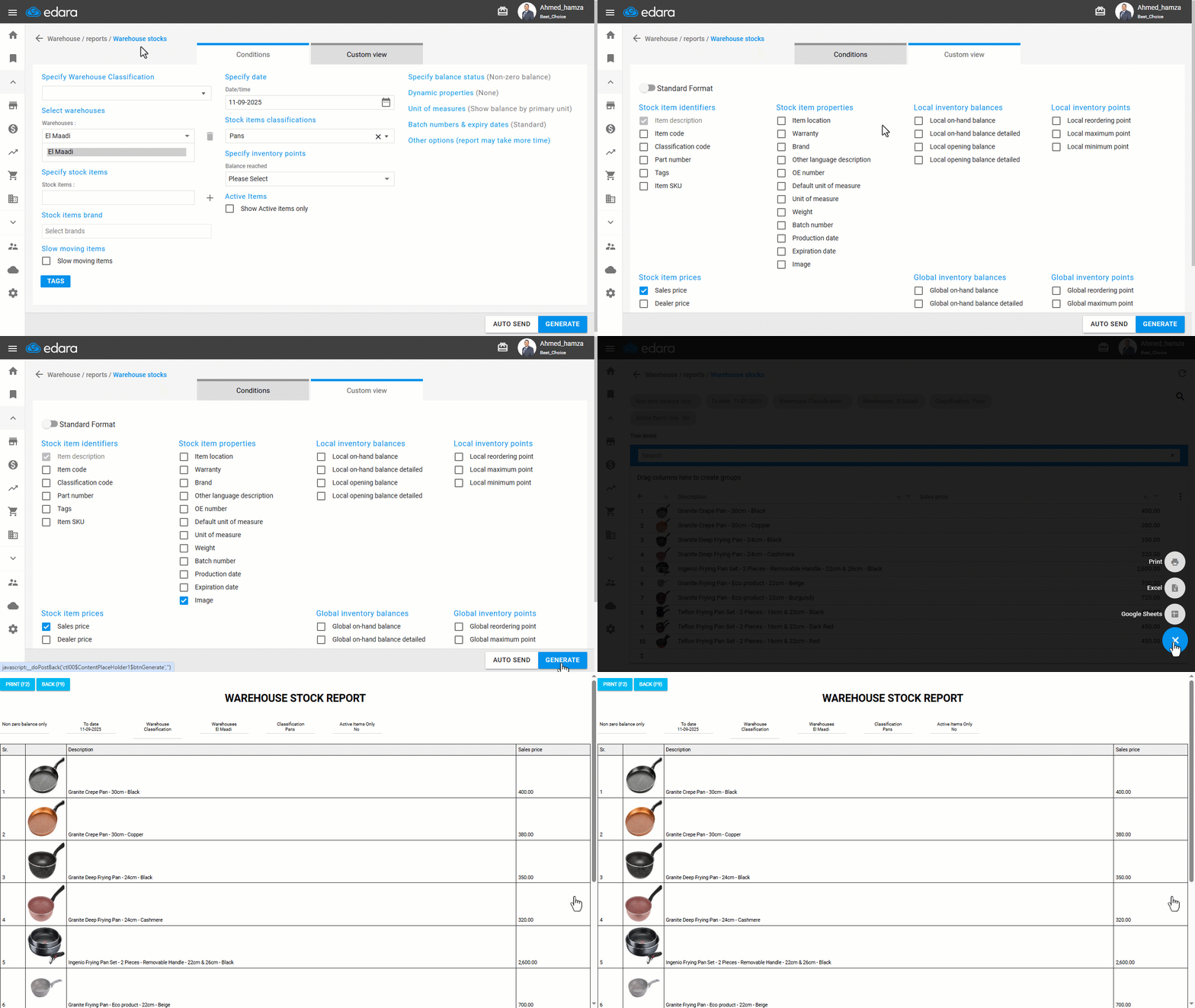
Sometimes it can be difficult to distinguish between stock items by name only, especially in industries such as accessories or clothing. To make this easier, “Edara” allows you to print the Warehouse Stocks Report with stock item images included.
Printing Stock Item Images in the Warehouse Stock Report

- Go to the “Warehouse” module.
- Open the “Warehouse Stocks” report.
- Enable “Image” using “Custom View”.
- Click on “Generate”.
- Hover over “➕”.
- Click on “Print”.
If you encounter any challenges or have questions during these processes, you can contact our technical support team, who are ready to assist you at any time.
Did this answer your question?