

Show the Reserved Balance when Selecting Multiple Warehouses
Last updated:
If you have sold supplies that are still in your warehouses but haven’t been issued yet, or if you want to reserve a specific balance of items to transfer between branches, you need to display those balances to understand the available/unavailable stock for sale.
In "Edara," we provide the option to display this information in the Warehouse Stocks Report.
Here’s how to do it.
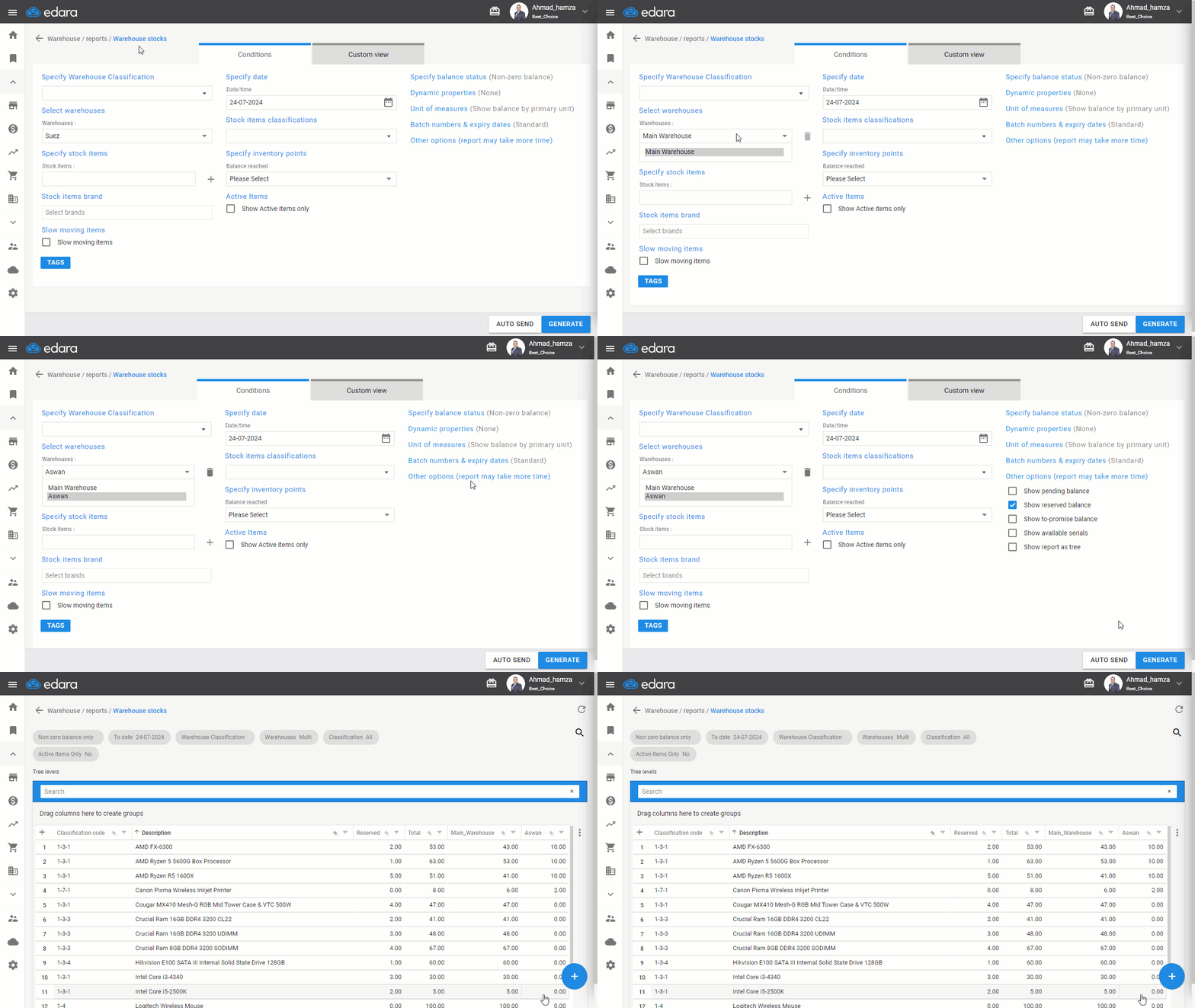
Show the Reserved Balance when Selecting Multiple Warehouses
- Go to the Warehouse Module.
- Click on "Warehouse Stocks Report".
- Select more than one warehouse.
- Click on "Other Options".
- Activate the "Show Reserved Balance" option.
- Click "Generate".
If you encounter any challenges or have questions during these processes, you can contact our technical support team, who are ready to assist you at any time.
Did this answer your question?