

Sending a Sales Order via Email
Last updated:
You can send the sales order directly to the customer via email to officially document the order and speed up communication.
Sending a Sales Order via Email
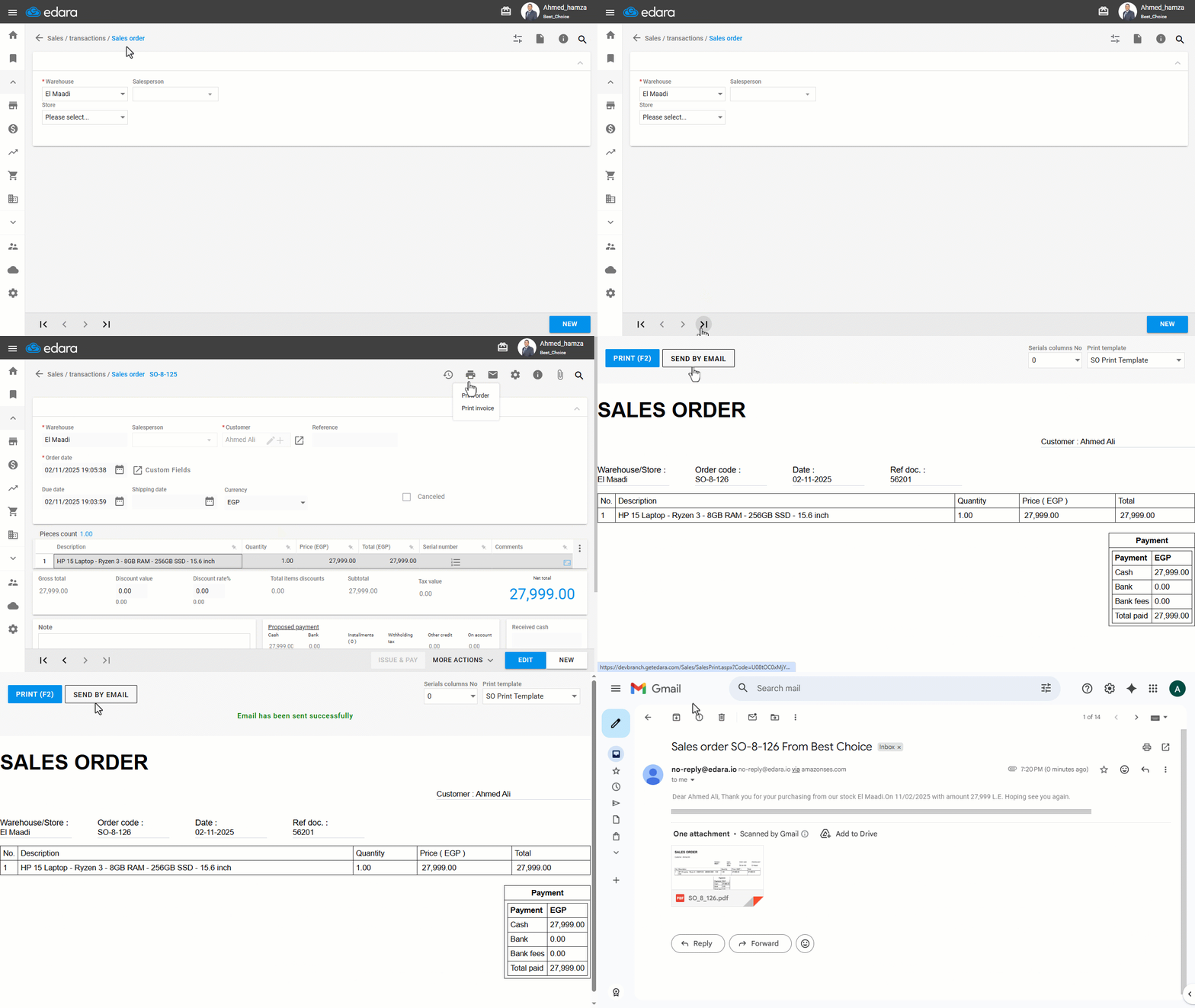
- Go to the “Sales” module.
- Open the “Sales order” page.
- Search for the required Sales Order using the “🔍” icon or the arrows at the bottom of the page.
- Click on the “
 ” icon at the top of the screen.
 - Choose “Print Order”.
- Click on “Send by Email” from the print preview page.
The document will be sent to the customer’s email as a PDF attachment.
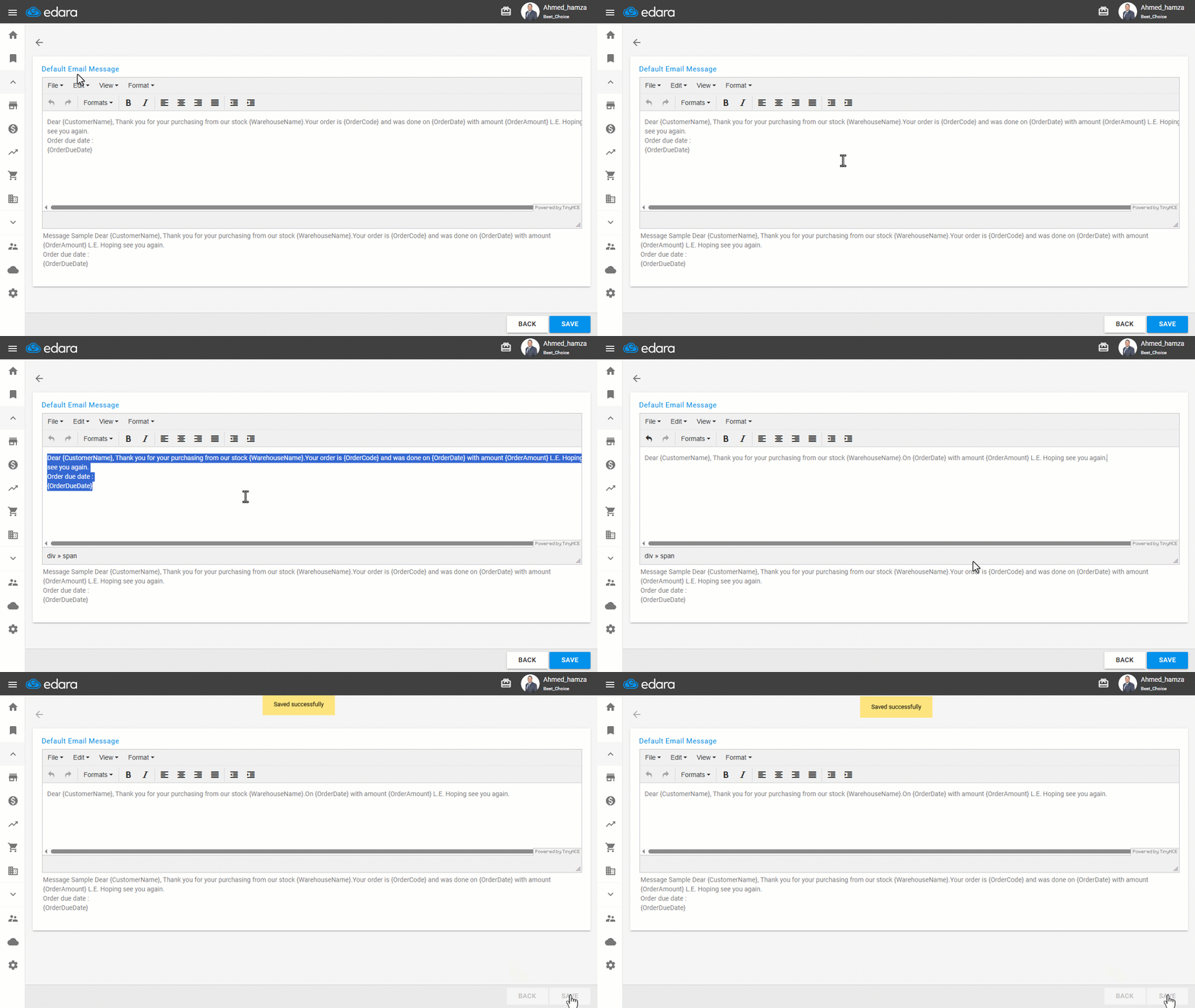
Note: You can edit the email message attached to the sales order by following these steps:
- Go to “Settings”.
- Open the “Mail Reports” page.
- Enter the desired message in the “Default Email Message” field.
- Click on “Save.”
Frequently asked questions
Can I change the text of the email message?
You can edit the email message attached to the sales order by following these steps: Go to “Settings”, Open the “Mail Reports” page, Enter the desired message in the “Default Email Message” field, Click on “Save.”.
If you encounter any challenges or have questions during these processes, you can contact our technical support team, who are ready to assist you at any time.
Did this answer your question?