

Enabling Withholding Tax by Default in Sales Orders
Last updated:
“Edara” allows you to enable the Withholding Tax by default in sales orders. This ensures that the tax is automatically included in all new sales orders, saving time and improving accounting accuracy.
Enabling Withholding Tax by Default in Sales Orders
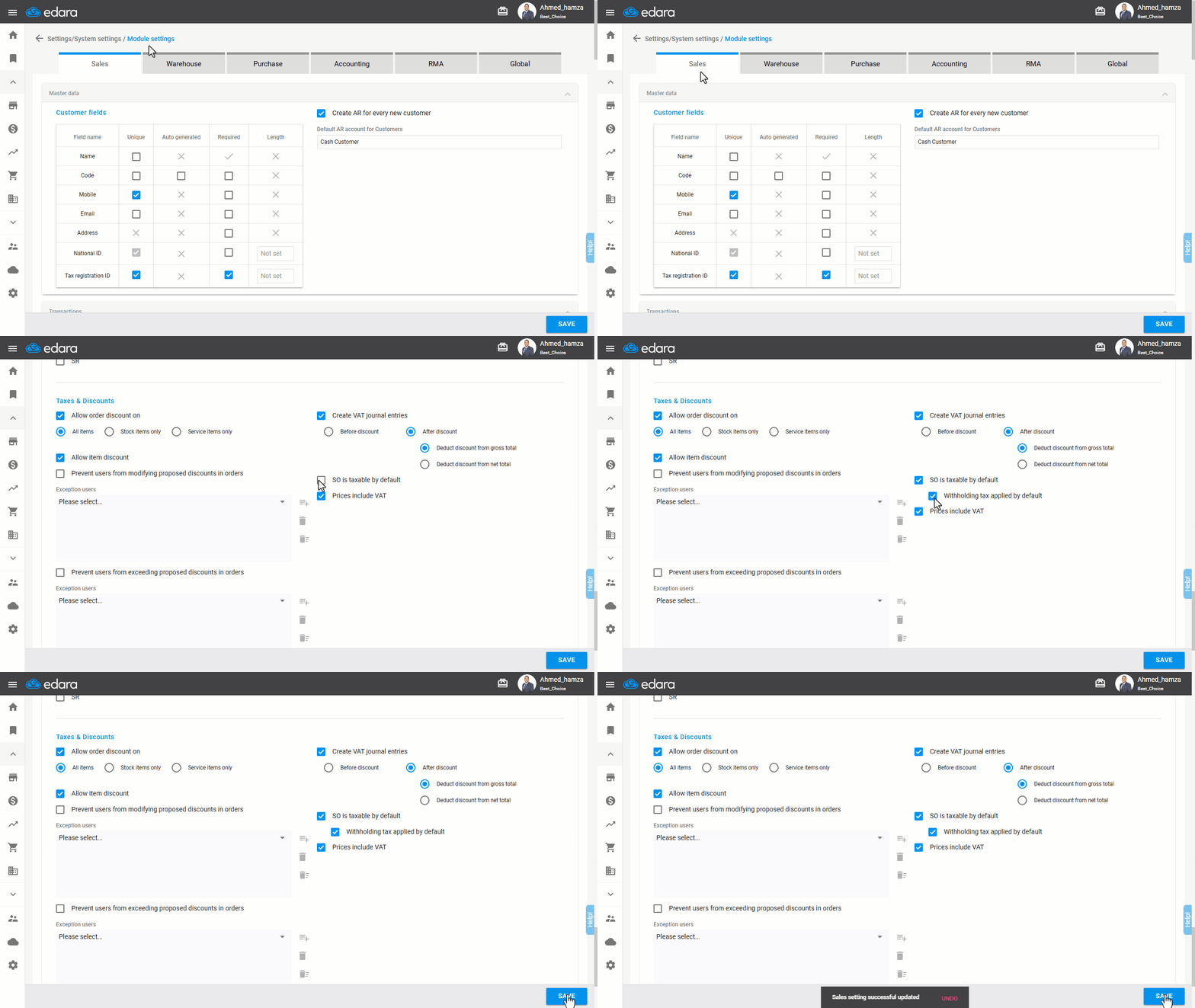
- Go to Settings.
- Open the “Module Settings” page.
- Open the Sales module.
- Enable the "Withholding tax applied by default" option.
Note: This setting is linked to the "SO is taxable by default" option.
- Click on “Save”.
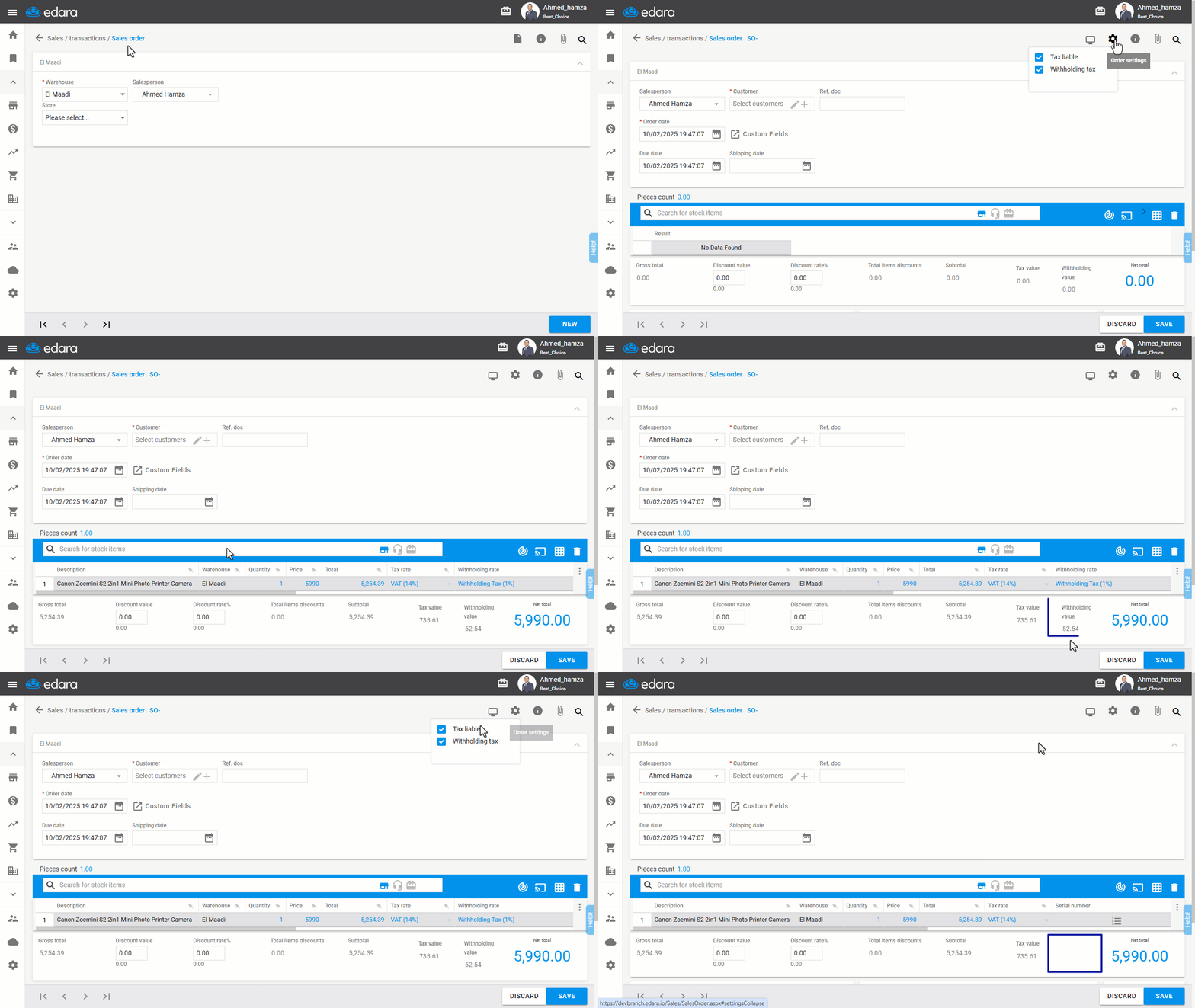
Once enabled, all new sales orders will have the Withholding Tax applied by default.
If you encounter any challenges or have questions during these processes, you can contact our technical support team, who are ready to assist you at any time.
Did this answer your question?