

Adding a Customer from the Quick Coding Screen
Last updated:
In “Edara”, you can add a new customer directly from the “Sales Order” page without needing to navigate to the Customers page.
This feature simplifies the process of creating sales orders, especially when dealing with cash or one-time customers.
Adding a Customer from the Quick Coding Screen
- Open the “Sales Order” page.
- Click on the “+” icon in the Customer field.
- Click on “More Options”.
- Enter the customer’s basic information.
- Click on “Save”.
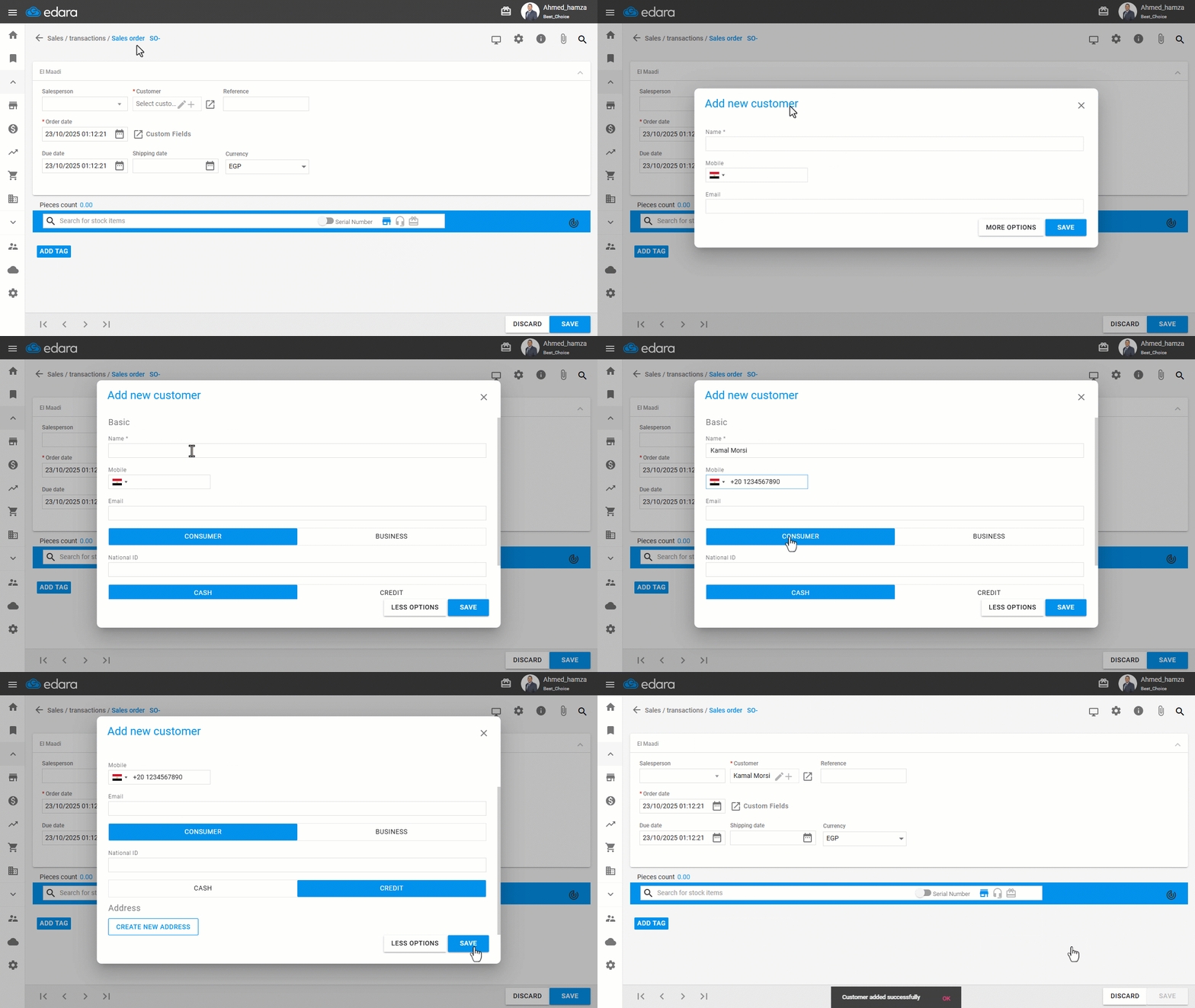
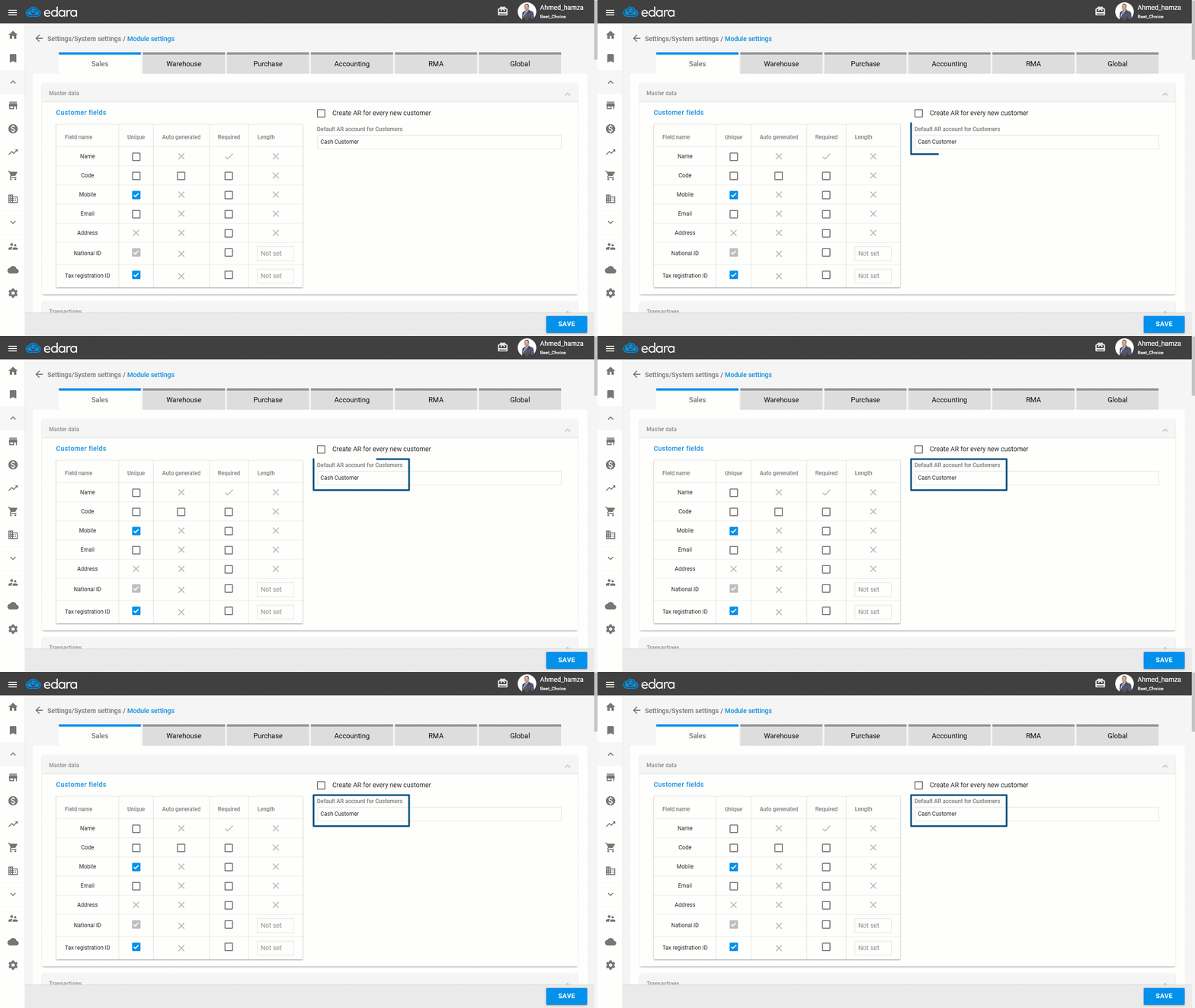
The customer’s data will be saved immediately and linked to the predefined default account specified in the settings.
If you encounter any challenges or have questions during these processes, you can contact our technical support team, who are ready to assist you at any time.
Did this answer your question?