

Changing the Tax Rate in a Sales Order
Last updated:
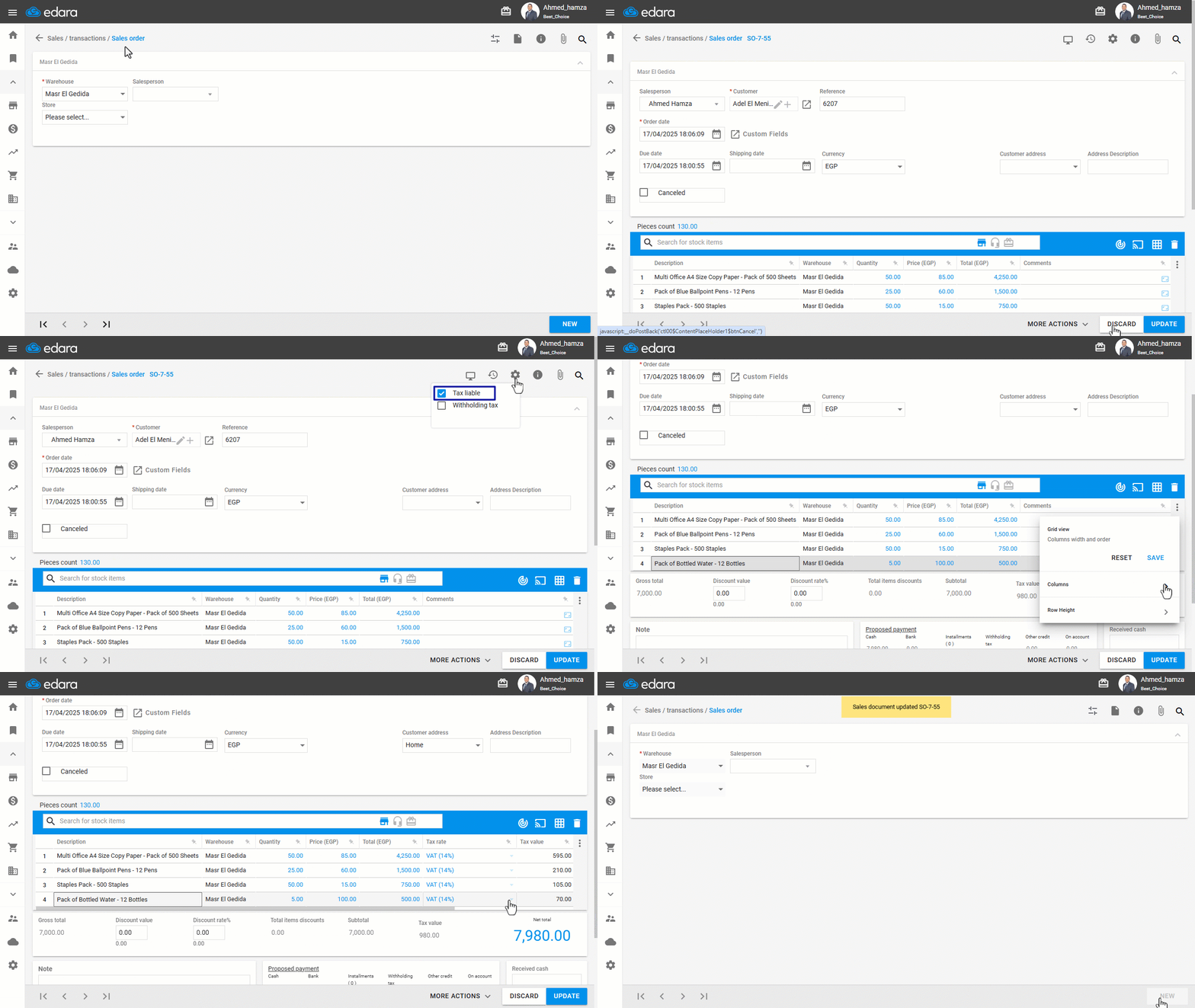
This feature is related to enabling integration with the Egyptian Tax Authority. When active, a column called “Tax Rate” appears in the details of the sales order.
If you're selling to a tax-exempt entity, you may need to change the tax rate according to the nature of the exempt organization — and this can be done easily through “Edara”.
Changing the Tax Rate in a Sales Order
- Go to the Sales module.
- Open the “Sales Order” page.
- Search for the required sales order using the 🔍 icon or the arrows at the bottom of the page.
- Click on “Edit”.
- Make sure the sales order is “Tax liable”.
- Ensure the “Tax Rate” column is visible.
- Select the appropriate tax rate.
- Click on “Update”.
If you encounter any challenges or have questions during these processes, you can contact our technical support team, who are ready to assist you at any time.
Did this answer your question?