

Enabling the sales order cancellation feature
Last updated:
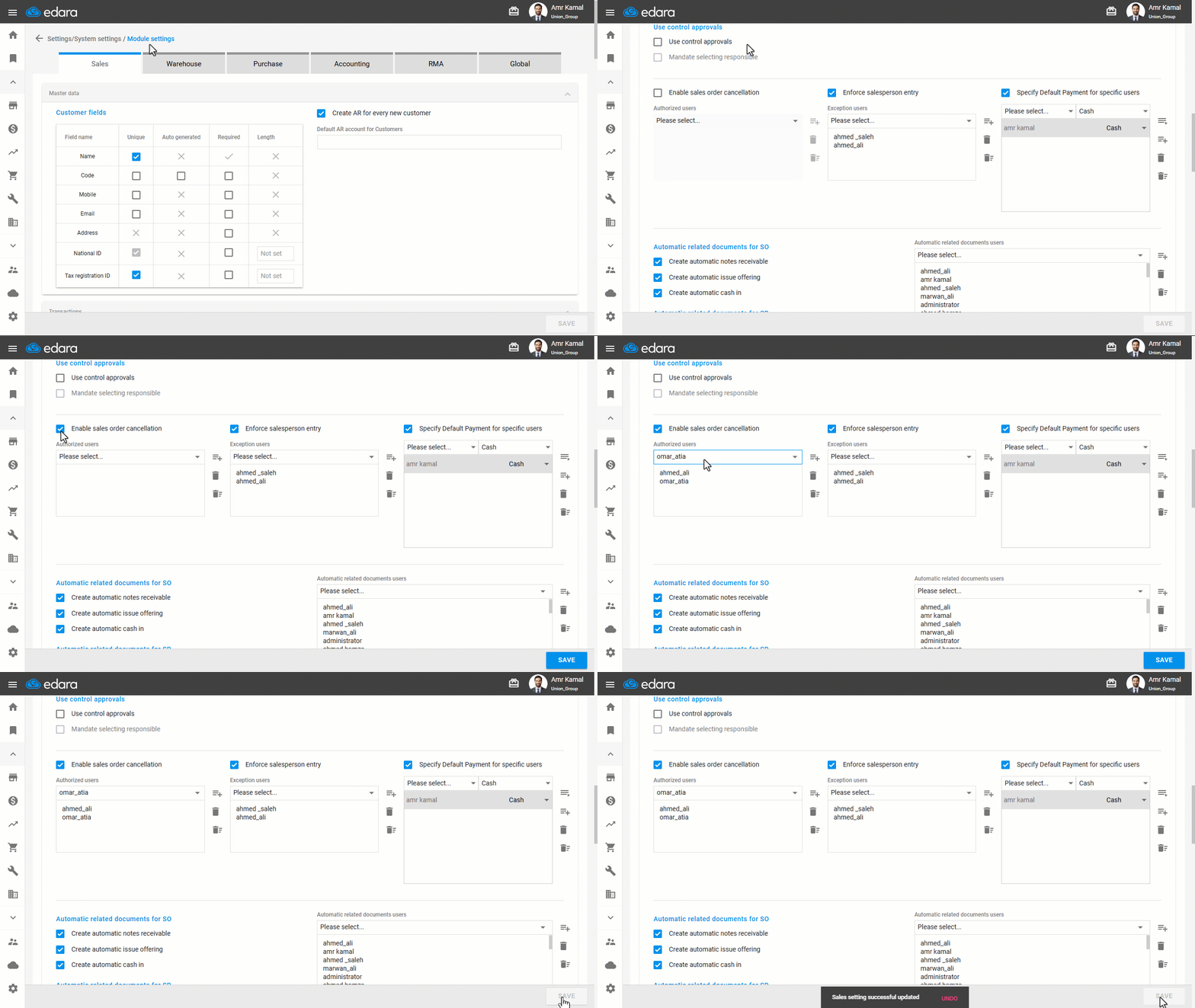
To be able to cancel a specific sales order, you must first enable the sales order cancellation setting. You can also grant this permission to specific user(s) to control and reduce the risk of unauthorised cancellations.
Enabling the sales order cancellation feature
- Go to “Settings”.
- Open the “Modules Settings” page.
The default module here is “Sales”.
- Activate the “Enable Sales Order Cancellation” option.
- Select the user(s) you want to give this permission to.
- Click on “Save”.
If you encounter any challenges or have questions during these processes, you can contact our technical support team, who are ready to assist you at any time.
Did this answer your question?