

Controlling Enforce salesperson entry in Sales Documents
Last updated:
Assigning a salesperson in sales documents helps organize in-branch operations and links each transaction to its responsible user.
However, for sales orders coming from the online store, a salesperson may not be assigned during order creation, which may cause the order to be blocked when this setting is enforced.
You can exclude the integration user from this setting, allowing online store orders to be created without assigning a salesperson, while keeping the requirement enforced for in-branch users to maintain operational control.
Controlling Enforce salesperson entry in Sales Documents

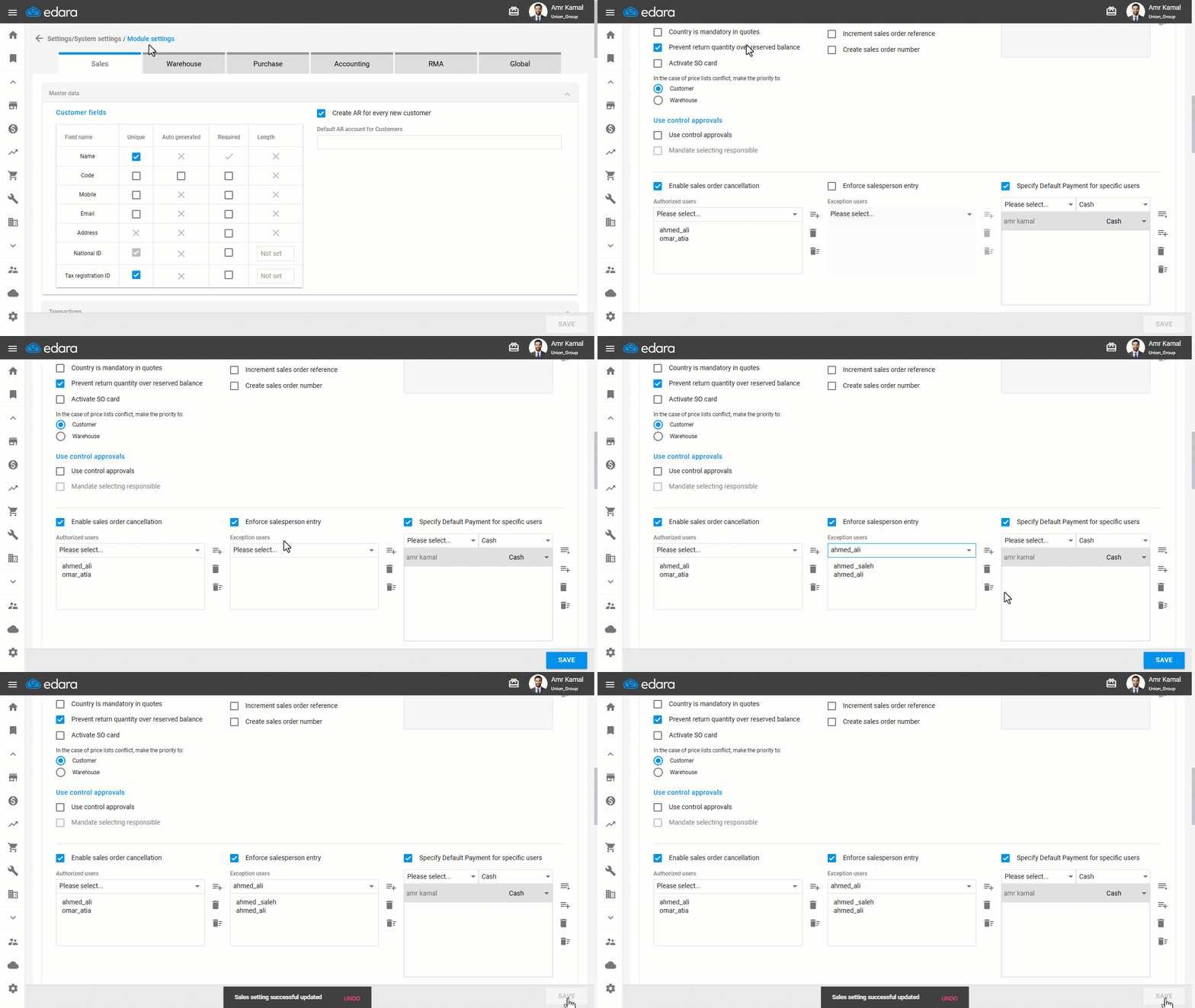
- Go to “Settings”.
- Open the “Modules settings” page.
The default tab here is “Sales”.
- Enable the “Enforce salesperson entry” option.
- Select Exception users (such as e-commerce store users).
- Click on “Save”.
If you encounter any challenges or have questions during these processes, you can contact our technical support team, who are ready to assist you at any time.
Did this answer your question?