

Viewing The Sales Report for Each Salesperson
Last updated:
Reviewing the sales report for each salesperson is an important process to ensure performance tracking and identify areas that need improvement.
Here are the steps to accurately view the sales report for each sales responsible.
Steps to View The Sales Report for Each Salesperson
- Go to the Sales module.
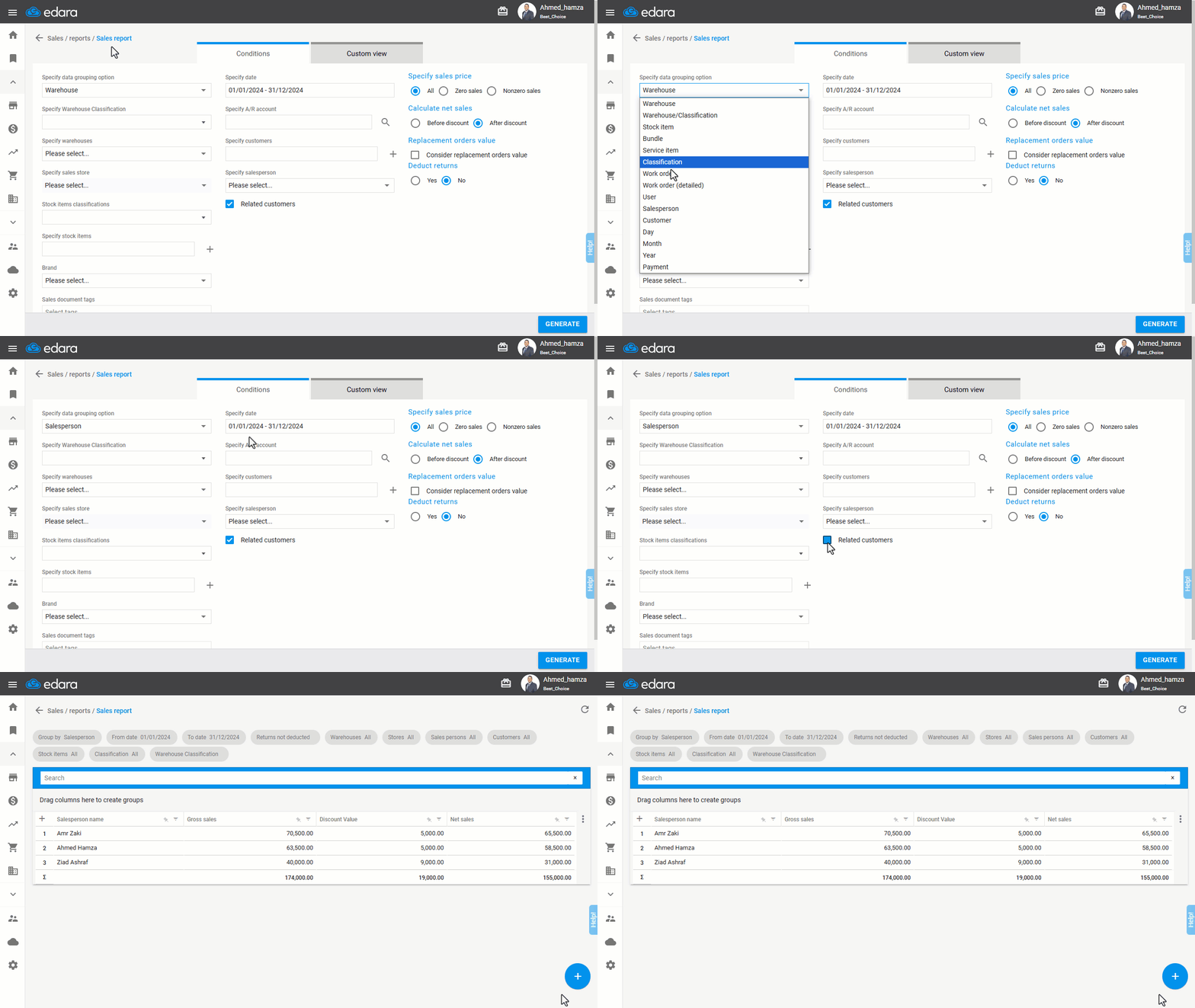
- Open the "Sales Report".
- Select "salesperson" in the Data Grouping Option.
Note: Enabling the "Related Customers" setting will display only the sales orders with customers linked to the selected salesperson, this is verified through the customer's master data. And if customers are not linked to a salesperson, it is preferable to disable this setting in the report conditions.
- Click "Generate".
If you encounter any challenges or have questions during these processes, you can contact our technical support team, who are ready to assist you at any time.
Did this answer your question?