

Linking a Salesperson with a Specific Customer
Last updated:
Linking salespersons to specific customers helps build stronger relationships, leading to improved customer satisfaction and loyalty.
It allows the salesperson to better understand each customer’s needs, deliver personalized service, and easily track and analyze customer performance—enabling you to develop more effective growth plans.
“Edara” provides two ways to link a salesperson to a customer.
Linking a Salesperson with a Specific Customer
“Edara” allows this to be done by:
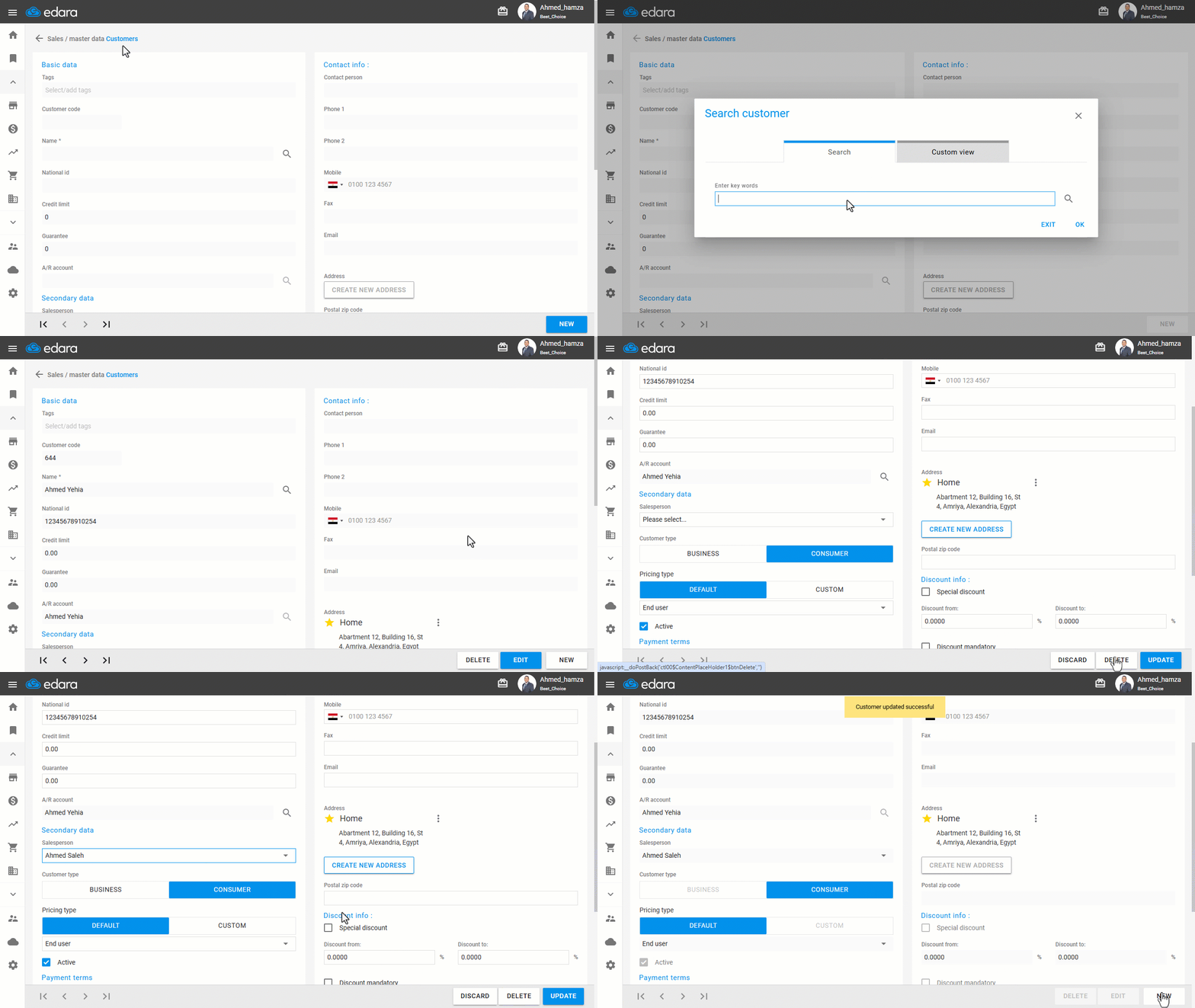
Method 1: From the Customer Page
- Go to the Sales module.
- Open the “Customers” page.
- Click the 🔍 icon to find the customer.
- Click on “Edit”.
- Select the Salesperson from the dropdown menu.
- Click on “Update”.
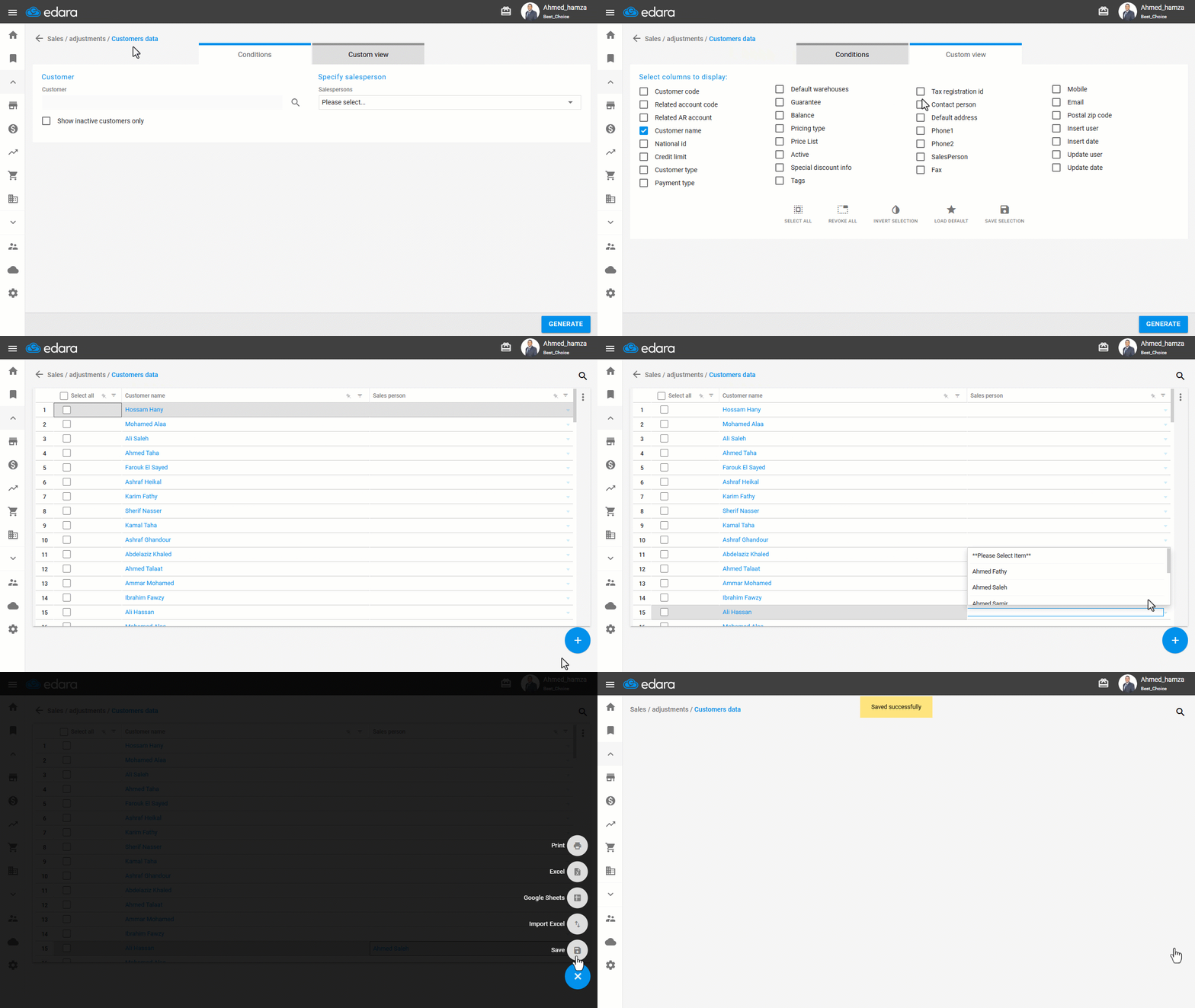
Method 2: From the Customer Data Page
- Go to the Sales module.
- Open the “Customers Data” page.
- Use “Custom View” to display the “Salesperson” column.
- Click on “Generate”.
- Find the customer you want to assign.
- Use the dropdown under the “Salesperson” column to select the responsible.
- Click the ➕ icon.
- Click on “Save”.
Note: You can also update salesperson assignments for multiple customers at once using Excel import.
If you encounter any challenges or have questions during these processes, you can contact our technical support team, who are ready to assist you at any time.
Did this answer your question?