

Setting the Default Country for the Customer’s Mobile Number
Last updated:
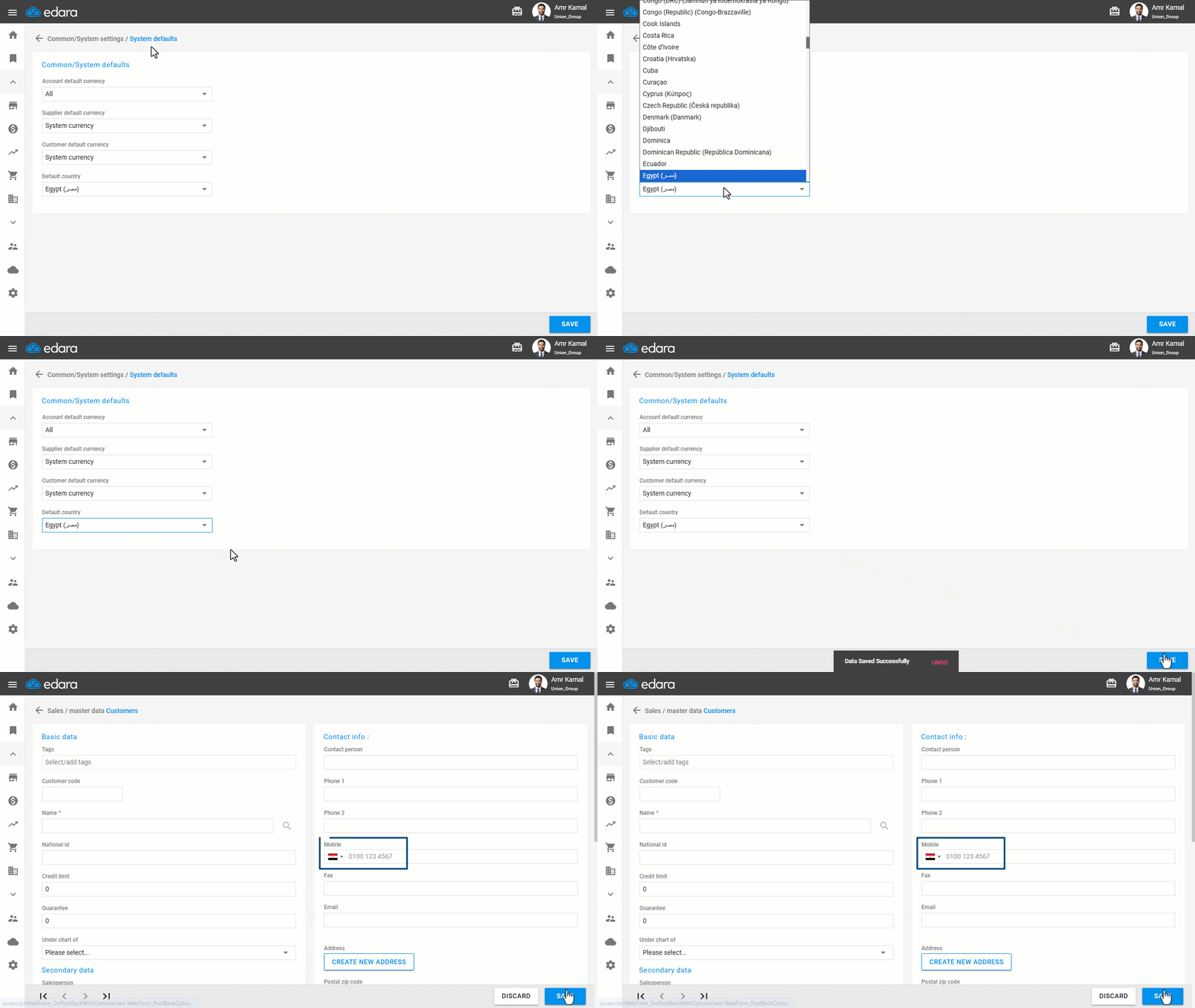
You can set a default country for the customer’s mobile number so it appears automatically when creating a new customer, without needing to select it manually each time.
Setting the Default Country for the Customer’s Mobile Number
- Go to “Settings”.
- Open the “System defaults” page.
- Select the Default Country.
- Click on “Save”.
The selected country code will appear automatically when creating a new customer.
If you encounter any challenges or have questions during these processes, you can contact our technical support team, who are ready to assist you at any time.
Did this answer your question?