

Adding a Discount for a Customer
Last updated:
You can add a fixed discount for a specific customer based on a special pricing agreement or customer type, so it is automatically applied to that customer’s invoices without applying it each time.
Adding a Discount for a Customer
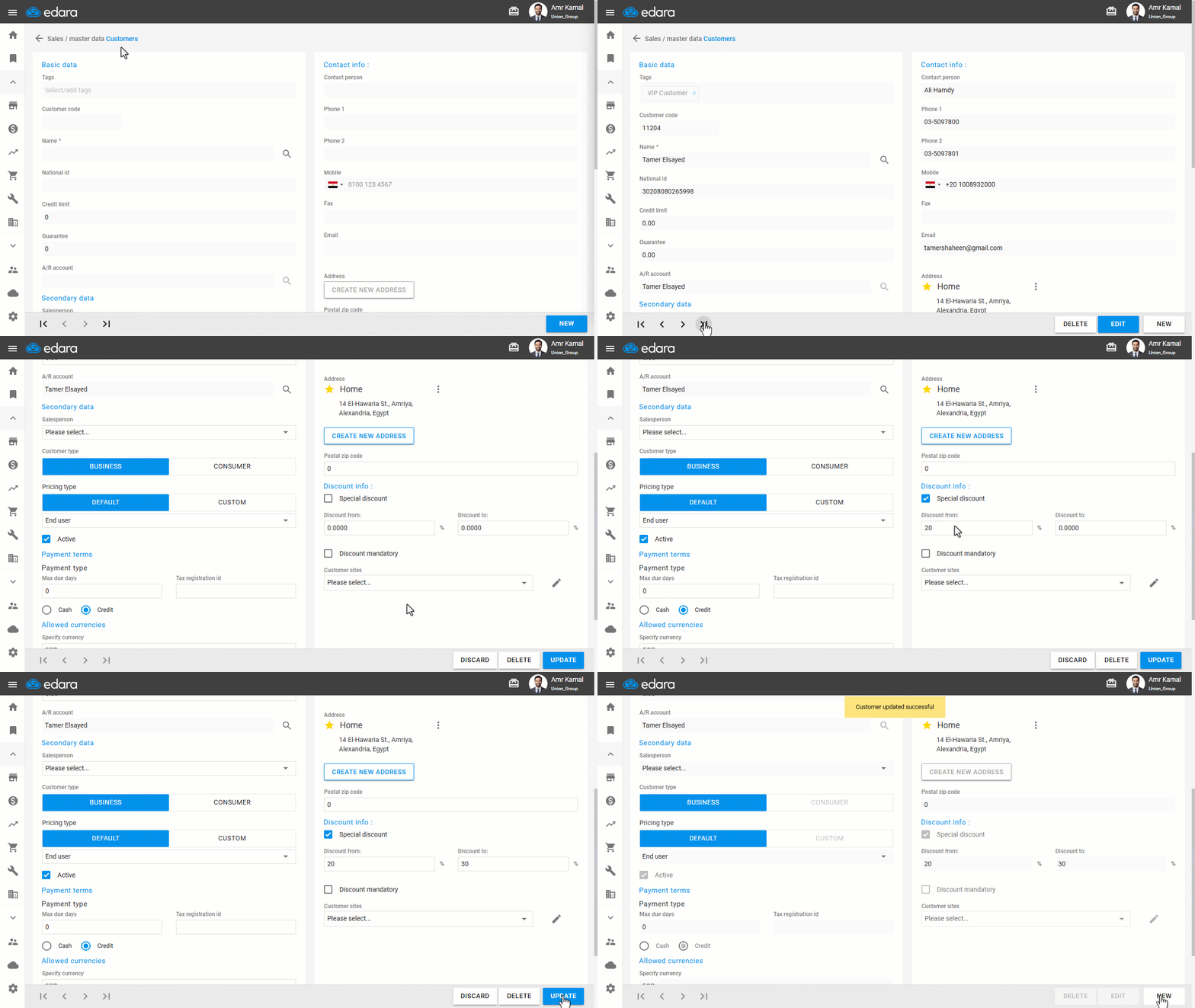
- Go to the "Sales" Module.
- Open the "Customer" page.
- Search for the required customer using the "🔍" icon or the arrows at the bottom of the page.
- Click on "Edit".
- Enable the "Special Discount" option.
- Enter the required discount percentage.
- Click on "Update".
Note: You can add discounts to customers in bulk by exporting customer data to an Excel file, then importing the file again after adding the discounts by hovering over the “+” icon and clicking on "Import Excel".
If you encounter any challenges or have questions during these processes, you can contact our technical support team, who are ready to assist you at any time.
Did this answer your question?