

Activating a Customer
Last updated:
If a customer was deactivated for a period of time and you now need to use their account again, you can easily reactivate them.
Activating a Customer
“Edara” allows you to do this in two ways:
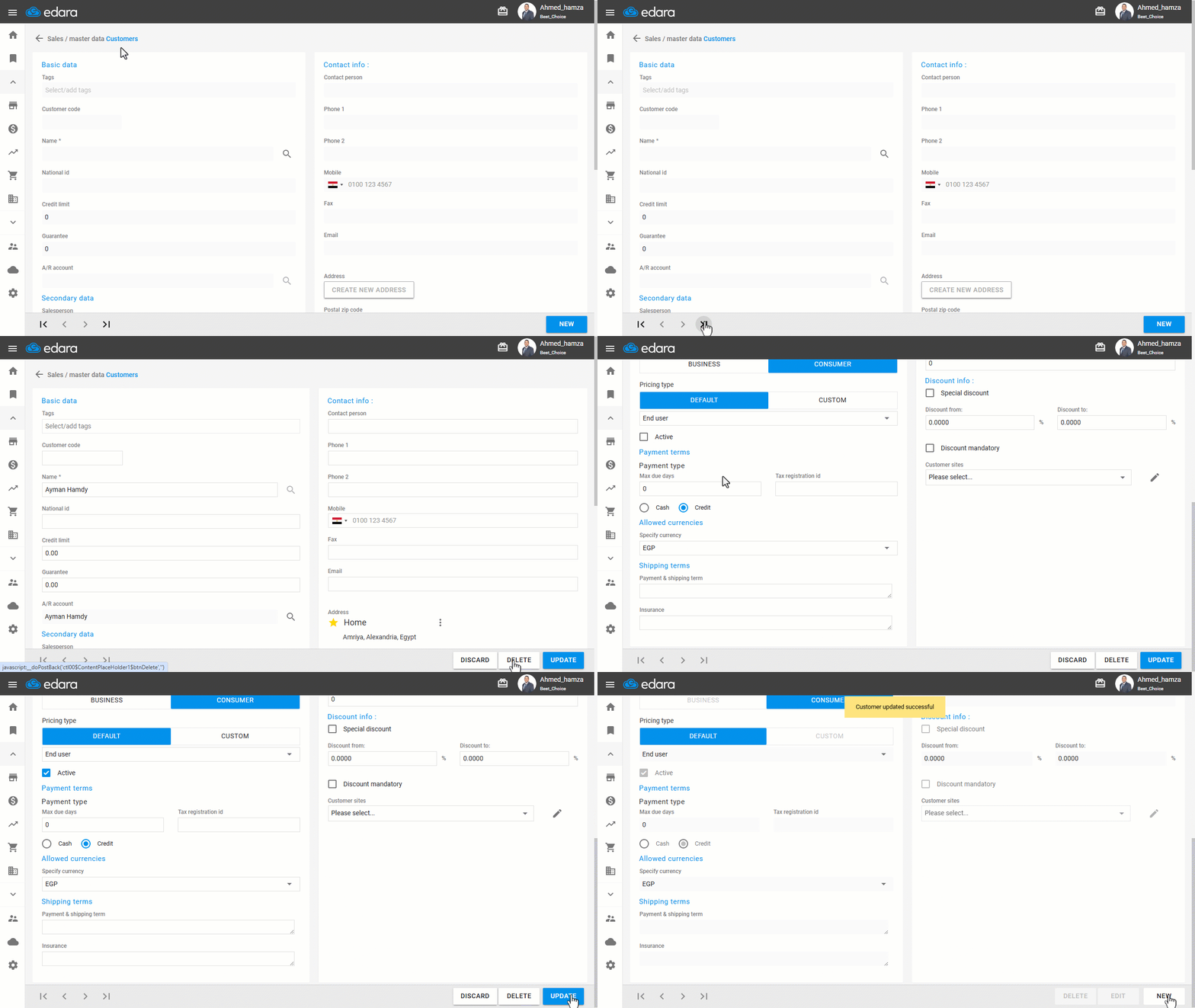
Method 1: From the "Customers" Page
- Go to the Sales module.
- Open the “Customers” page.
- Search for the customer using the navigation arrows only.
Note: Inactive customers will not appear when using the 🔍 search icon.
- Click on “Edit”.
- Enable the “Active” checkbox to reactivate the customer.
- Click on “Update”.
Method 2: From the "Customers Data" Page
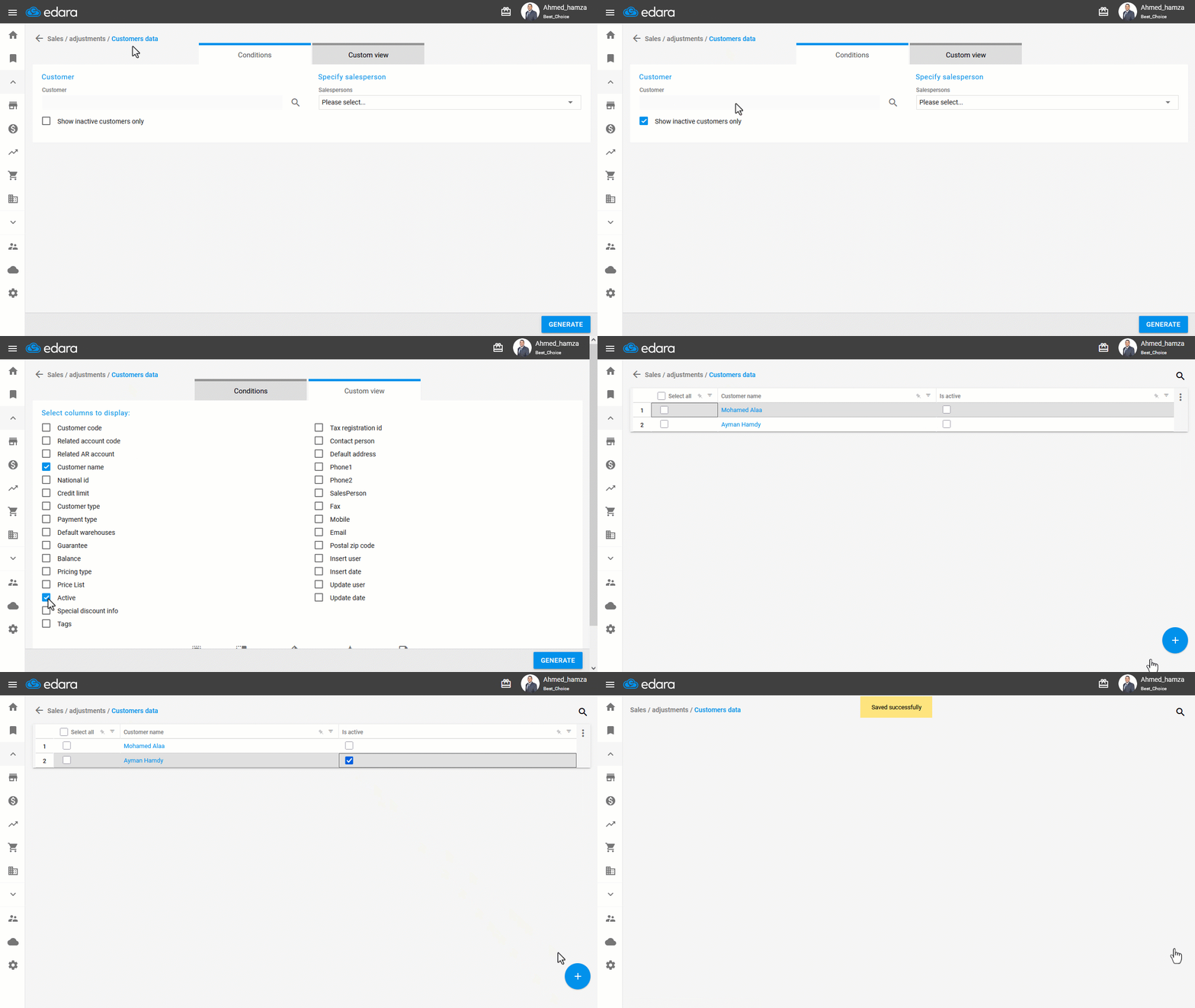
- Go to the Sales module.
- Open the “Customers Data” page.
- Enable the "Show inactive customers only" setting.
- Make sure the “Active” column is visible by adjusting the “Custom View” option.
- Click on “Generate”.
- Locate the customer you want to reactivate.
- Click the unchecked box 🔲 to change it to a checked box ☑️.
- Click ➕.
- Click on “Save”.
Frequently asked questions
Why doesn’t the inactive customer appear in the search?
Inactive customers will not appear when using the 🔍 search icon.
If you encounter any challenges or have questions during these processes, you can contact our technical support team, who are ready to assist you at any time.
Did this answer your question?