

Adding a Tax registration ID for a Customer or Supplier
Last updated:
“Edara” allows you to record customers’ and suppliers’ legal data, such as the Tax registration ID, to make it easier to refer to when needed.
Adding a Tax registration ID for a Customer or Supplier
Adding a Tax registration ID for a Customer
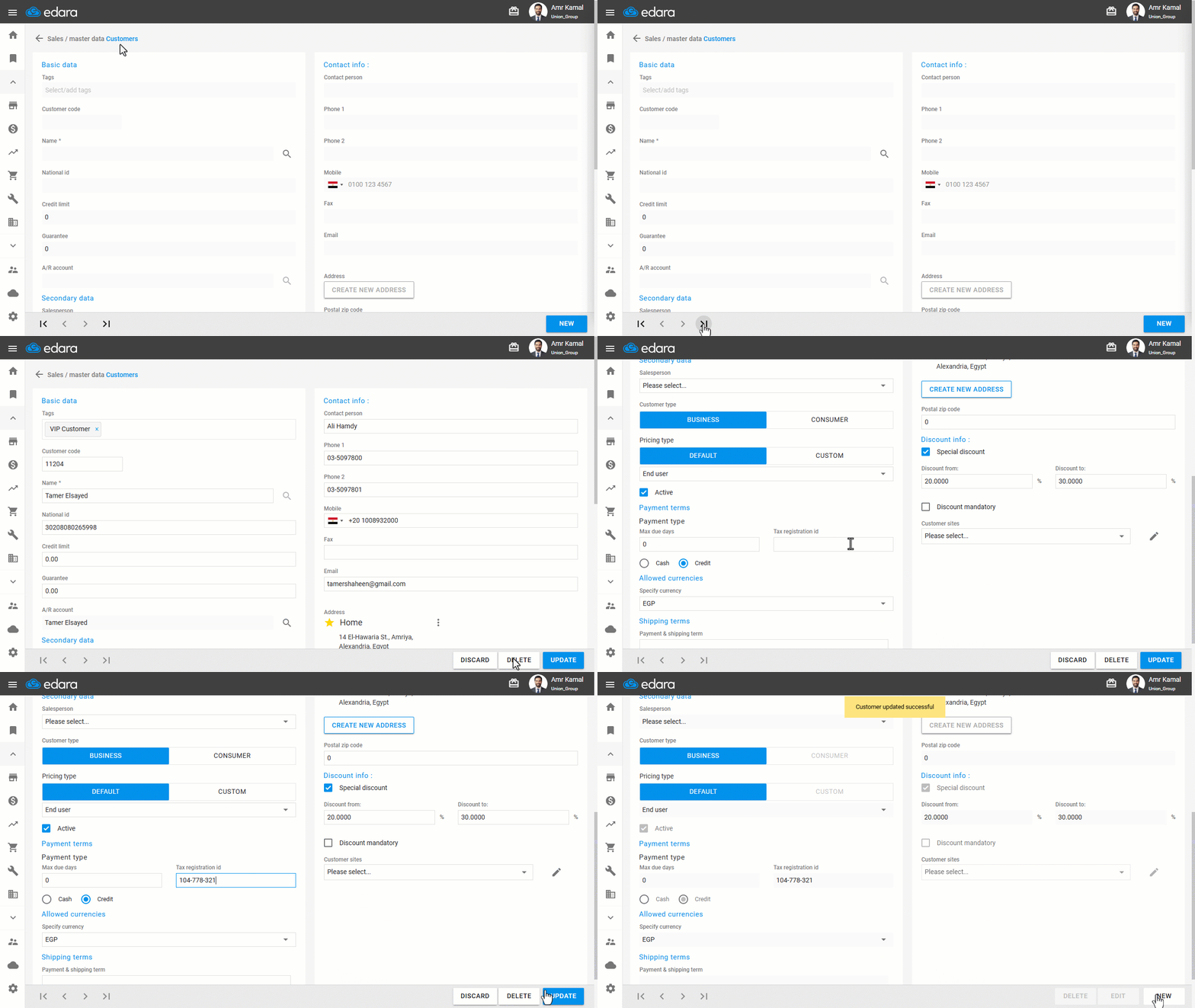
- Go to the “Sales” module.
- Open the “Customers” page.
- Search for the required customer using the “🔍” icon next to the account name or through the arrows at the bottom of the page.
- Click on “Edit”.
- Enter the “Tax registration id”.
- Click on “Update”.
Adding a Tax Registration ID for a Supplier
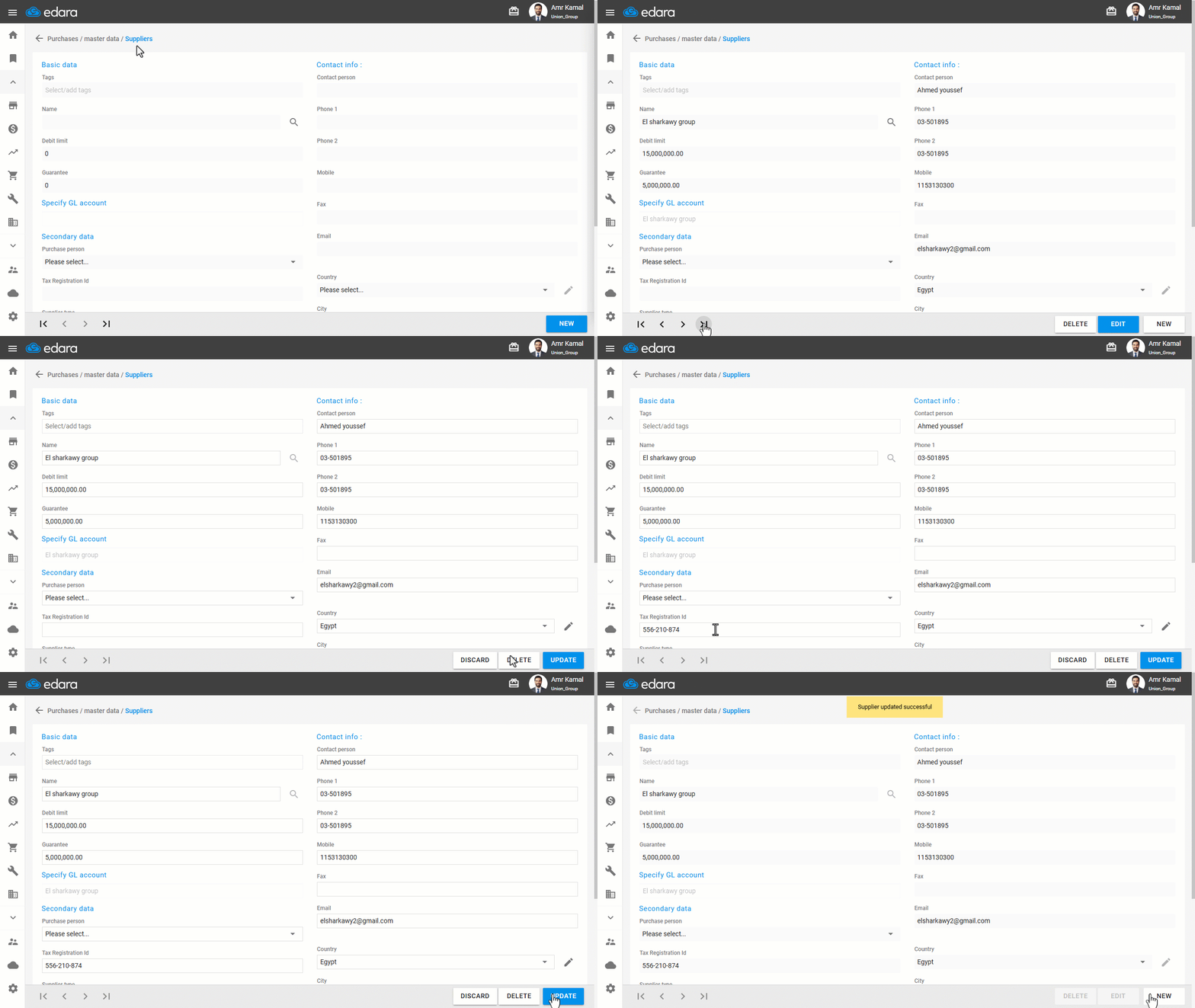
- Go to the “Purchase” module.
- Open the “Suppliers” page.
- Search for the required supplier using the “🔍” icon next to the account name or through the arrows at the bottom of the page.
- Click on “Edit”.
- Enter the “Tax Registration id”.
- Click on “Update”.
Note: You can add Tax Registration IDs in bulk by exporting customer data to an Excel file, adding the Tax Registration IDs to the file, returning to this page, repeating the same steps, and then clicking on “Import Excel”. You can also add supplier business records in bulk via the Supplier Data page.
Frequently asked questions
Can I add it for several customers at once?
You can add Tax Registration IDs in bulk by exporting customer data to an Excel file, adding the Tax Registration IDs to the file, returning to this page, repeating the same steps, and then clicking on “Import Excel”. You can also add supplier business records in bulk via the Supplier Data page.
If you encounter any challenges or have questions during these processes, you can contact our technical support team, who are ready to assist you at any time.