

Bulk Editing of Suppliers’ Data
Last updated:
"Edara" allows bulk editing of suppliers’ data, saving time and effort compared to editing each record individually.
Bulk Editing of Suppliers’ Data
- Go to the Purchase module.
- Open the "Supplier Data" page.
- Select "Custom View" and specify the columns you want to display and edit.
- Click on "Generate".
- Edit the data directly.
- Hover over the ➕ icon.
- Click "Save".
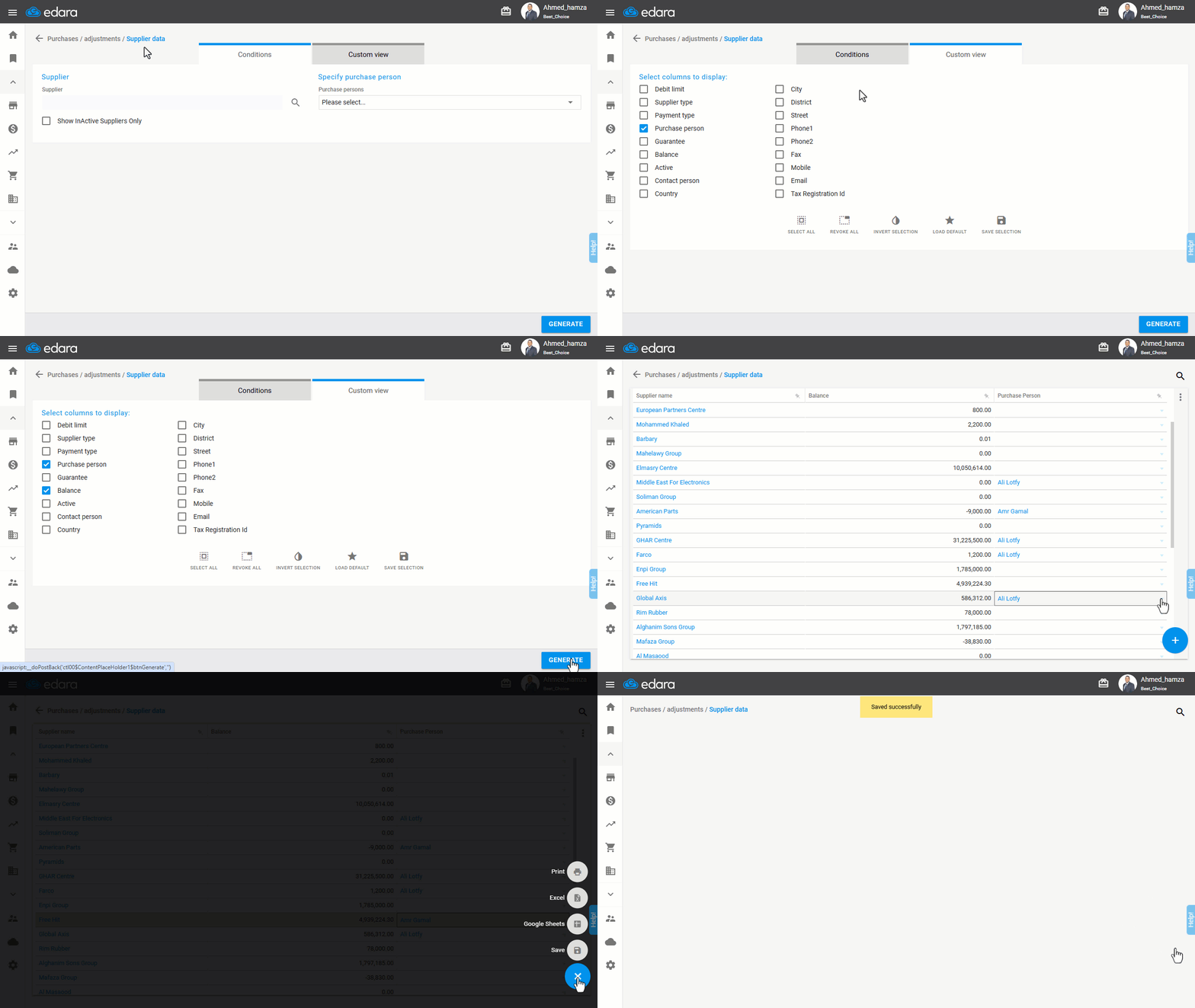
Note: "Edara" also enables you to print this data or download it as an “Excel” or “Google Sheets” file.
If you encounter any challenges or have questions during these processes, you can contact our technical support team, who are ready to assist you at any time.
Did this answer your question?