

Activating/Deactivating a Supplier
Last updated:
In some cases, you may need to temporarily deactivate a supplier or reactivate it again, without deleting it from the system. This helps you easily control the supplier’s status based on your business needs.
Activating/Deactivating a Supplier
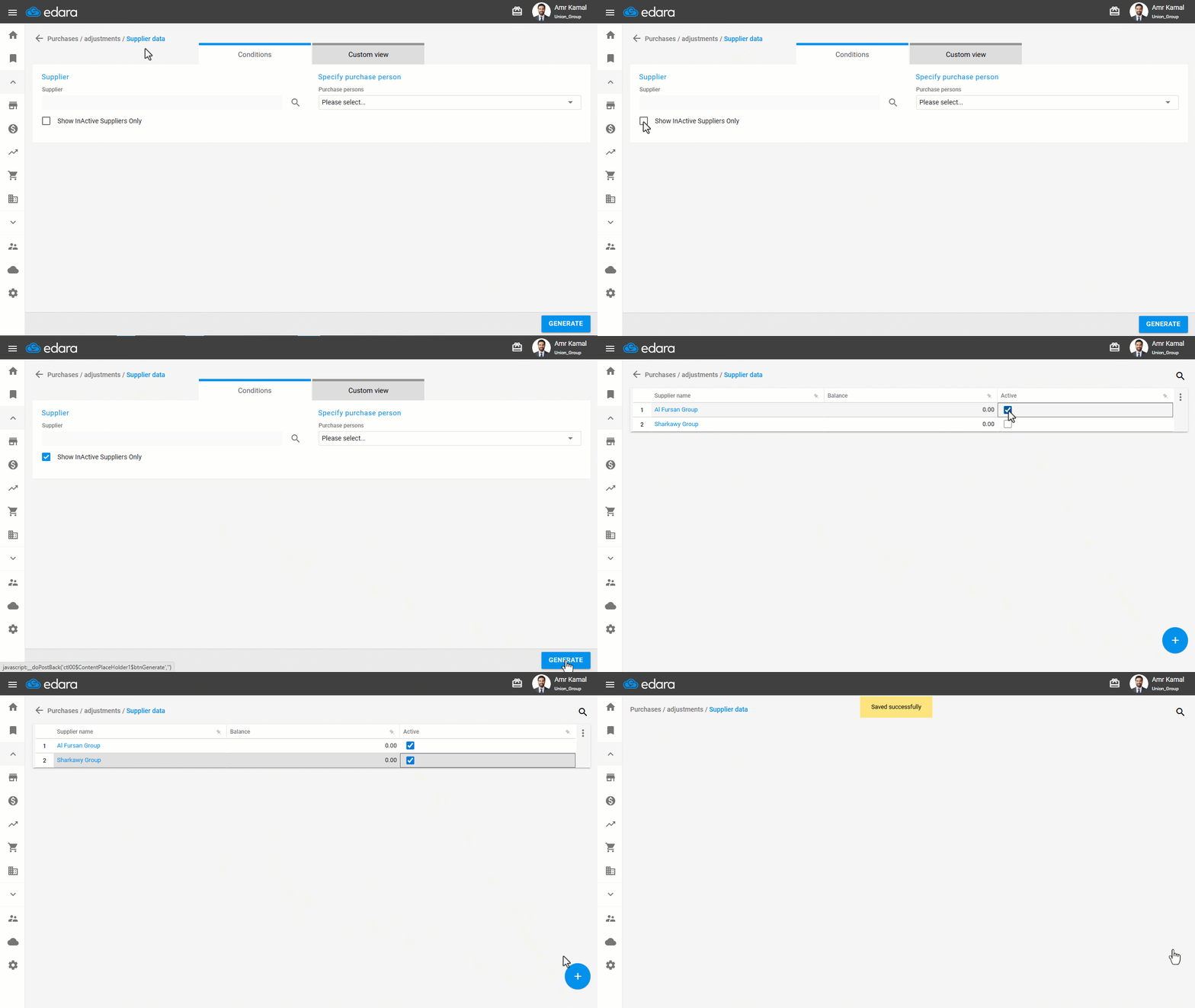
- Go to the "Purchases" module.
- Open the "Supplier Data" page.
- Enable the "Show Inactive Suppliers Only" option.
- Click on "Generate".
- Click on the "🔲" next to the supplier you want to activate to change it to "☑️".
- Hover over "➕".
- Click on "Save".
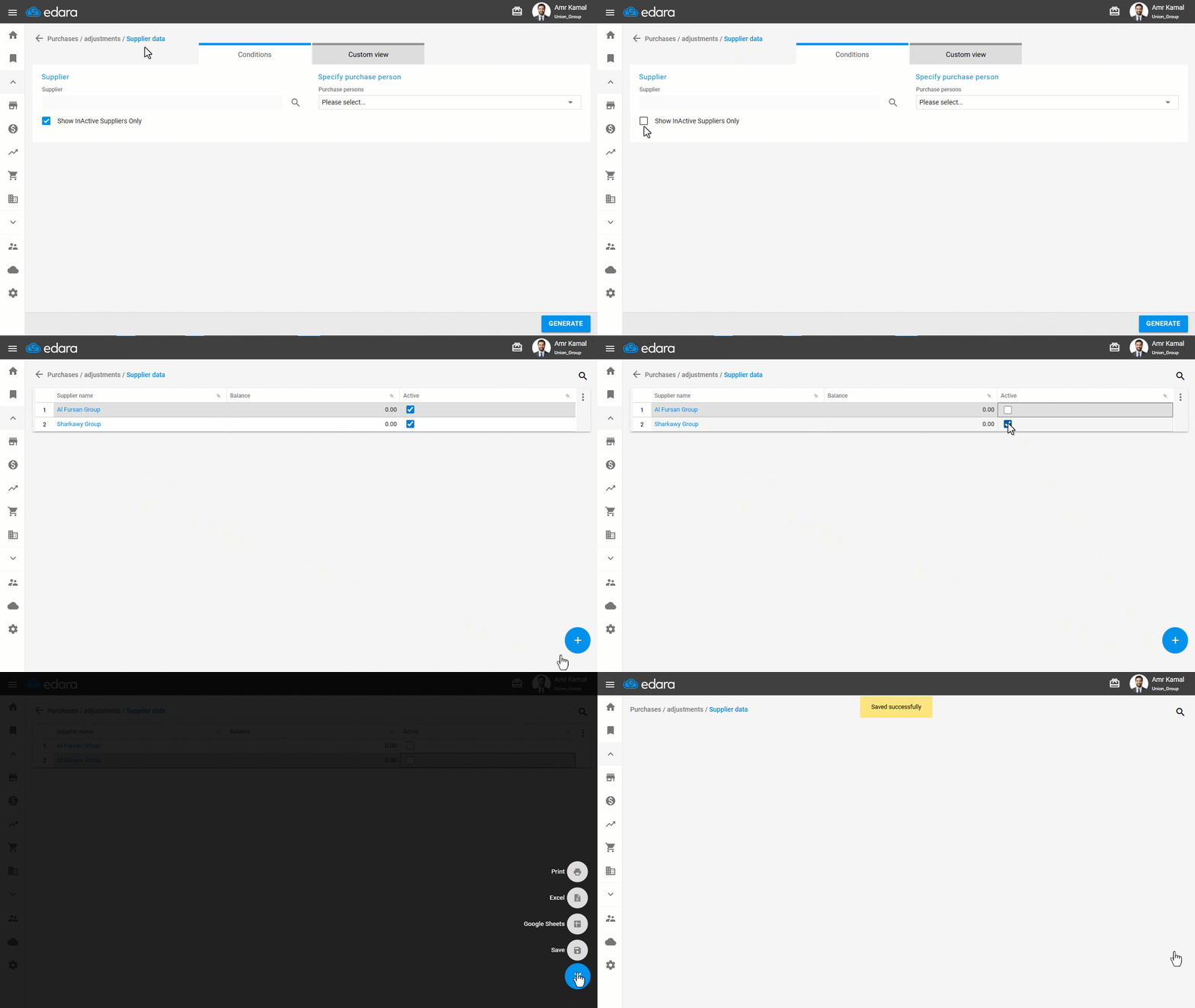
Note: If you want to deactivate a supplier, make sure first to set the supplier’s account to zero balance and post all account transactions. Then follow the same steps above, but without enabling the "Show Inactive Suppliers Only" option, and click on "☑️" to change it to "🔲" then “Save”.
Frequently asked questions
What should I do before deactivating a supplier?
If you want to deactivate a supplier, make sure first to set the supplier’s account to zero balance and post all account transactions. Then follow the same steps above, but without enabling the "Show Inactive Suppliers Only" option, and click on "☑️" to change it to "🔲" then “Save”.
If you encounter any challenges or have questions during these processes, you can contact our technical support team, who are ready to assist you at any time.