

Exporting Supplier Data
Last updated:
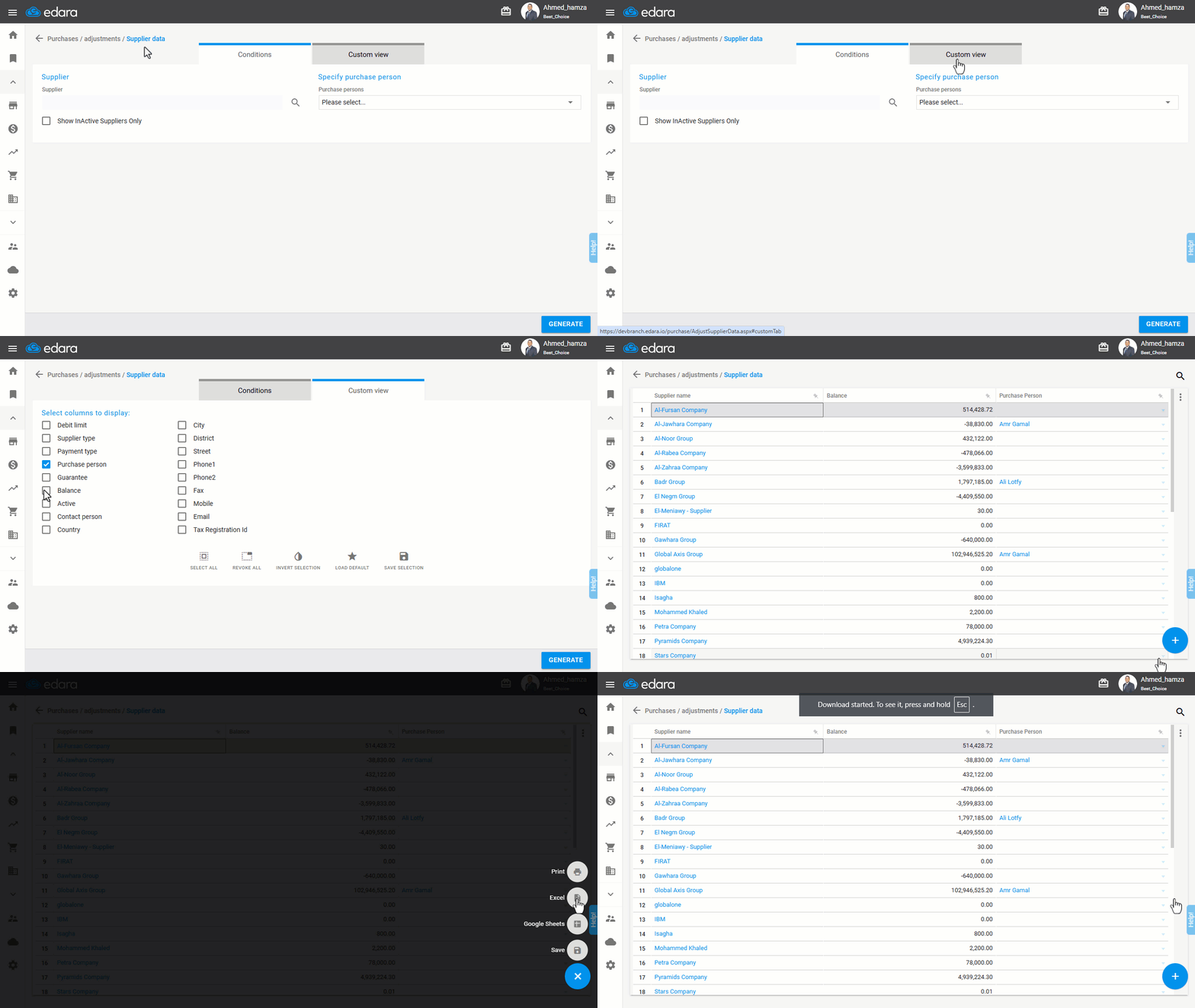
Supplier data is one of the most important pieces of information stored in “Edara”. You can extract it, either in an Excel file or Google Sheets.
Exporting Supplier Data
- Go to the Purchase module.
- Open the “Supplier Data” page.
- Click on “Custom View”.
- Choose the columns you want to export.
- Click on “Generate”.
- Click the ➕ icon.
- Click on “Excel” or “Google Sheets”.
If you encounter any challenges or have questions during these processes, you can contact our technical support team, who are ready to assist you at any time.
Did this answer your question?