

Viewing the Sales Report Grouped by Service Item
Last updated:
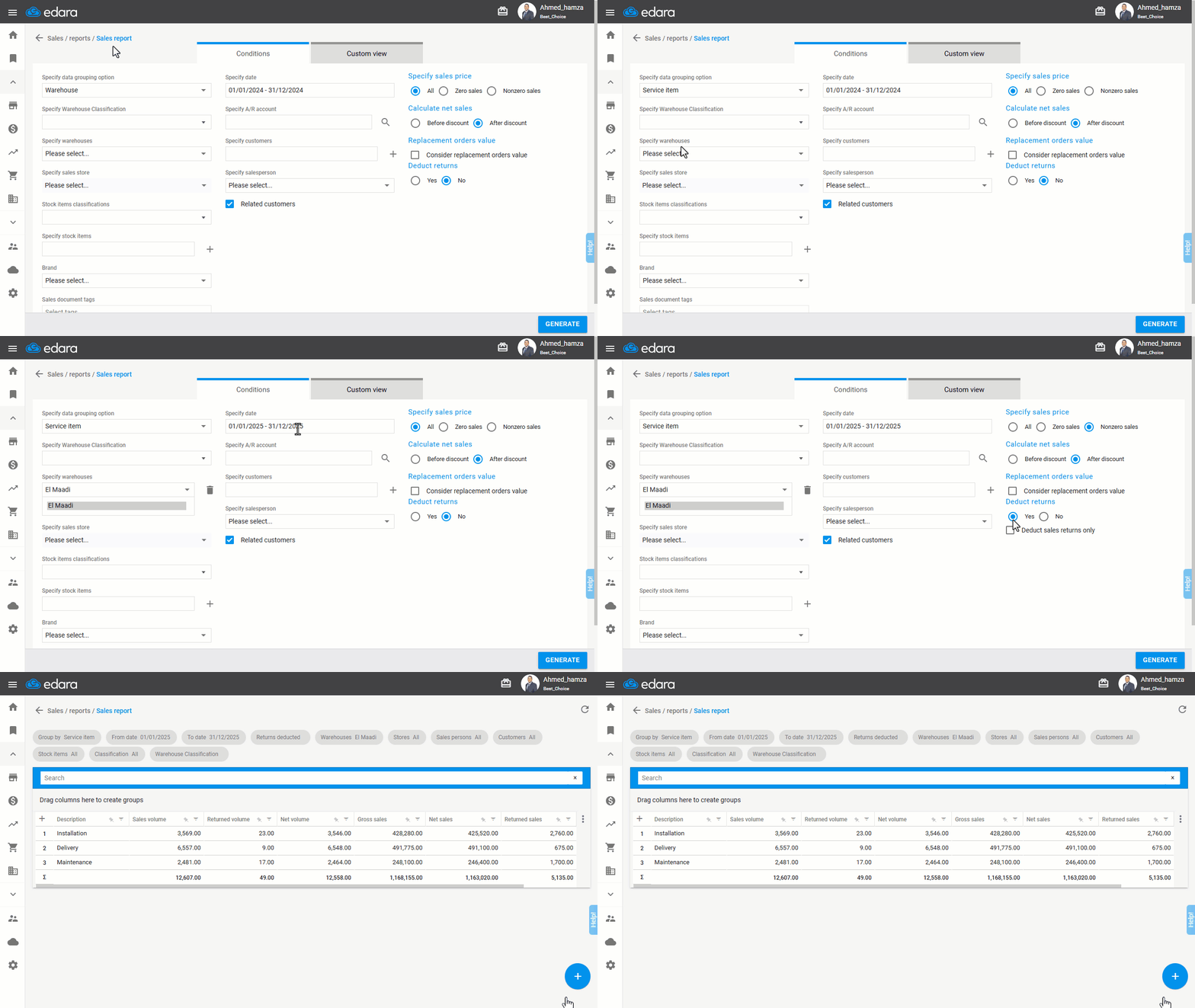
The Sales Report Aggregated by Service Item provides detailed insights into the performance of service sales, enabling the company to assess demand for its services.
Here are the steps to view this report.
Viewing the Sales Report Grouped by Service Item
- Go to the Sales module.
- Open the “Sales Report” page.
- Specify data grouping option by “Service Item”
Note: For more specific results, you can refine the report by specifying parameters such as “Warehouse” or “Customer”.
- Set the date range.
- Select the Selling Price (Non-zero sales).
- Choose “Yes” to Deduct Returns.
- Click “Generate”.
If you encounter any challenges or have questions during these processes, you can contact our technical support team, who are ready to assist you at any time.
Did this answer your question?