

Viewing Sales of a Salesperson by Stock Items
Last updated:
If you are a sales manager or supervise a sales team dealing with a variety of products, you need to closely monitor their performance.
"Edara" allows you to view sales data for each salesperson by item, helping you identify the best-selling products and direct sales efforts to improve performance on less popular items.
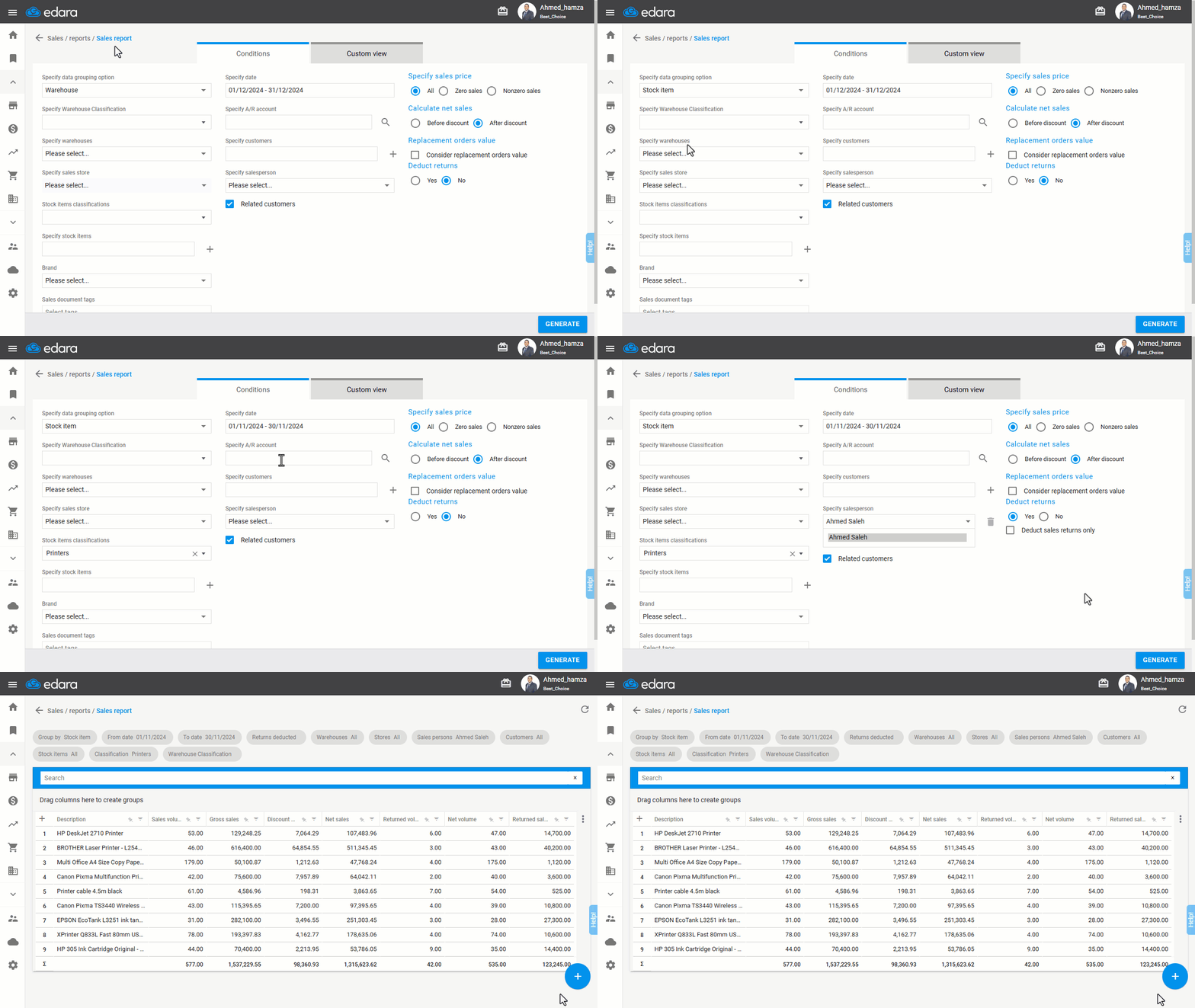
Viewing Sales of a Salesperson by Stock Items
- Go to the Sales module.
- Select Sales Report.
- Specify data grouping option by “Stock item”.
- Specify the desired time period.
- Choose the salesperson.
Note: If "Related Customers" is selected, only the sales of items linked to the customers managed by the representative will be displayed. And If not selected, all item sales related to the representative's orders will be displayed.
- Set additional conditions and columns for more details.
- Click “Generate”.
If you encounter any challenges or have questions during these processes, you can contact our technical support team, who are ready to assist you at any time.
Did this answer your question?