

Identifying New Customers within a Specific Period
Last updated:
If you need to track the number of new customers within a specific period, you can easily do this through “Edara”.
Steps to Identify New Customers within a Specific Period
- Go to the Sales module.
- Open the Sales report.
- Set the data grouping option to: "Customer".
- Set the sales price to: "Non-zero Sales".
- Display the column "Customer Insert Date" from “Custom View”.
Note: You can also display the "Customer Type" column to determine whether the customer is a B2B company or a B2C consumer.
- Click on "Generate".
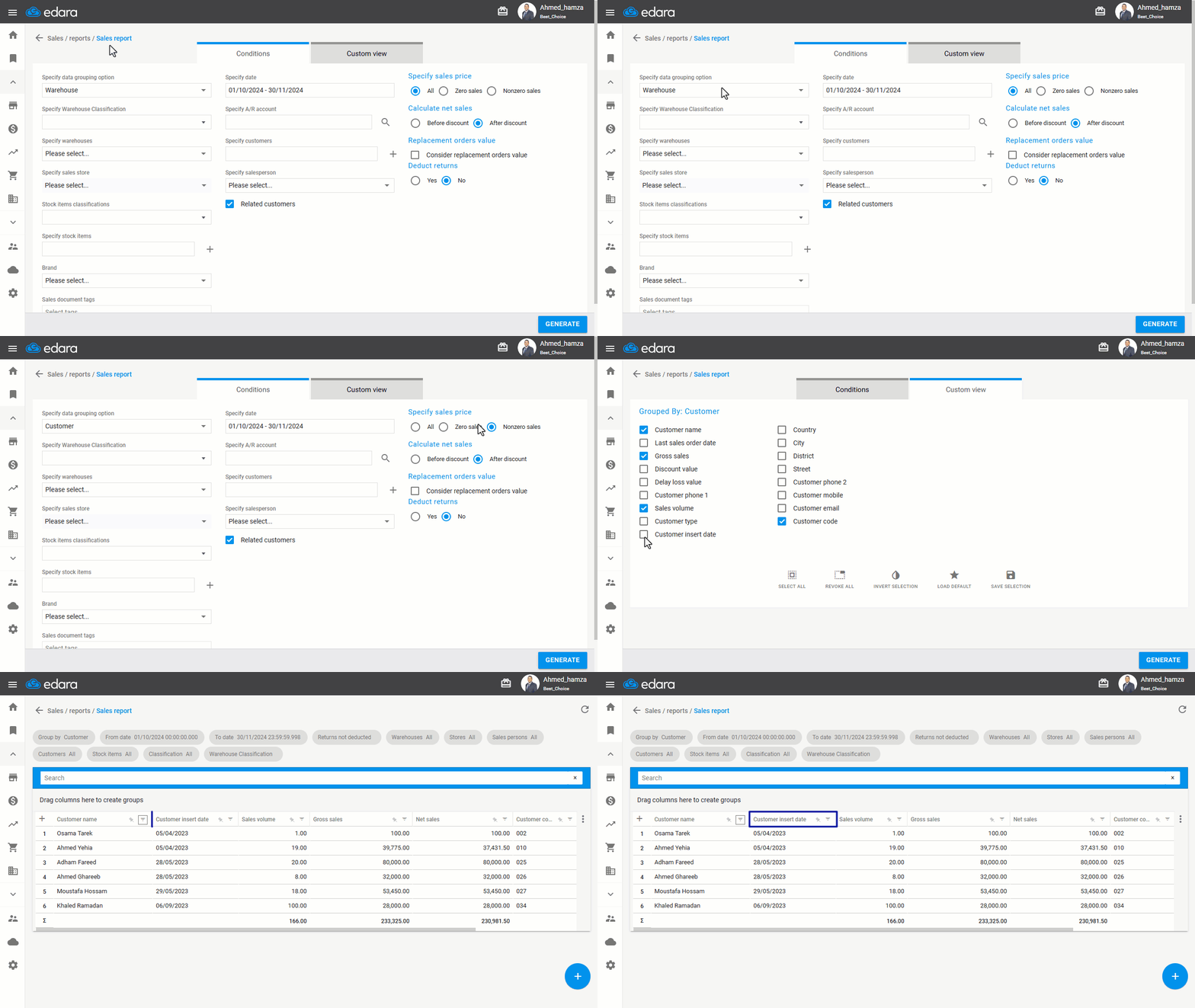
- Hover over the "Customer Insert Date" column and click “
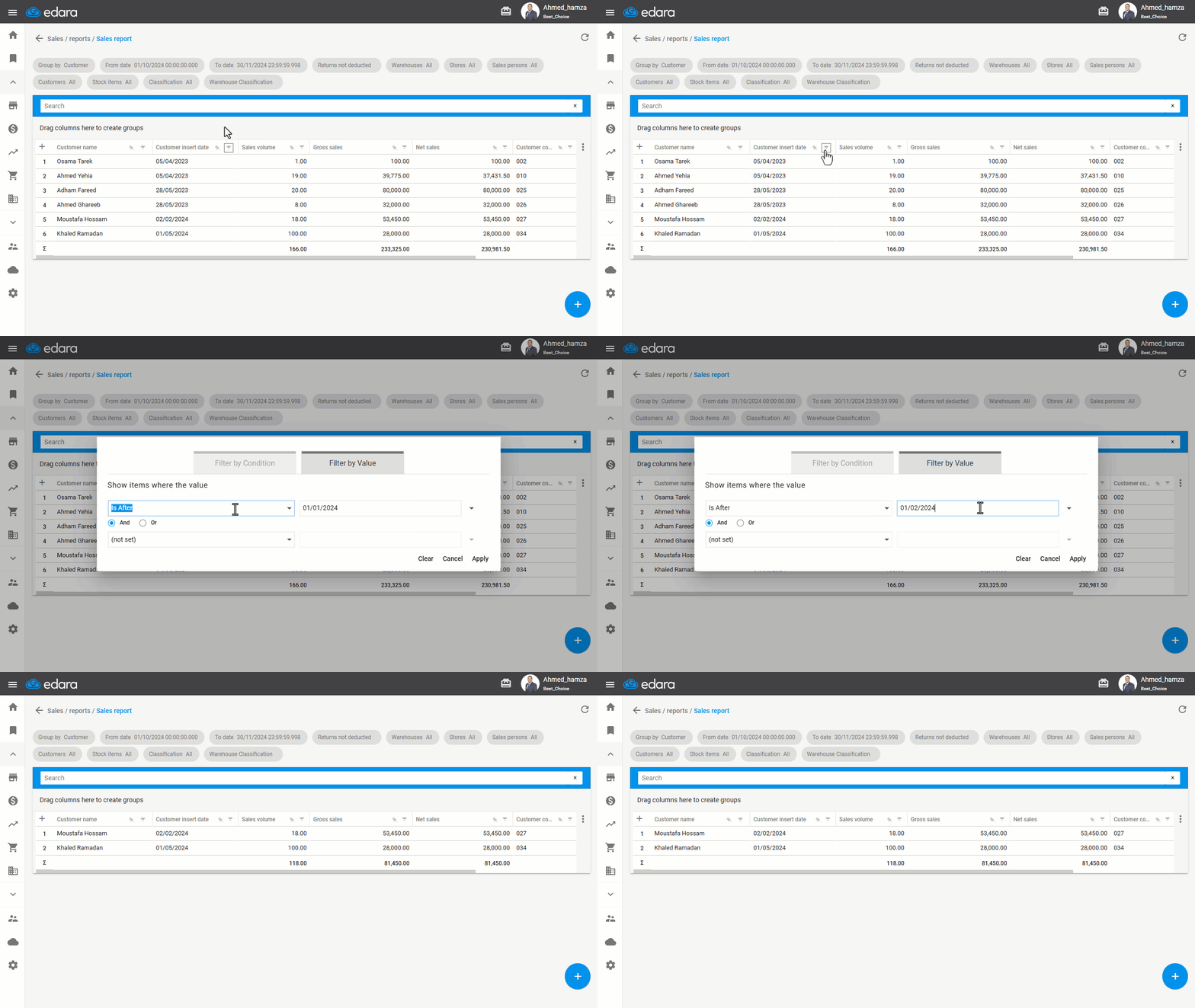
 ”.
”. - Select "Filter by Condition".
- Choose the desired period to identify new customers using the available conditions (Equals - Is Before - Is After).
- Click "Apply".
If you encounter any challenges or have questions during these processes, you can contact our technical support team, who are ready to assist you at any time.
Did this answer your question?