

Sending (Tax Invoices – Simplified Tax Invoices) to “Fatoora” platform
Last updated:
“Edara” enables you to send both (Tax - Simplified Tax) Invoices to “Fatoora” platform after completing theintegration process between “Edara” and “Fatoora”.
Sending (Tax Invoices – Simplified Tax Invoices) to “Fatoora” platform
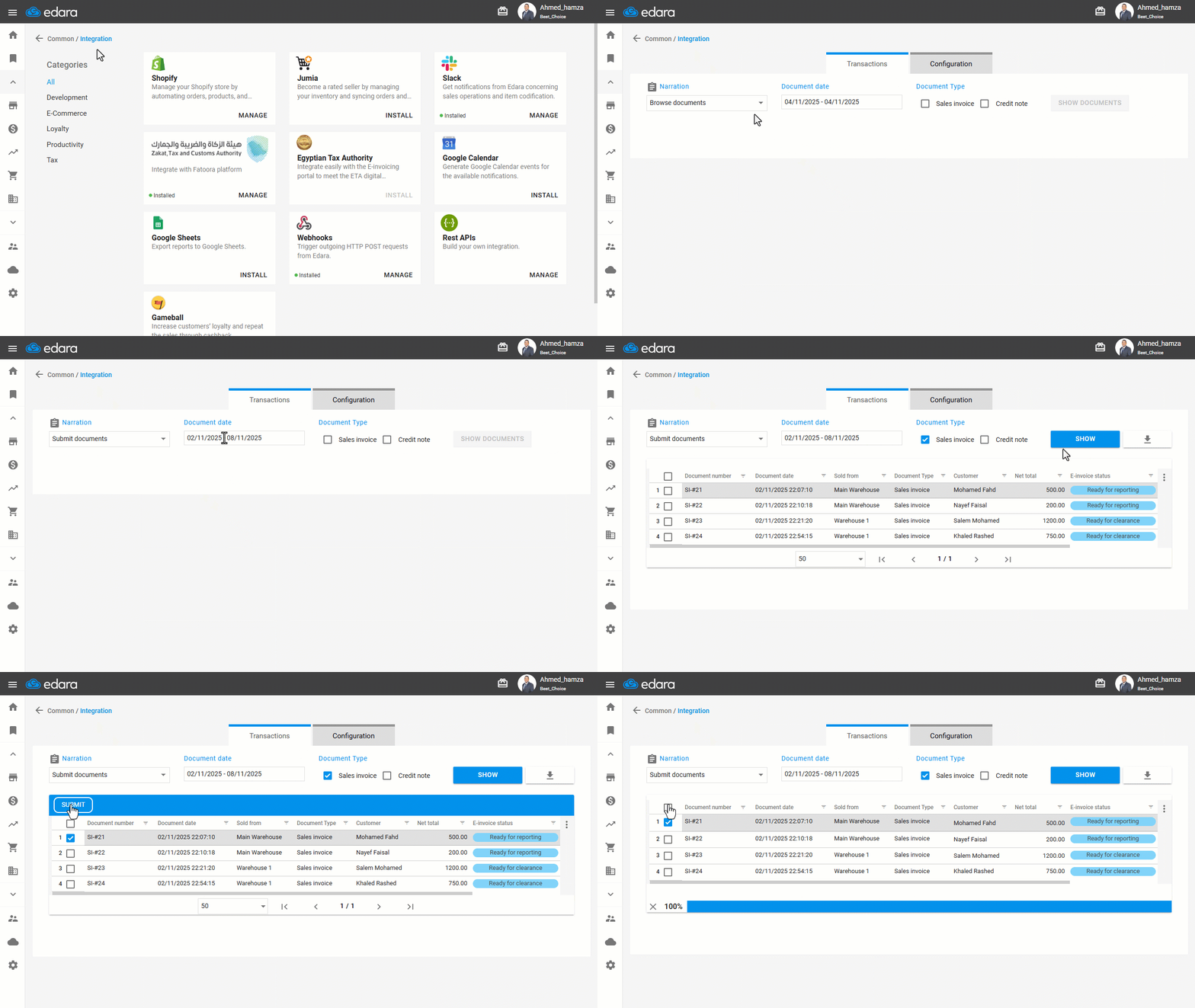
- Go to “Data”.
- Open the “Integration” page.
- Navigate to the "Integration with Fatoora platform" section.
- Select the purpose as "Send Document".
- Select the required document date in the "Transactions" section.
- Select the type of document required (Sales Invoice - Credit Note).
- Click on "Submit Documents".
- Select the documents you want to send.
Note: The available document status displayed on this page are:
- Ready for clearance → for B2B (Business-to-Business) customer documents.
- Ready for reporting → for B2C (Business-to-Consumer) customer documents.
- Click on “Submit”.
Note: The platform requires Tax Invoices to be sent immediately upon issuing, while Simplified Tax Invoices can be sent within 24 hours from the issuing time.
Frequently asked questions
How soon must invoices be sent to the platform?
The platform requires Tax Invoices to be sent immediately upon issuing, while Simplified Tax Invoices can be sent within 24 hours from the issuing time.
If you encounter any challenges or have questions during these processes, you can contact our technical support team, who are ready to assist you at any time.
Did this answer your question?